
Enabling Open Graph tags for the Next.js store
Open Graph tags function is available to the Next.js store pages for better search engine optimization (SEO).
About this task
Procedure
Enable the Open Graph tags for the Next.js store user interface by
following the steps given below:
- Open Management Center Tools.
- From the left navigation menu, go to .
- All the stores are listed on this page. Double-click on the Ruby store. The tab displays.
- Navigate to the window and select optional integrations and functions to Open Graph tags for the Next.js store.
-
Click the check box to Enable Open Graph tags (when the store is
served by Next.js).
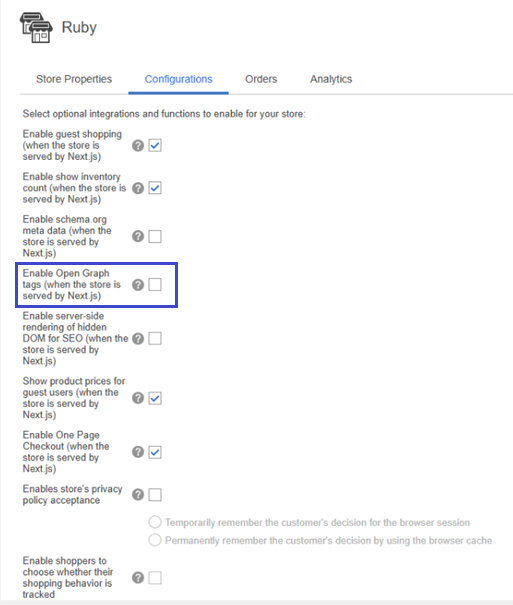 Open Graph tags function is enabled for the user in the Next.js store.
 - Click the Save button.
- Refresh the registries in Management Center for HCL Commerce or restart the HCL Commerce server container.