

Installing DEX FillDB
The DEX FillDB is responsible for collecting data from BigFix-managed endpoints and pushing them into the database.
Install the DEX FillDB using the #31-Install DEX FillDB (WIN) Fixlet.
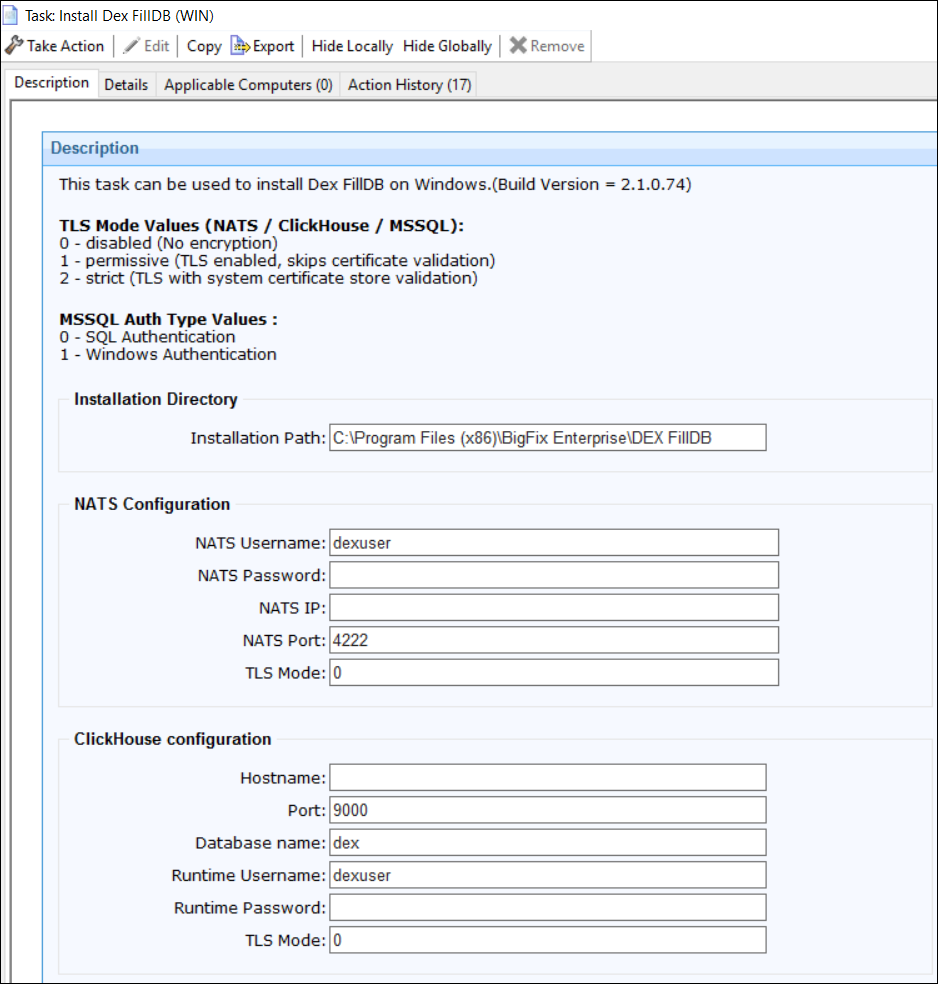
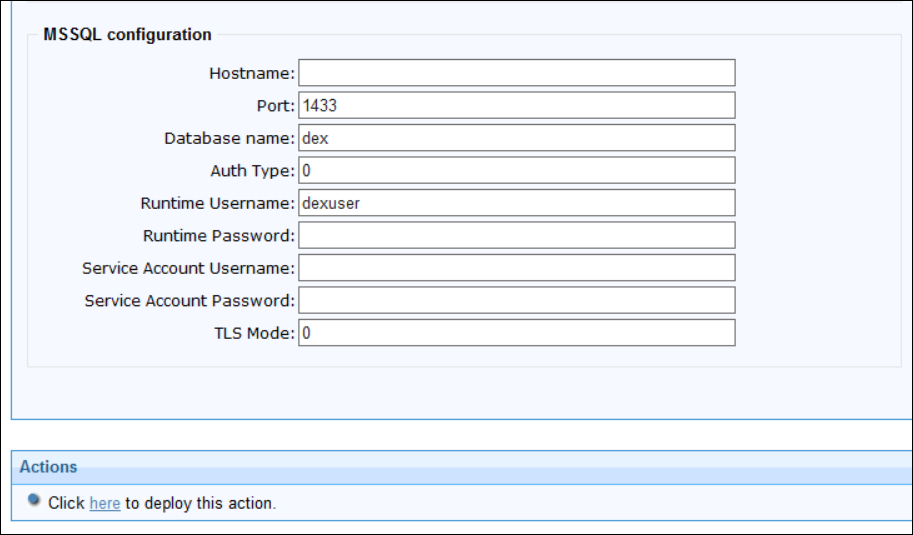
Input parameters required during the installation
In BigFix Console, go to Fixlet and Tasks and provide the following details:
- 0 – disabled (No encryption)
- 1 – permissive (TLS enabled, skips certificate validation)
- 2 – strict (TLS with system certificate store validation)
The same applies to all other components.
-
Mode 0 (SQL Authentication): Connects to the SQL Server instance using a dedicated SQL login with username and password stored in the DEX configuration; credentials are managed and rotated independently of the Windows environment.
-
Mode 1 (Windows Authentication): Connects to the SQL Server instance using the Windows service account identity via SSPI/Kerberos; no SQL credentials are stored — authentication is delegated to Active Directory.
- Installation Directory: Default: C:\\Program Files (x86)\\BigFix Enterprise\\DEXServer
- NATS JetStream Configuration: Host IP, port (Default: 4222), TLS Mode (Default: 0), user credentials (Default: dex_user)
- ClickHouse Configuration: Hostname, Port, Database Name, Runtime User credentials and TLS Mode
- MSSQL Configuration: Hostname, Port, Database Name, Authentication
Type, Runtime User credentials or Service Account User credentials, TLS ModeNote: ClickHouse and MSSQL Configuration info must match those defined during the DEX Server installation.