Knowledge Assistant
This section provides the user with the relevant knowledge recommendations based on the ticket descriptions. This includes:
- Related Tickets– This section provides information about all the similar tickets, created / resolved in the past and related details.
- Related Articles– This section provides all the relevant knowledge articles from multiple sources, based on the ticket description, to the user. The data sources from where this information will be retrieved depends on the configuration in your environment.
-
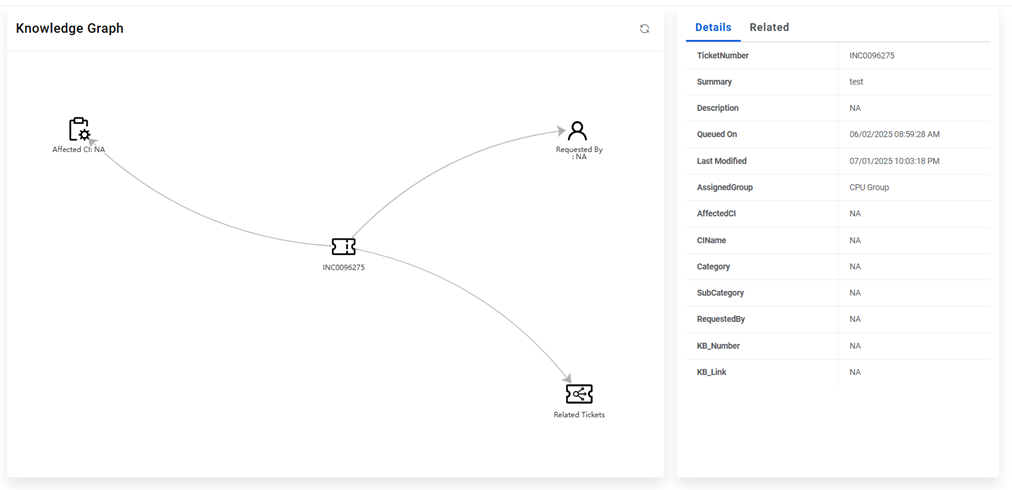
Knowledge Graph- The Knowledge Graph feature aims to provide a visual representation
of ticket-related information to assist support staff in incident analysis and resolution.
This feature will allow
- users to view and explore interconnected data points such as related tickets, affected CIs,
- and requestors in an intuitive graph format.
To use Knowledge Assistant, perform the following steps:
- On the main menu bar, click Knowledge. Click on the Knowledge Assistant menu.
- Select the Module from where you want to fetch the data.
Figure 1. Knowledge Assistant 
- Enter the Ticket Number.
- Click Search.
Figure 2. Knowledge Assistant (cont.) 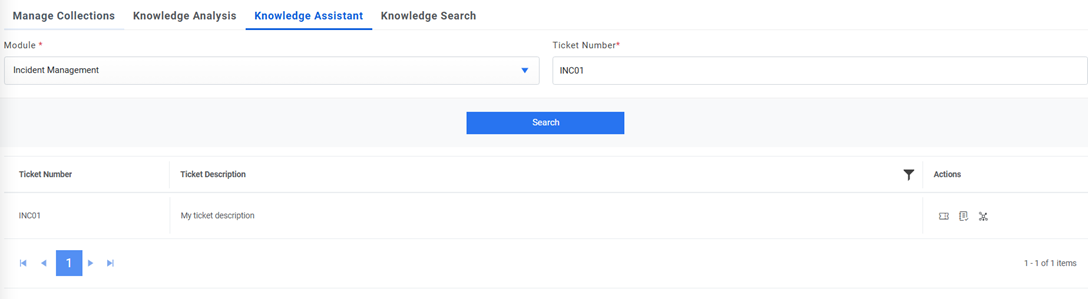
- Click on Related Tickets icon. Below popup opens.
Figure 3. Knowledge Assistant (cont.) 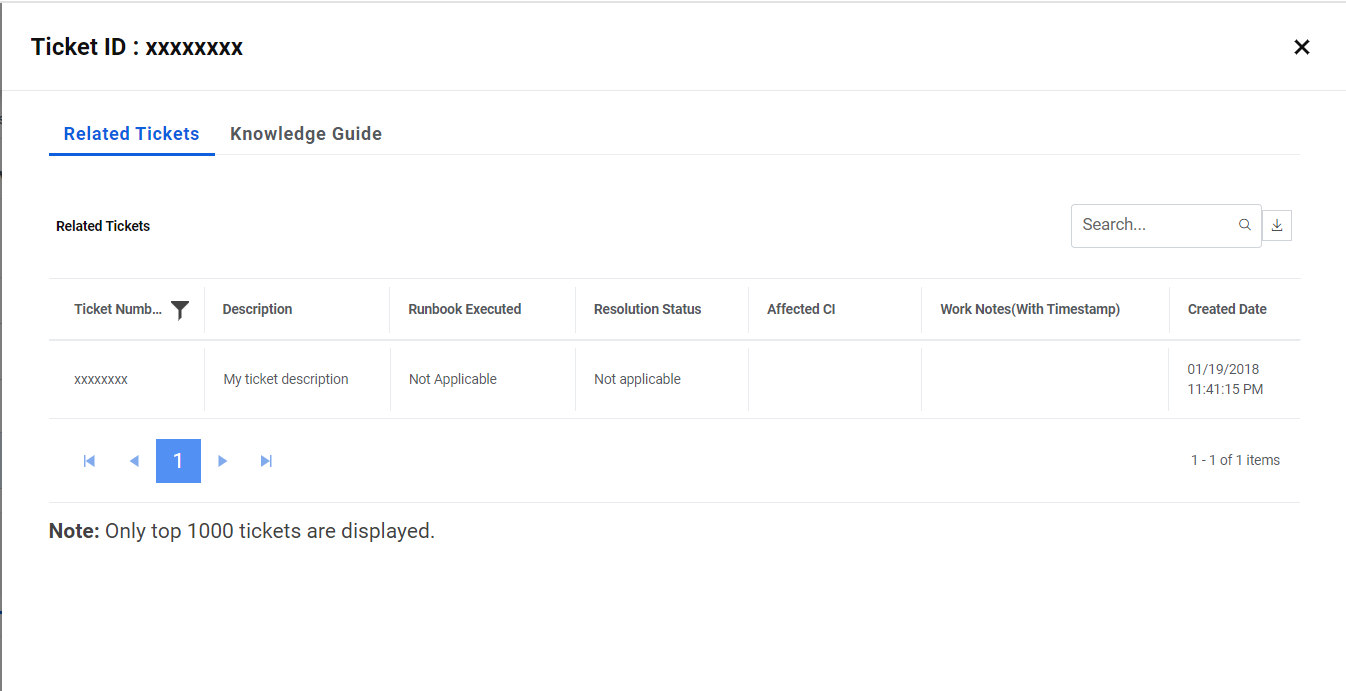 Note:The response received in related tickets will be based on the option checked on Google Custom Search API/GenAI Studio API details page under GenAI Studio API tab. If the Related Tickets option is checked, the data will be visible from the GenAI Studio prompt else it will be visible using internal APIs.
 - Click on Related Articles. Below popup opens.
Figure 4. Knowledge Assistant (cont.) 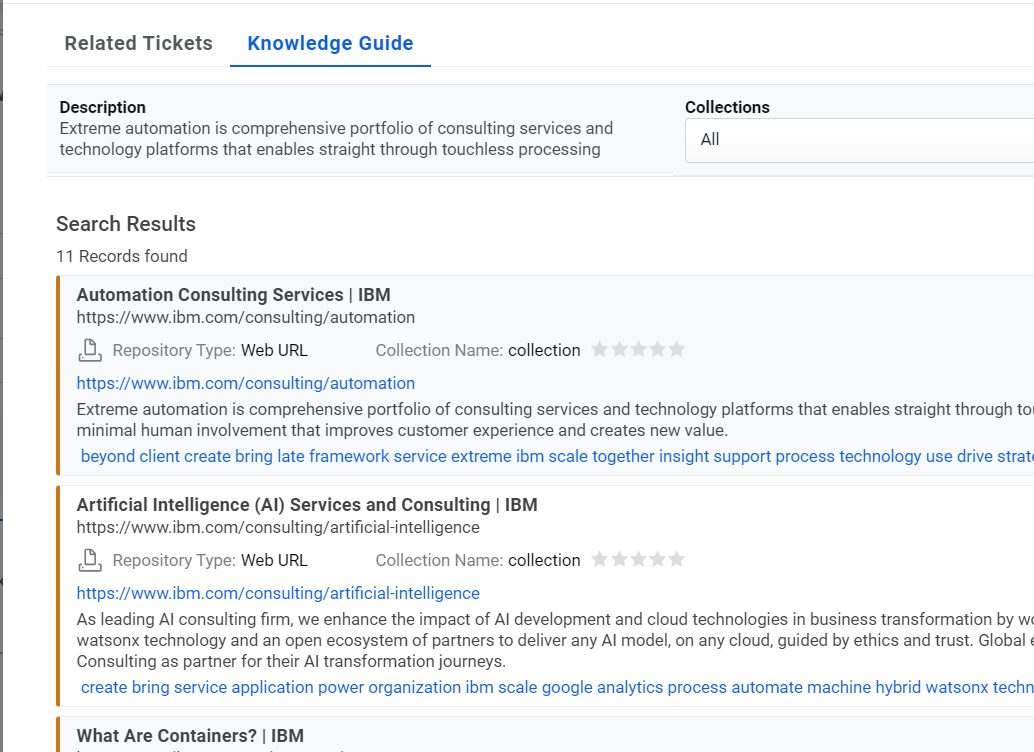
Figure 5. Knowledge Assistant response from GenAI Studio (cont.) 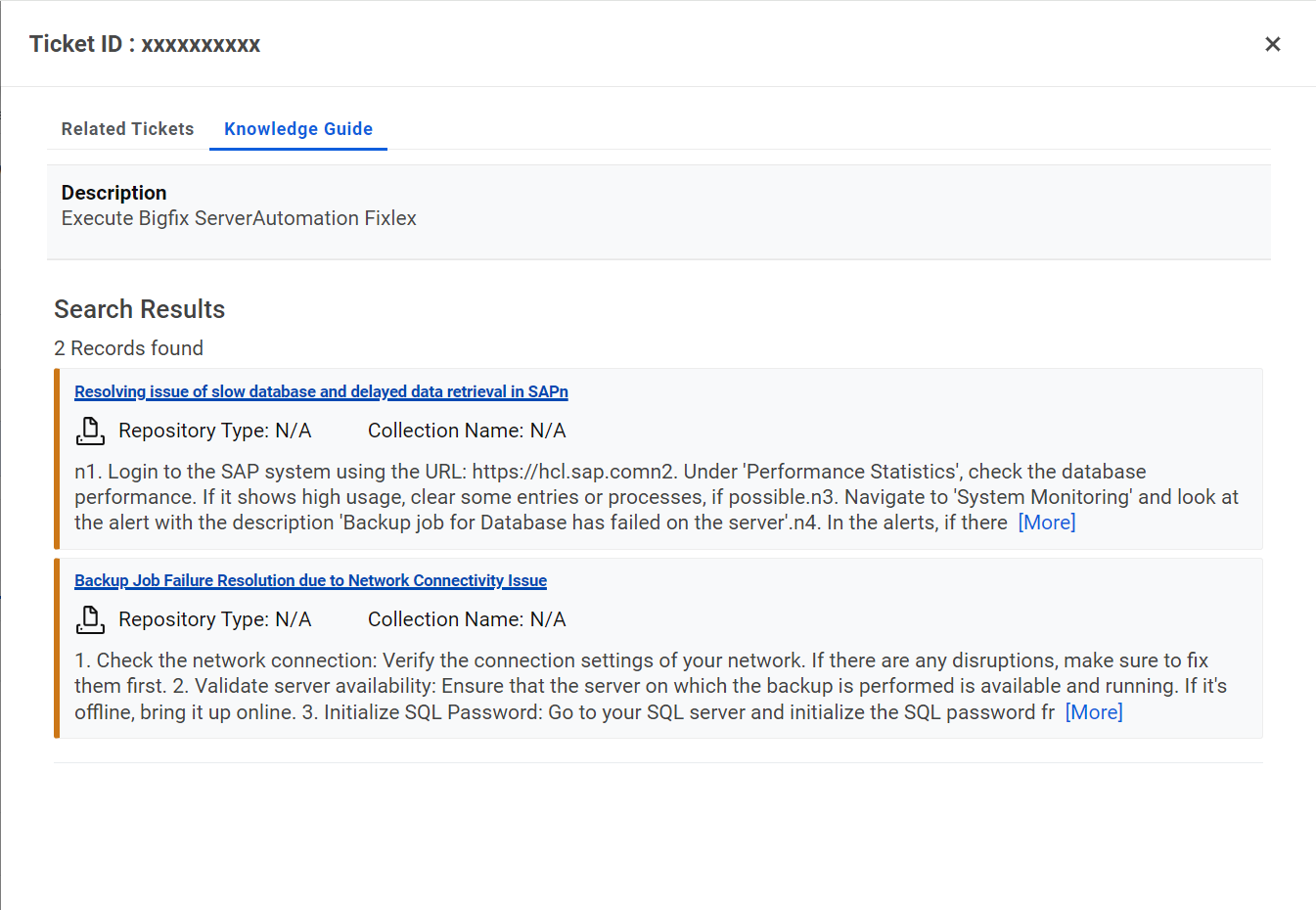 Note:The response received in related articles will be based on the option checked on Google Custom Search for API/ GenAI Studio API details page under GenAI Studio API tab. If Related Knowledge Articles option is checked, data will be visible from GenAI Studio prompt and else it will be visible using internal APIs.
 - Click on knowledge graph icon, below popup opens. It gives graphical representation of tickets data along with the Affected CI of the ticket, the requested by user name, and the top ten related tickets of the same.
- In Details, user can see the details of a ticket along with the summary, description,
queued on, last modified date etc. In related tickets, the top ten related tickets with
their information are visible. In the graph is the user click on Related tickets node; it
shows the top 10 tickets.
Figure 6. knowledge graph icon