
Knowledge Analysis
This section provides the user with an analytical view of document repository. This includes:
- Cluster View – provides a clustered view of the documents. Categorizes the documents into clusters based on context.
- Document Similarity View – recommends similar documents based on the currently viewed document for user’s reference.
- Topic/Concept view – provides a categorization of documents based on the topics identified from within the documents.
To manage knowledge analysis, perform the following steps:
- On the main menu bar, click Knowledge and then click Knowledge Analysis.
- The Knowledge Analysis page appears.
Figure 1. Knowledge Analysis 
- Select the collection and its corresponding Repository from the drop-down list.
- Click Search.
- This displays a clustered view of the selected document
repository. The left pane displays the cluster, and the
cluster topic is displayed as a legend in the right pane. The numbers appearing on each
cluster represent the number of documents listed in the selected cluster.
Figure 2. Knowledge Analysis (cont.) 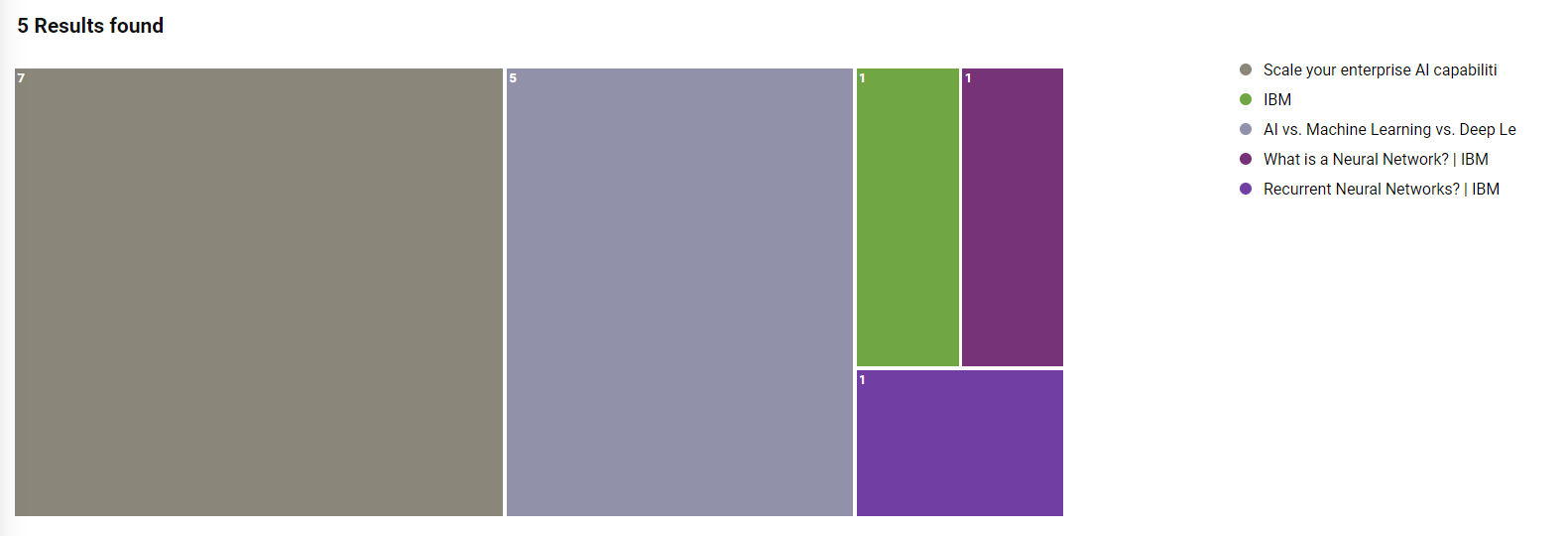
- Selecting a cluster lists the documents associated with the selected cluster, including
the Document Title, Source URL of the documents, and the Document
Summary.
Figure 3. Knowledge Analysis (cont.) 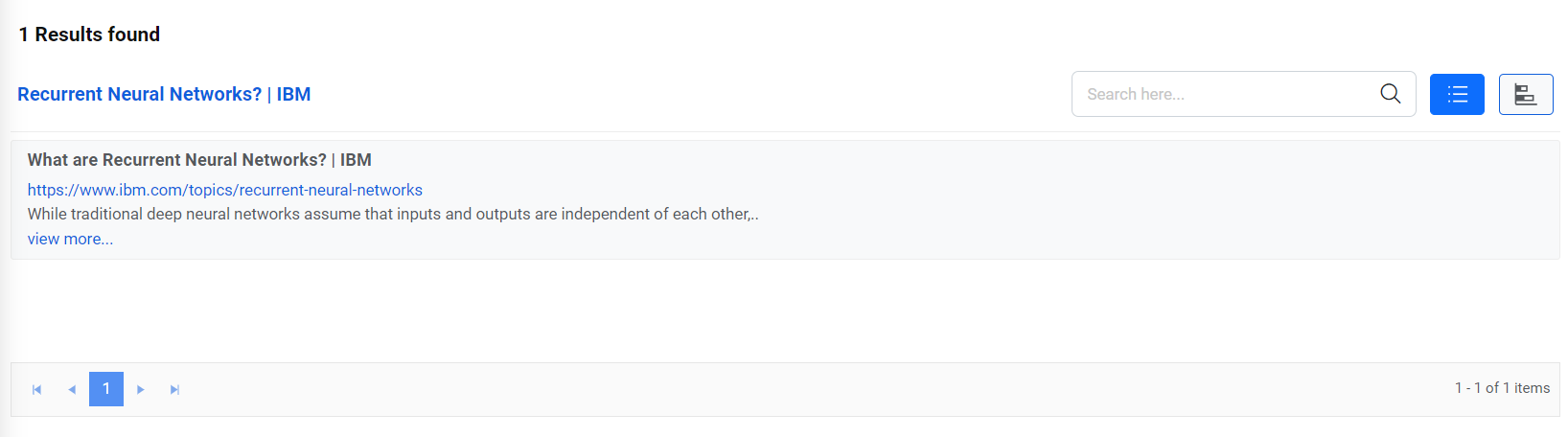
- Selecting a document title displays the document information including relevant Topics and
Tags, Summary, and the List of all similar documents along with their similarity
percentage.
Figure 4. Knowledge Analysis (cont.) 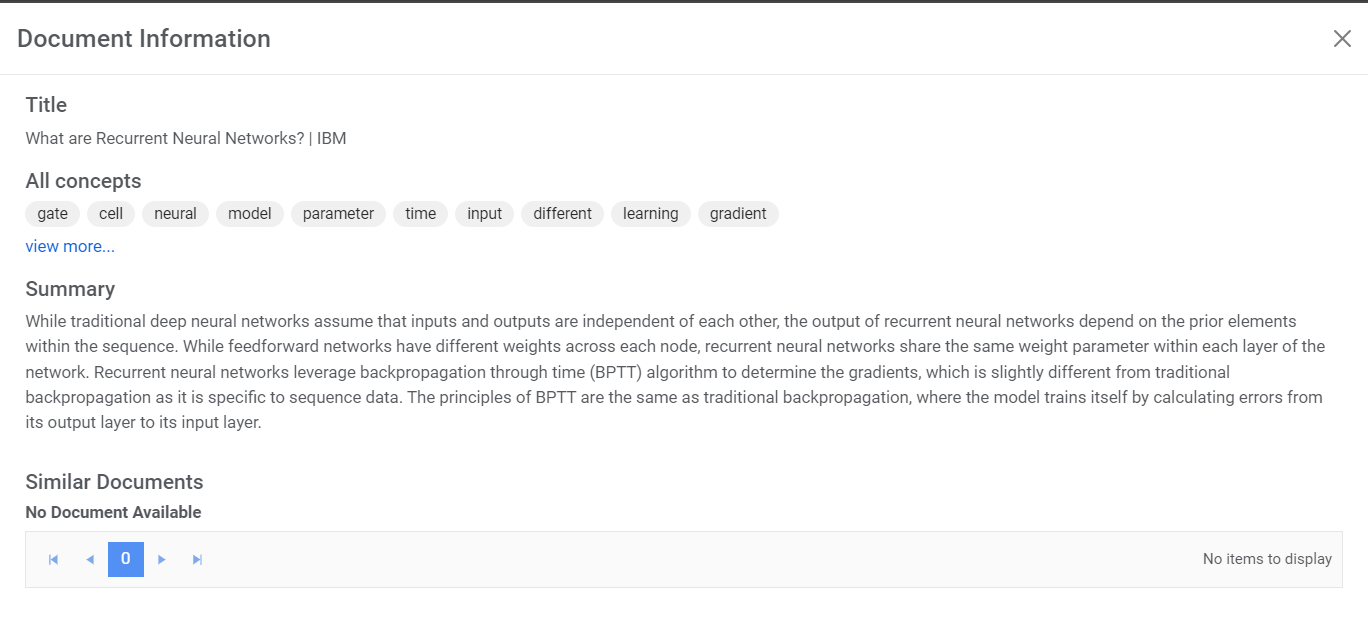
- You can also get the topic view for all documents for the selected cluster by clicking
 on the search result bar.
 - This view represents relevant Topics or in Terms of Cluster arranged by
relevance. This also allows you to find documents for a particular topic.
Figure 5. Knowledge Analysis (cont.) 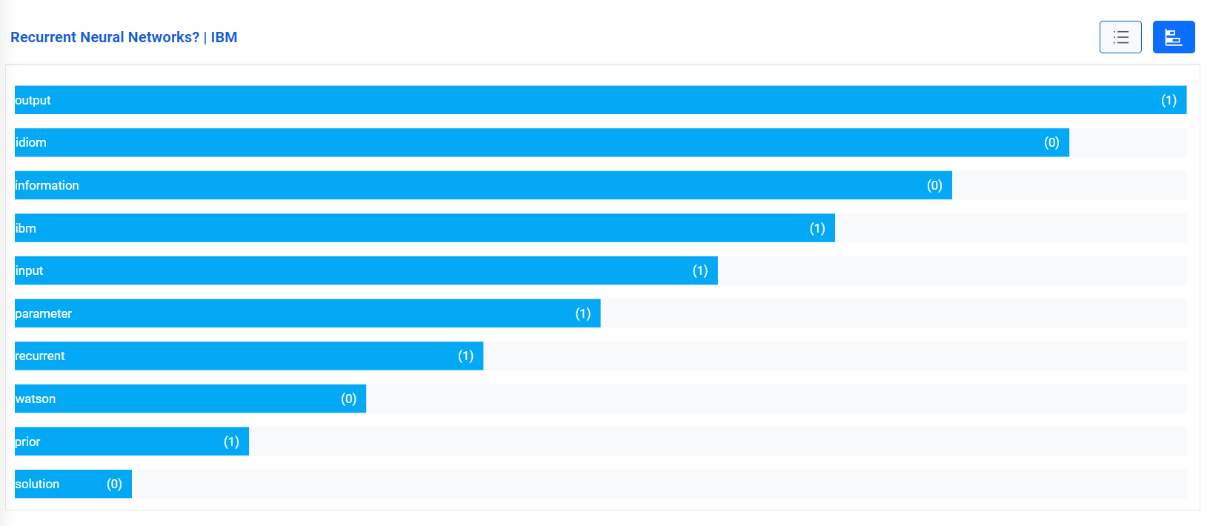
- The numerical value of each term represents the frequency of occurrence of a particular term or topic in a cluster.
- Selecting Term lists all the available documents containing the selected term.
Figure 6. Knowledge Analysis (cont.) 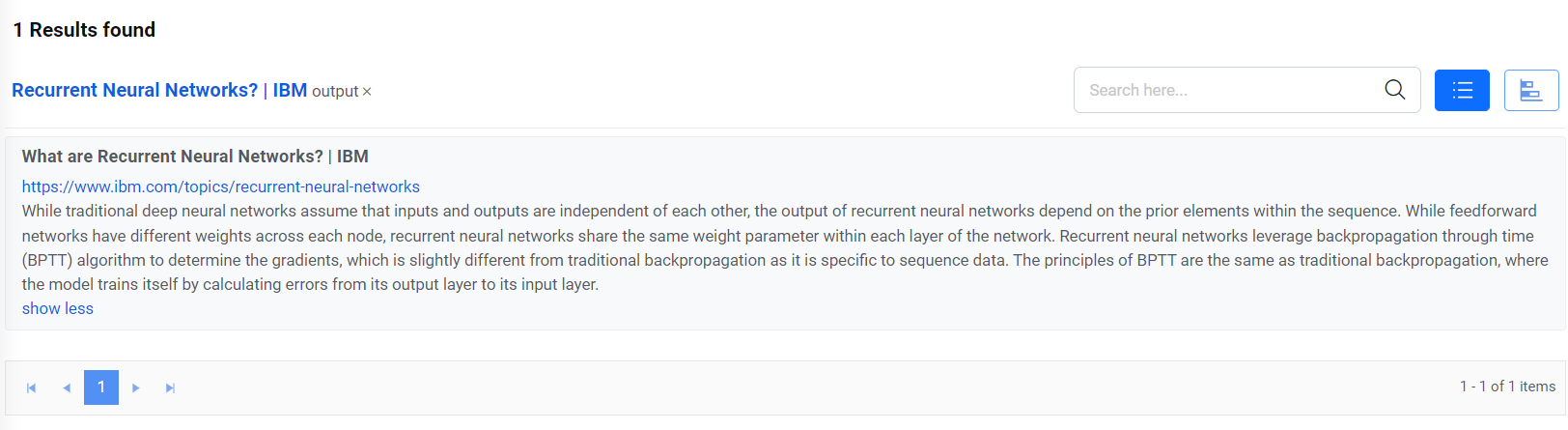
Note:
All fields marked with an asterisk (*) are mandatory.