
Component Logs
This section describes the complete activity logs of iAutomate components.
To view the component logs, perform the following steps:
- On the main menu bar, click on Logs and the Component Logs.
- Select Component Name, From Date and To Date.
- Click Search.
Figure 1. Component Logs 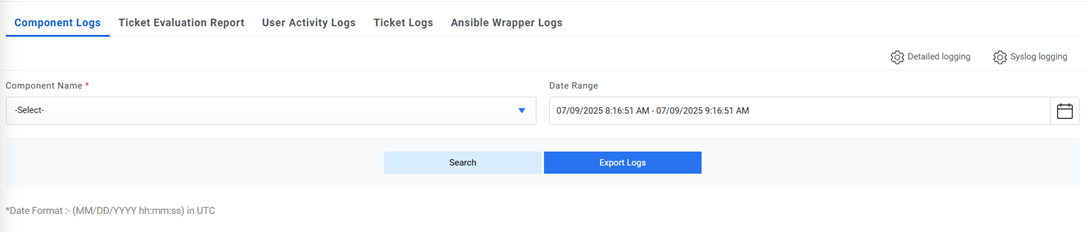
- The selection lists the relevant logs in a tabular view.
Figure 2. Component Logs (Cont.) 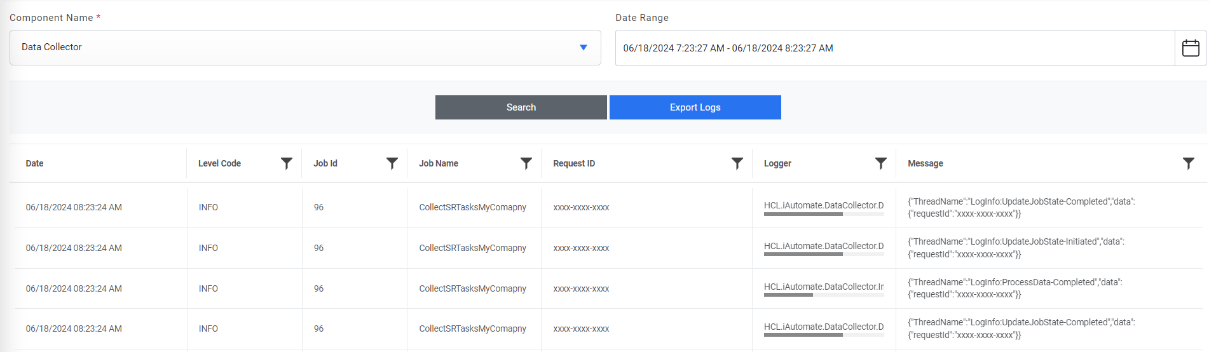
- In case of Website and Web API, below screen appears:
Figure 3. Component Logs (Cont.) 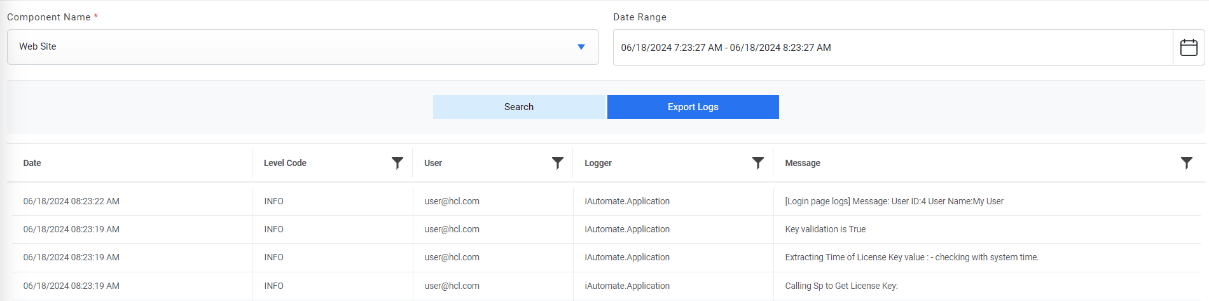
The user can apply filters on the User column. This is available only for Website and Web API only.
Figure 4. Component Logs (Cont.) 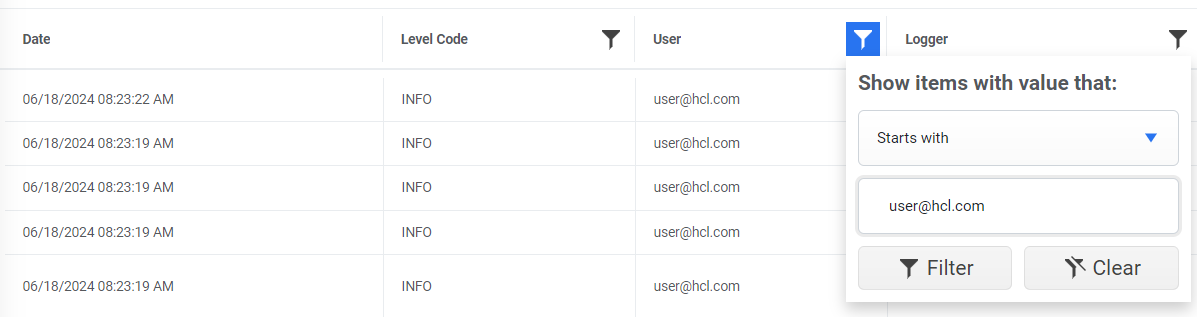
- User can enable/disable the detailed logging of Listener, Web UI and Web API from Detailed
Logging option.
Figure 5. Detailed Logging option 
- User can enable the logs for Web application to be logged in sys log. For this the sys log
configuration can be given on syslog Logging option.
Figure 6. Syslog Logging option 