
Password Settings
- Using this section, the admin can define the following rules to create a
password.
- The minimum and maximum password length.
- Define password strength/requirement by using one or more of the following
combinations:
- Lower-case
- Upper-case
- Numeric value
- Special characters
- An expiry limit including No Expiry.
Figure 1. Password Settings 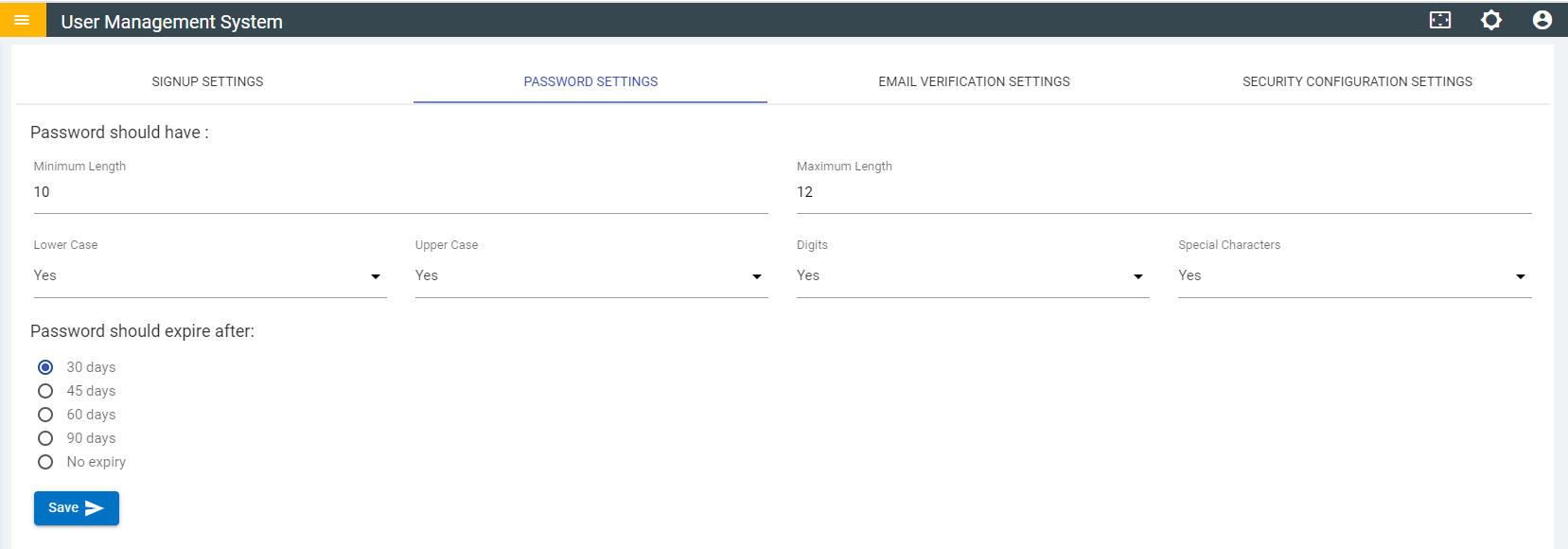
- Click Save after you have configured the password settings to apply the changes.