
Google Chat Integration
The main objective of this channel integration is to utilize the capability of BigFix AEX over Google Chat channel.
- To start using BigFix AEX over Google Chat, the user needs to access Global Admin
Console and navigate to the tenants tab.
Figure 1. Global Admin Console – Tenant 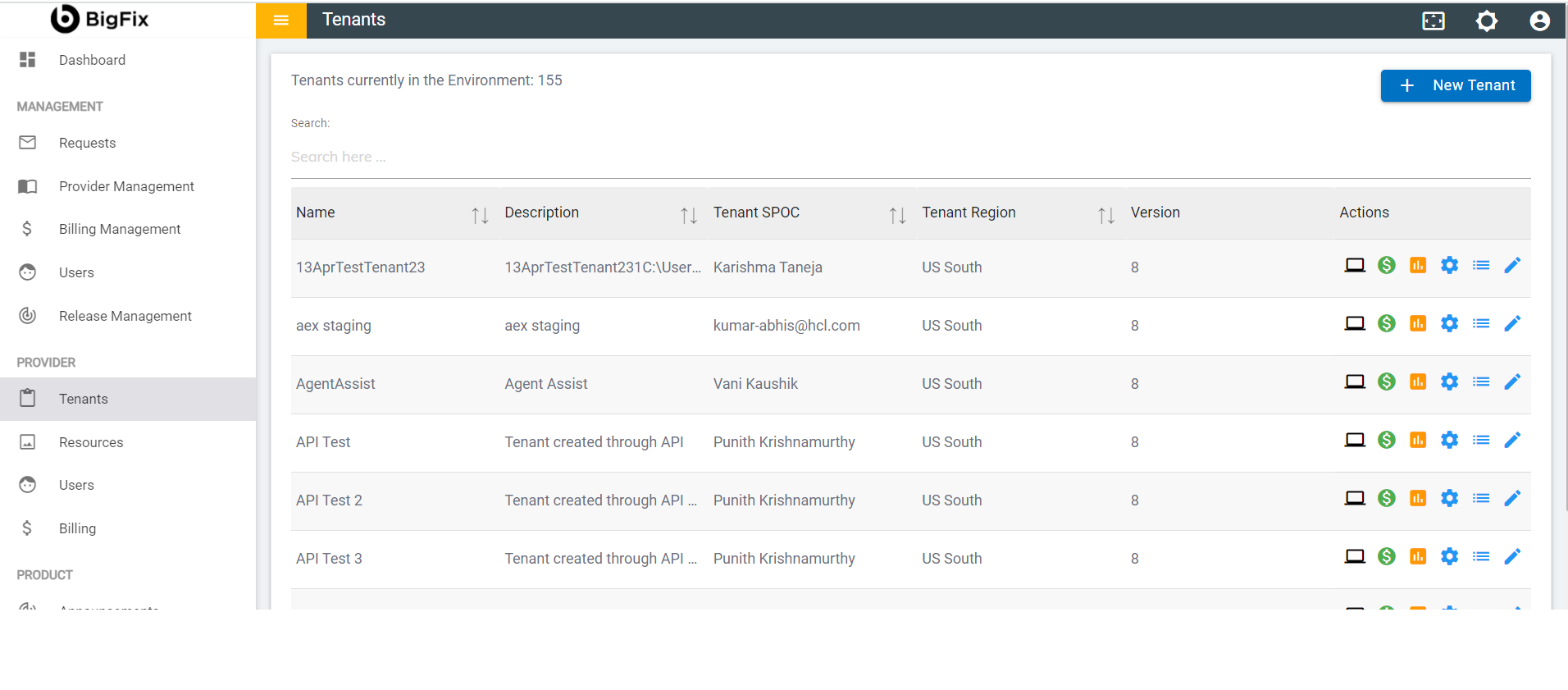
- Click on the configure button available in action button.
Figure 2. Global Admin Console – Configuring gChat 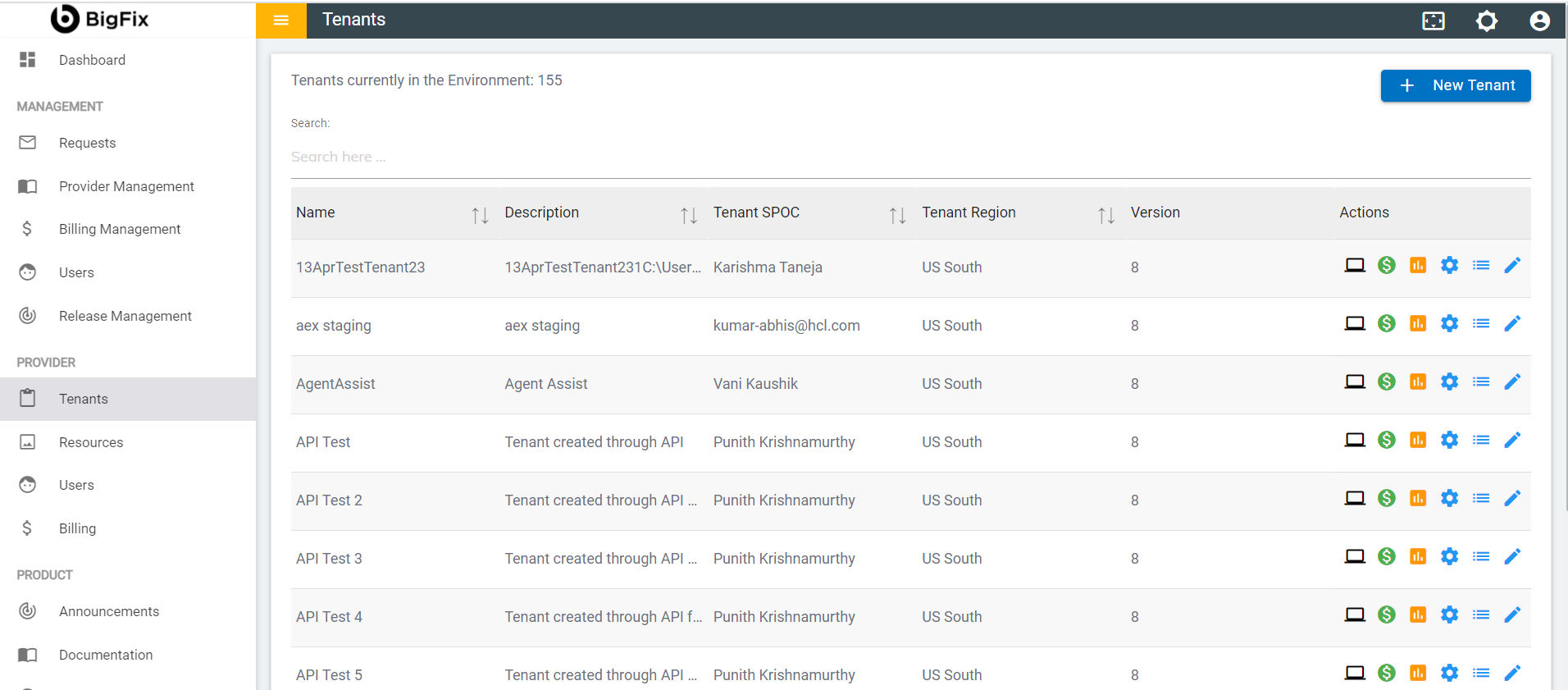
- On the tenant configuration page click on open in choose channels card.
Figure 3. Tenant Configuration Page 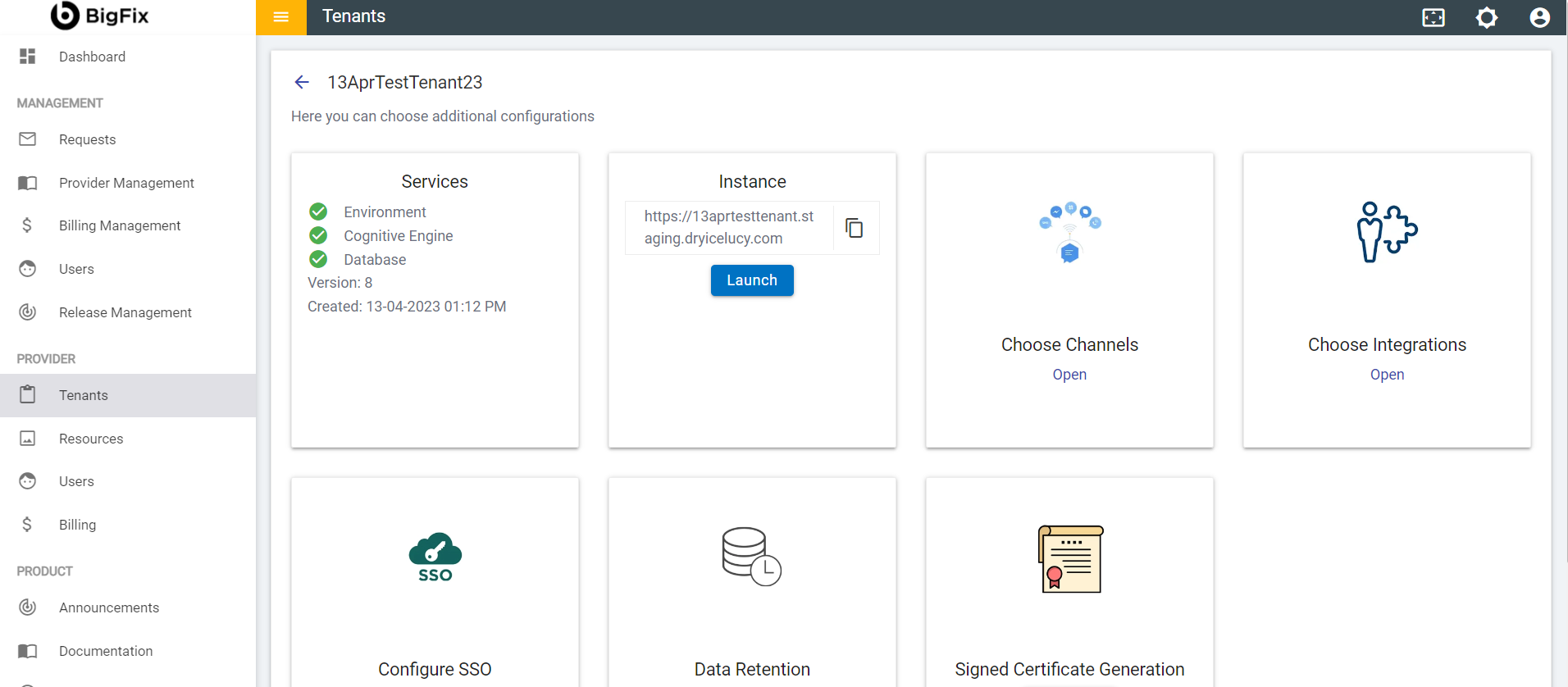
- Go to gChat and toggle to enable it and then click on the Save button.
Figure 4. Enabling gChat 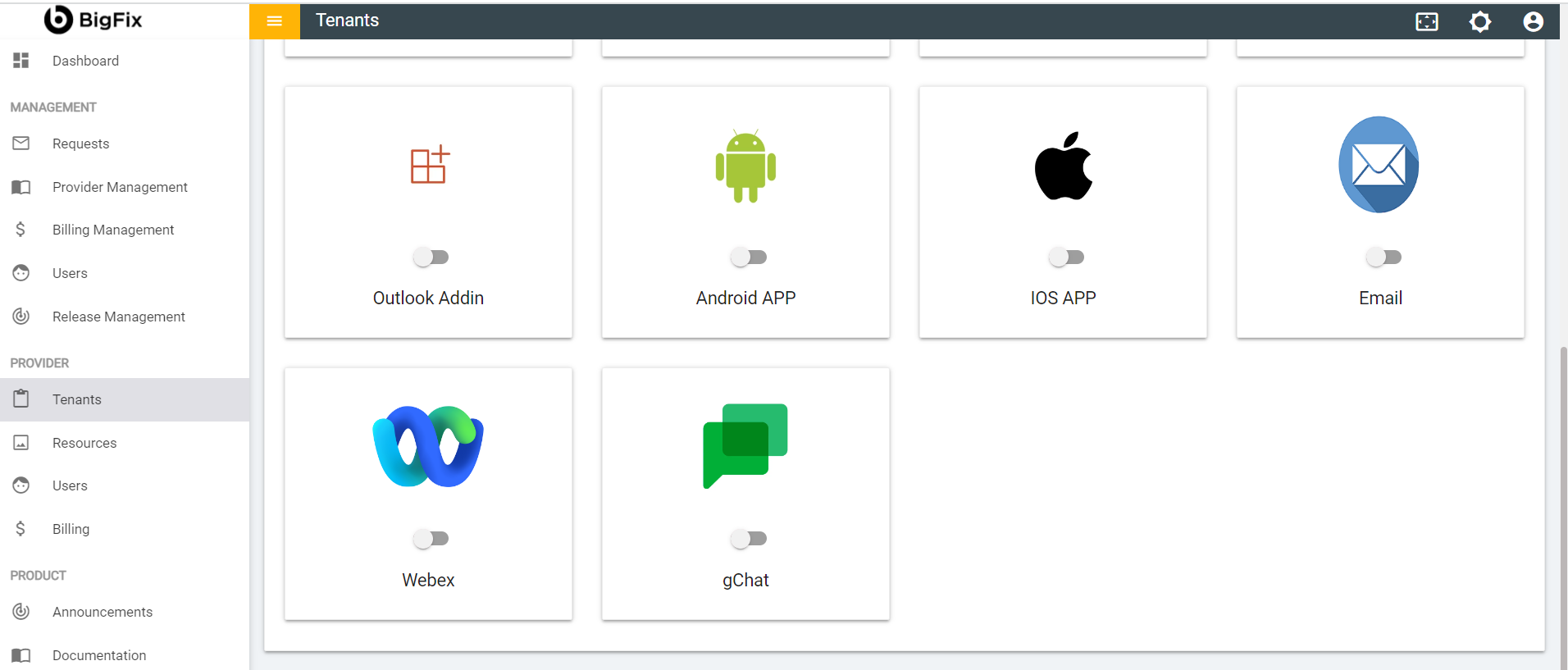
Figure 5. Enabling gChat (Cont.) - Save 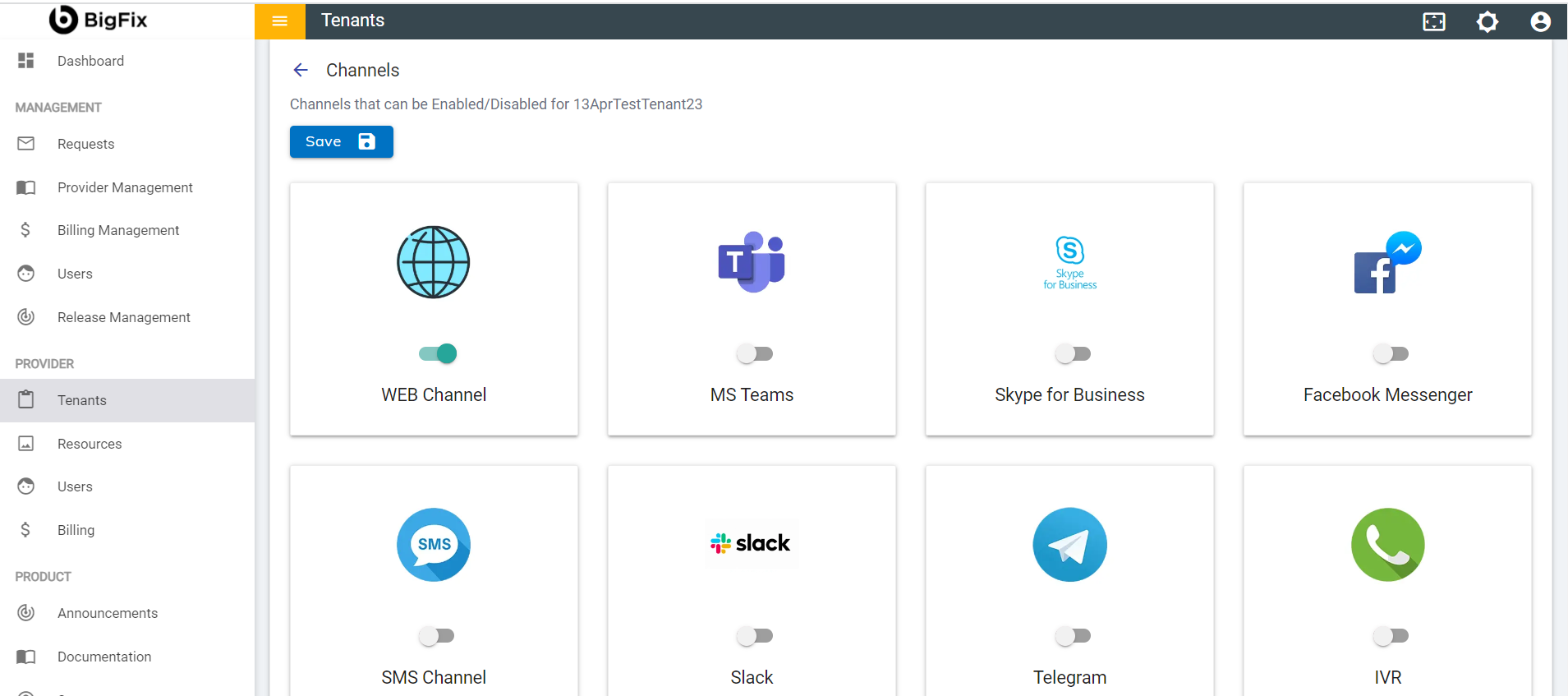
- Clicking Save will display a success message.
Figure 6. Chat Available for Tenants 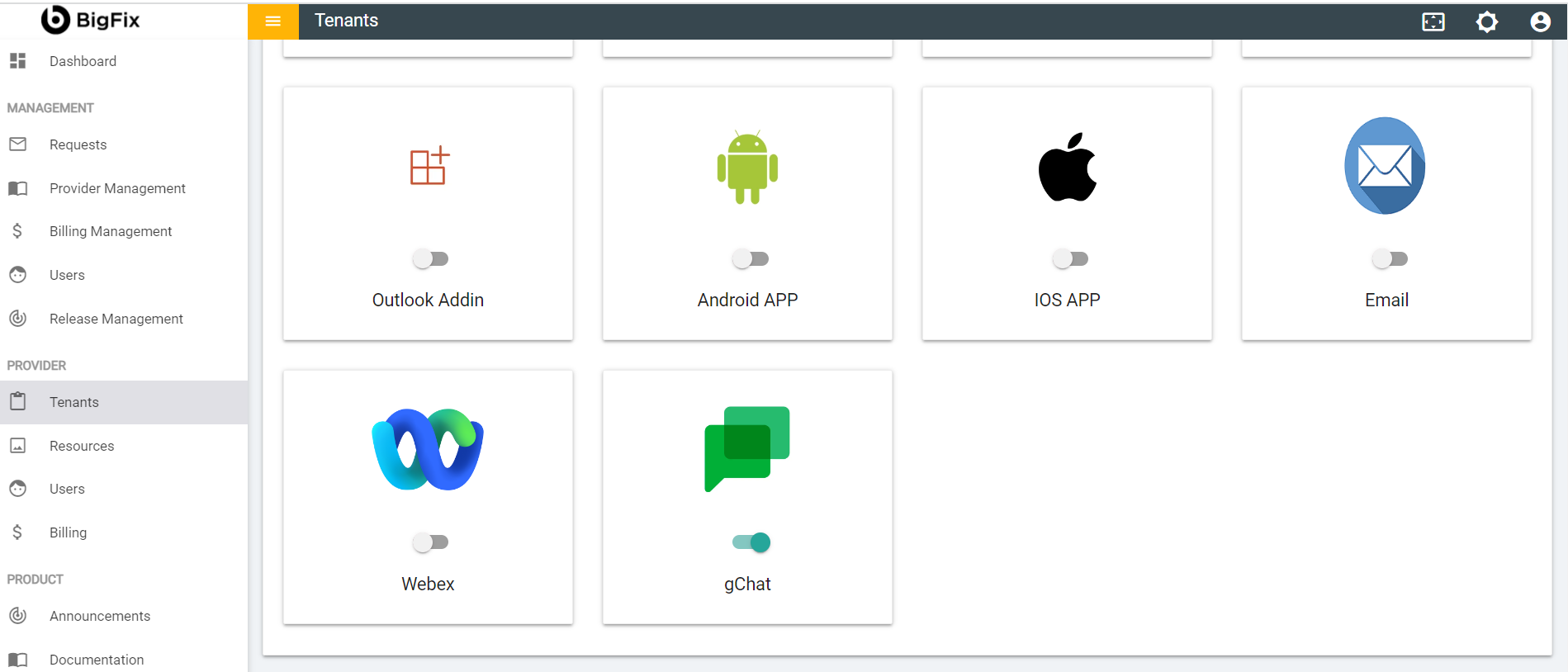
- Once the changes are saved, it becomes available for the selected tenant under the
channel configuration console to configure the gChat channel.
Figure 7. Channel Configuration Console 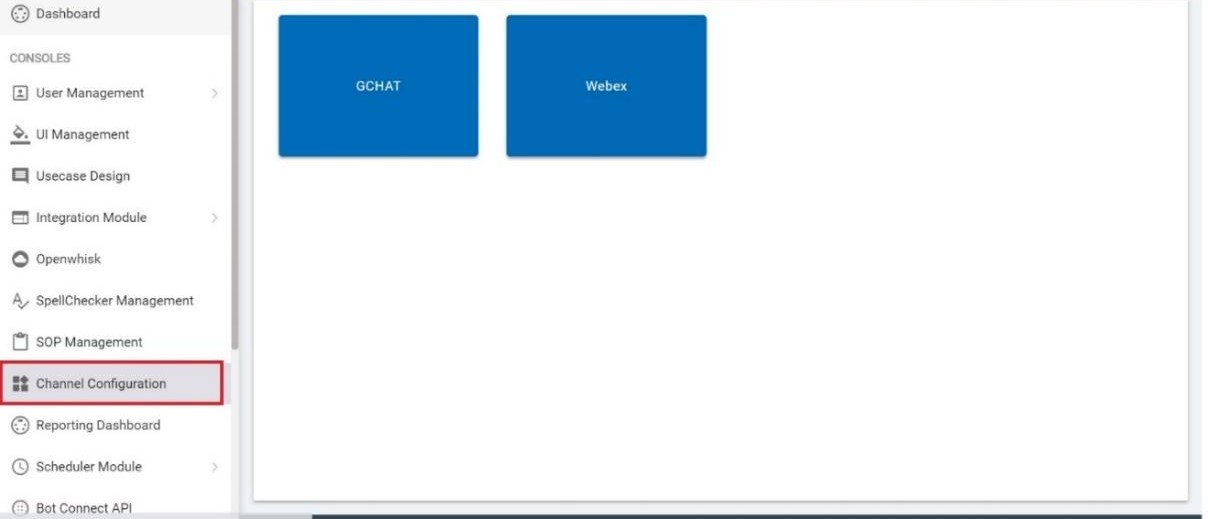
- Click on the gChat button to configure the gChat channel and you can connect
any of your gChat bot to run BigFix AEX use cases. Click on Save and once it is done
your bot is configured for your selected tenant and you will be able to use BigFix AEX over
the same.
Figure 8. Configuring gChat Channel 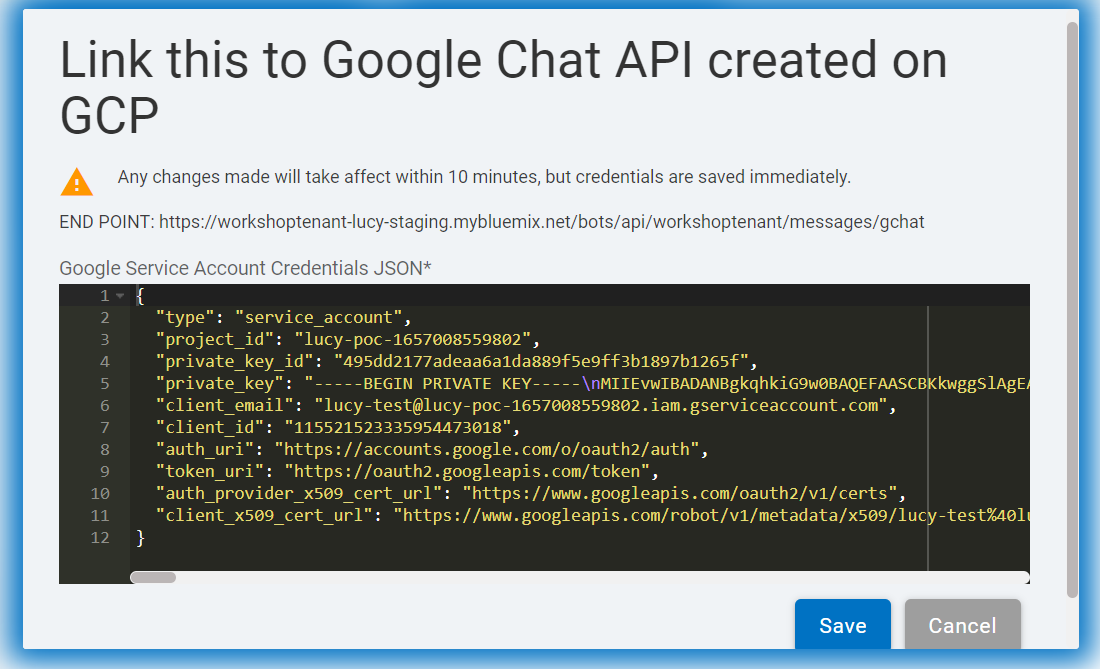
- Click on Save to save the changes.