Admin Preferences
Admins can easily configure company/instance properties via the Settings menu.
Instance properties: Only users having Super admin role can override the default settings for an instance.
On a multi-tenant instance, the property settings are common for all companies and cannot be customized for an individual company.
Company properties: Only users having Super admin and admin role can override the default settings for a company on a multi-tenant company, each company can configure the properties as per their preferences.
Instance and Company properties are grouped together. Every module has their own instance or company specific properties.
Overriding Default Company Settings
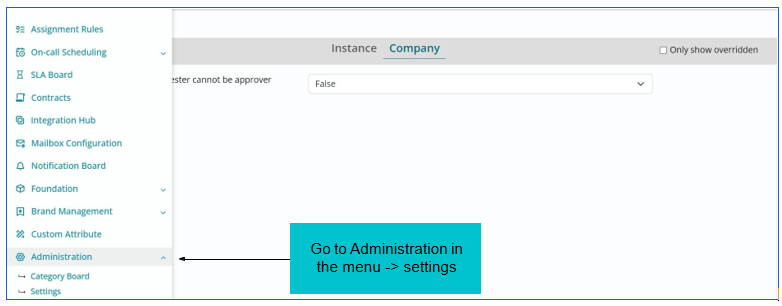
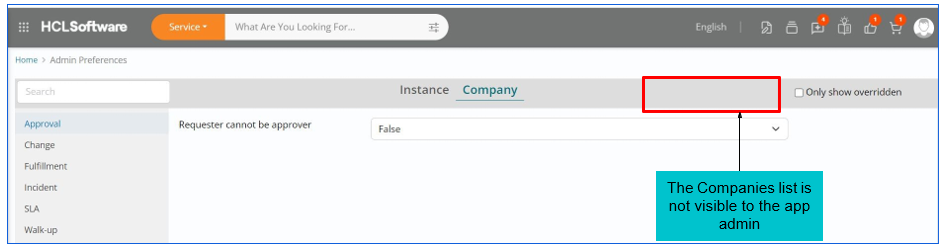
Prerequisite: Only app admin can override the default properties. The only difference is the Company’s list will not be visible to the app admin.
When a company requests to change/override the default settings. The app admin can override the requested changes.
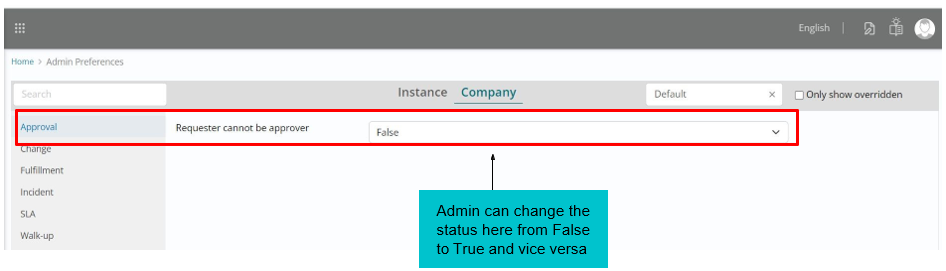
Use Case: When company requests app admin to override the default setting of “Requester can be approver” to True from False. The user can override the property value, which will be applied to all the Company’s.
Prerequisite: Super admin can override properties for all companies. However, app admin can override properties for their own company. This rule applies to all the modules present under Instance and Company.
When the super admin logins, the company name will be selected as “Default” which means if any one of the settings is overridden the changes will be applied to all the companies added under the super admin access. Super admin can select a company or can override the default settings to all the companies.
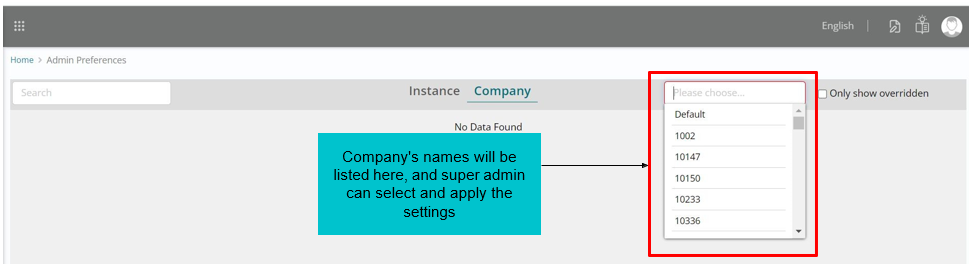
Use case: When a company requests to change the settings of “Requester cannot be approver” from False to True. Super admin as well as an app admin can change its status. For example. In a company if an employee has approver’s access but that employee need access to some data or application then that employee will be a requester and cannot approve for his own access request.
If the company specifically needs that option to be enabled, then they can request their app admin or super admin to change the status from False to True.
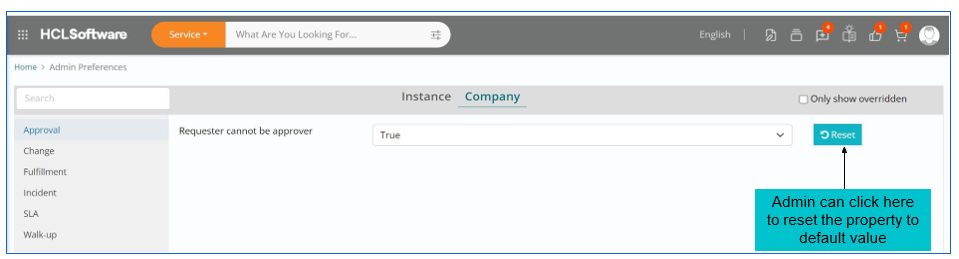
When a company wants to reset its property values for the modules they have overridden. The admin and super admin access have a simple option to click on “Reset” button which will change all the properties values to default setting under a module.
Every module has its own set of property values, app admin and super admin need to click on reset button for the modules that company wants to reset to default settings.
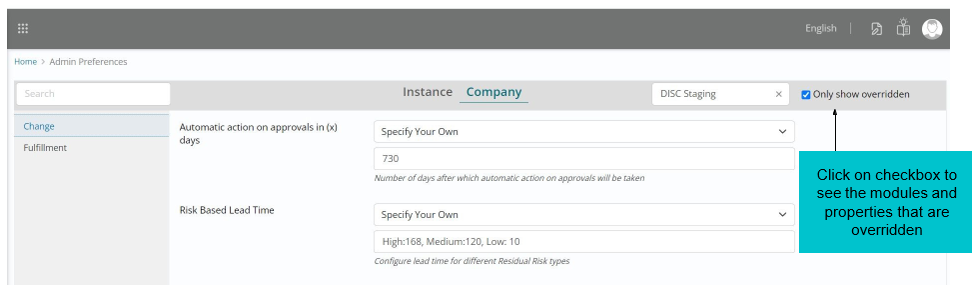
Prerequisite: The admin and super admin both can see which company, modules and their property values are overridden.
Use Case: A Company named “Disc Staging” is selected and when clicked on the checkbox “Only show overridden” the screenshot is shown that modules Change and Fulfillment are overridden with the default settings.