
Creating a Custom Property
Custom properties allow you to evaluate specific endpoint conditions across managed devices using targeted relevance clauses.
About this task
To create and configure a new Custom Property follow these steps:
Procedure
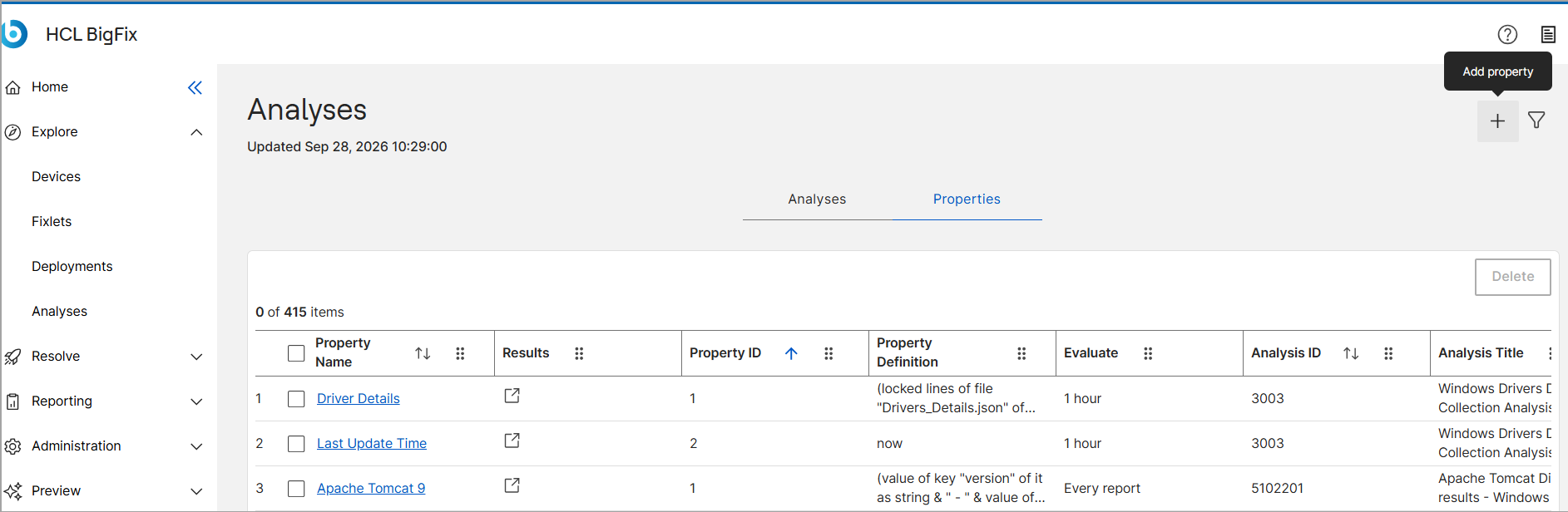
- From the Analyses dashboard, select the Properties tab.
-
Click the Add Property icon in the top upper-right
corner of the page.
-
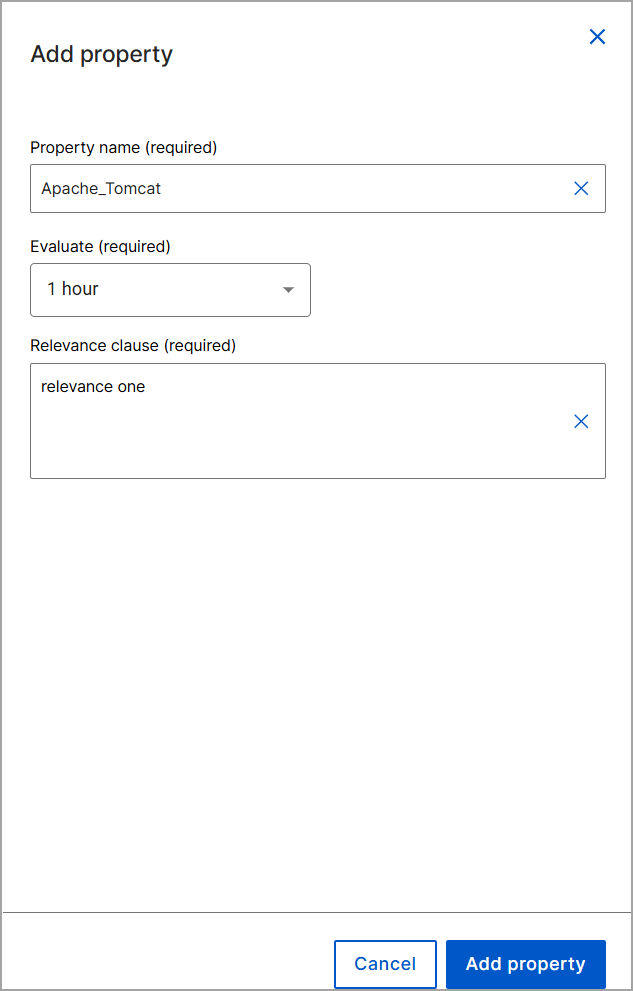
In the Add Property Pane configure the following
fields:
- In the Property name field, enter the name of the property.
- From the Evaluate (required) drop-down menu, select the evaluation frequency.
-
In the Relevance clause (required) field, enter
the relevance statement.
- Click Add Property.