
Registration page (B2C) of the Next.js store
The Registration page is where customers can specify their personal
information to create an account profile to become registered users of the site. There are
mandatory fields (marked by a red asterisk) and optional fields. Registration data that is
captured here can be used for your precision marketing campaigns.
Elements of the Registration page
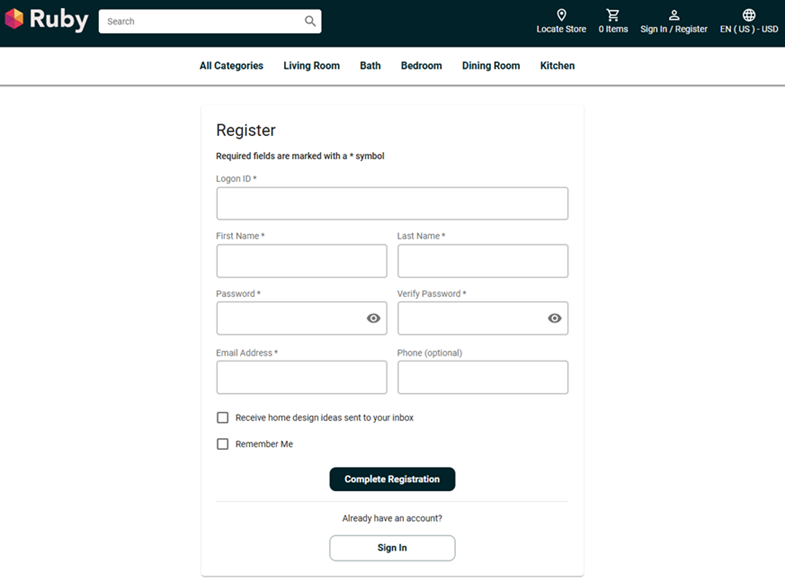
Standard functions on Registration page
- Personal details
- Customers can specify their personal details, such as logon ID, password, name, e-mail address, and phone number.
- Remember Me checkbox
- Customers can select this checkbox if they want the store to populate their personal data, such as logon ID and password, automatically every time they return to the site.
Optional functions on Registration page
The following functions can be enabled or disabled for the Next.js starter store by using the Store Management tool in the Management Center. For more information, see Selecting store functions.
- Receive home design ideas sent to your inbox
- Customers can opt in to receive marketing e-mails from the store.
Links and buttons
- Complete Registration
- Saves the new account profile in the database. If your company chooses account activation as a store function, then your customers receive an e-mail with a link to activate their account.
- Sign In
-
If you already have an account, use the Sign In option.