
Progressive Web Application (PWA)
The Ruby now has Progressive Web Application (PWA) support enabled.
A Progressive Web Application (PWA) is web-based software built using standard technologies such as HTML, CSS, and JavaScript. PWAs function across platforms with standards-compliant browsers, including desktop and mobile devices.
- Key Features of PWAs
-
- Responsive: PWAs are designed to adapts to various devices, including desktops, mobiles, and tablets.
- Offline capabilities: PWAs can work offline or on low-quality networks using service workers.
- App-like experience: PWAs offer app-style
interactions and navigation.
- App-style navigation: Uses bottom navigation bars, tabs, or drawers instead of traditional web links.
- Home screen installation: Can be added to the home screen with an app icon.
- Full-screen experience: Runs without browser User Interface. elements like the address bar and navigation buttons.
- Installable: Users can install PWAs on their devices and access them from the home screen without an app store.
Installing PWA
When Ruby is launched in the Google browser, you will see an installation button in the address bar. Click the button and follow the prompts to install the PWA. For more information, see Installing PWA.
Offline Experience of PWA
The Ruby PWA provides an offline experience using Serwist,
a variant of Google workbox. This enables users to access previously visited pages,
browse product catalogs, and interact with limited app features without an internet
connection.
- Cached Content: Users can access stored pages and data when offline.
- Users can access cached pages and data while offline. By default, only a limited number of pages or data that the shopper has visited are cached. See the Service Worker Caching for details.
- Error Handling: Friendly offline messages and prompts guide users when connectivity is lost.
- Background Synchronization: Data entered offline is synchronized when the
connection is restored.
- Data entered while offline is synchronized once the connection is restored. This is configurable. By default, Ruby enables background synchronization for Google Analytics events.
- If a requested page is not cached and the device is offline, a custom offline page will be displayed.
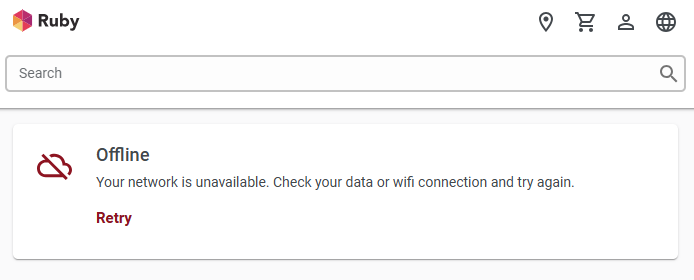
For more information about the offline experience of PWAs, see Service Worker Caching.
Note: Additional migration steps are required, if applicable:
- next.config.js moved to the configs/next.config.js.
- next.config.mjs added to the project root.
- The Dockerfile updated to explicitly copy the configs folder and the next.config.mjs file.