
Personal Information page for the Next.js store
The Personal Information page is where registered shoppers can
update their personal details and account preferences.
Elements of the Personal Information page
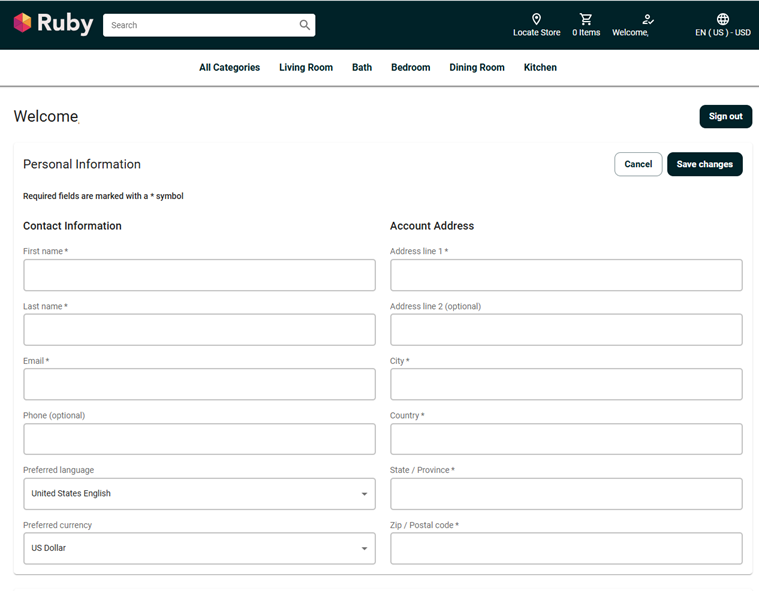
Standard functions on this page
- Personal details
- Registered shoppers can update their personal details, such as password, name, home address, e-mail address, and phone number.
Optional functions on this page
The following functions can be enabled or disabled for the Next.js starter store by using the Store Management tool in the Management Center.
- Preferred language
- Registered shoppers can specify their preferred language.
- Phone
- Registered shoppers can submit their mobile phone numbers.
- Preferred currency
- Shoppers can specify their preferred currency.
When consent management is enabled, radio buttons are added to the page for shoppers to select and provide consent. By default, shoppers are opted out, but they can provide consent using the radio buttons.
Links and buttons
- Save changes
- Saves the new account profile in the database.
- Sign out
-
If you do not want to add personal information, select the Sign out button.
- Cancel
-
Selecting the Cancel button redirects you to the landing page. Use this option if you do not want to proceed with your current action.