DEX Dashboard
The DEX dashboard is the primary analytics interface for tracking, analysing, and optimizing your organization's overall DEX score. To access the DEX dashboard, you must have access to the BigFix UI. For more information on BigFix UI and the navigation, refer to Knowing BigFix UI.
Navigation: In BigFix UI, navigate to
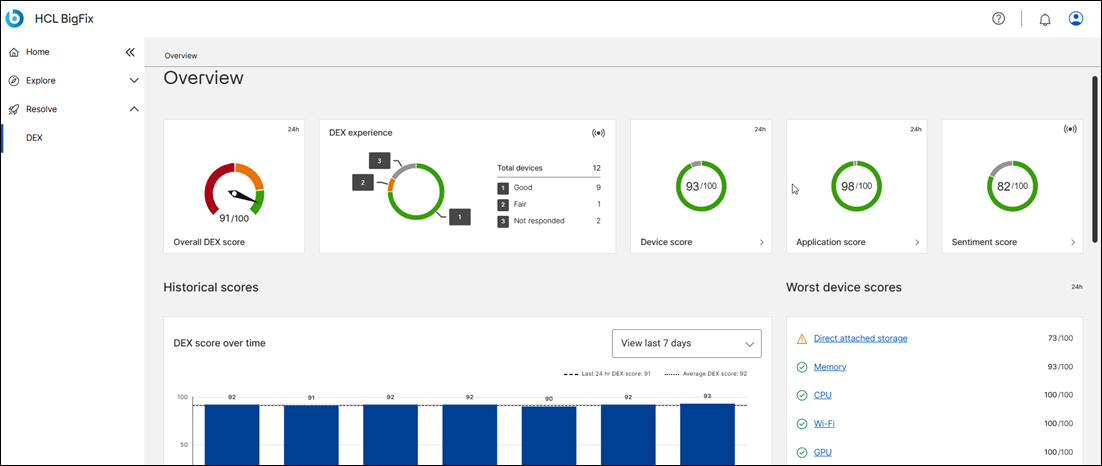
The DEX dashboard provides a multi-layered view of digital employee experience, divided into specific tracking categories:
- DEX Score and experience: Displays the top-level, overall digital wellness score of the organization to classify the total user experience.
- Device Scores: Shows granular health and performance metrics tied specifically to endpoint hardware and operating system stability.
- Application Scores: Identifies software reliability by tracking app health, crashes, and performance bottlenecks across the fleet.
- Sentiment Scores: Integrates direct employee feedback with technical telemetry data, providing a dedicated overview of qualitative user satisfaction.
- Historical Trends: Offers a timeline view of how performance and experience scores evolve over time.
- DEX Anomalies: Highlights unusual device behaviors or sudden performance drops that require immediate IT attention.
- DEX Surveys: Tracks the distribution and results of employee experience feedback campaigns.
Within the main dashboard, pre-configured KPIs and widgets reflect the calculated scores based on selected historical or real-time viewing windows. The dashboard shows an aggregated view of the entire environment that shows the user experience for the devices; app and sentiment.
Data aggregation by time:
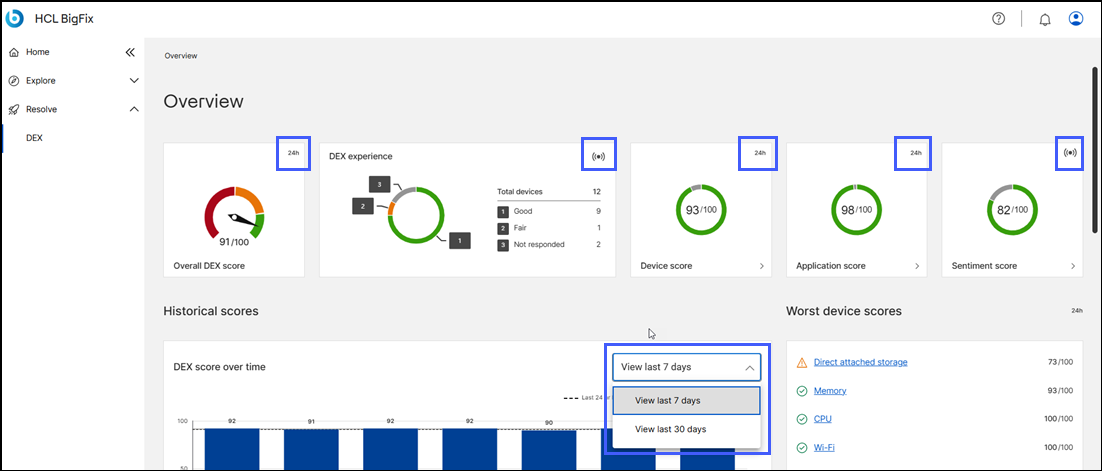
- every 24 hours: The widgets marked with
24hrepresent data that was collected in last 24 hours. - live (real-time): The widgets marked with the
((•))represent near-real-time data processed directly from active endpoints - historical (7 days and 30 days): A dedicated section, Historical scores, shows data that was collected over a period of time, such as on last 7 days or in last 30 days
- custom dates based of calendar selection: The data for a selected calendar date ranges is shown.