

Configuring DEX Global Profile Settings
The Update Global Profile Settings Fixlet (ID 55) is used to configure DEX profile parameters for Windows, macOS, and global DEX settings.
The Fixlet allows multiple parameters to be configured in a single action using key:value pairs. The entered values are validated before the action is submitted.
Input syntax
key:value,key:value GLOBAL_RETENTION_PERIOD_EP:25,GLOBAL_USER_EXPERIENCE_RED:49Input validation
Before taking the action, the Fixlet validates the entered parameters.
The following validations are performed:
- At least one parameter must be provided.
- The parameter name must be a supported global key.
- Duplicate keys are not allowed.
- Boolean values must be True or False.
- Integer values must be whole numbers.
- Values must fall within the supported range.
- Invalid key:value syntax is rejected.
Configuration parameters
The Fixlet displays the available parameters for Windows, macOS, and Global settings. For each parameter, the Fixlet displays its description, default value, unit, and supported range where applicable.
Refer to the below screenshots:
Windows Profile Settings in Fixlet ID 55: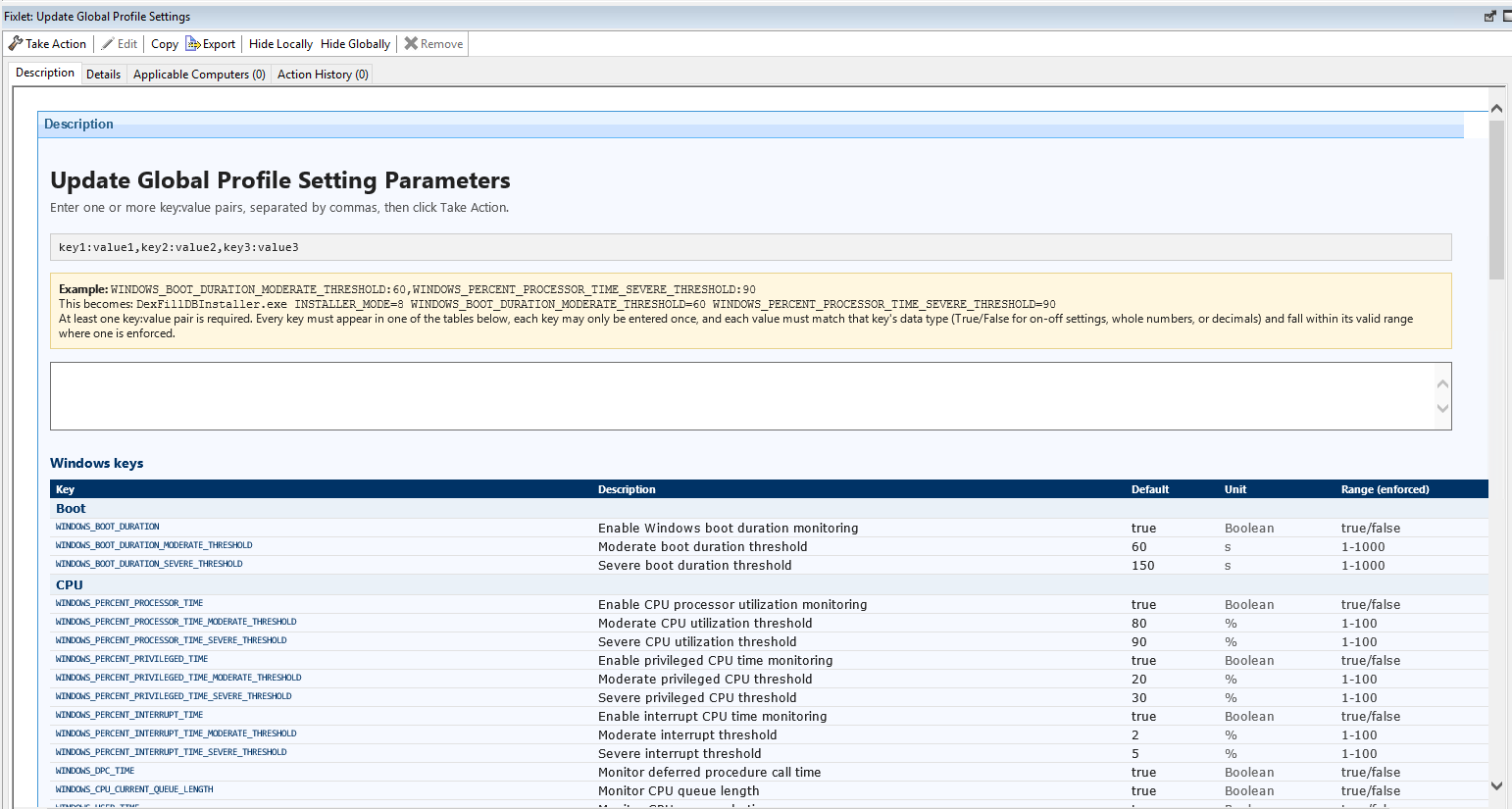
Additional Windows Profile Settings in Fixlet ID 55:
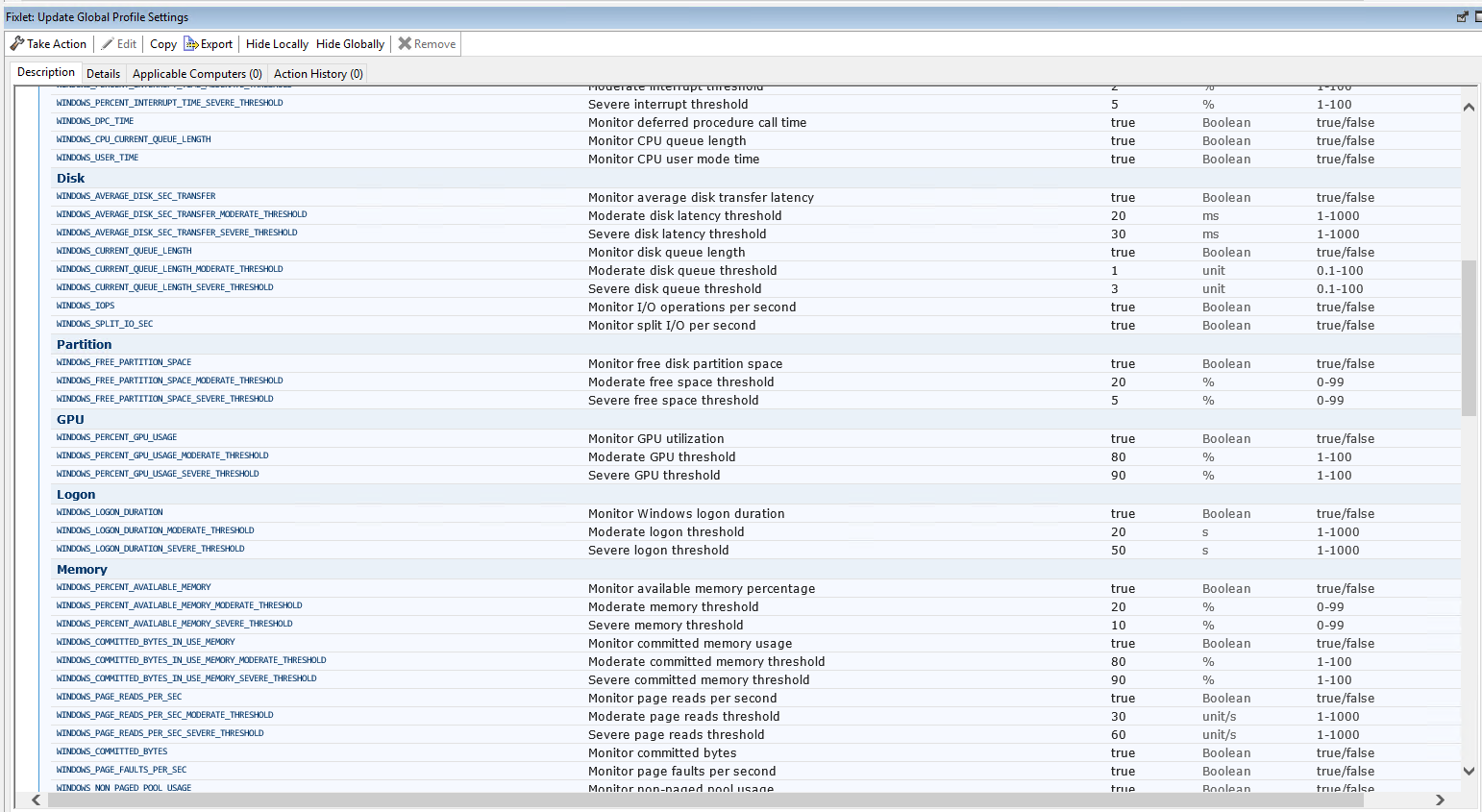
Windows and macOS profile settings in Fixlet ID 55
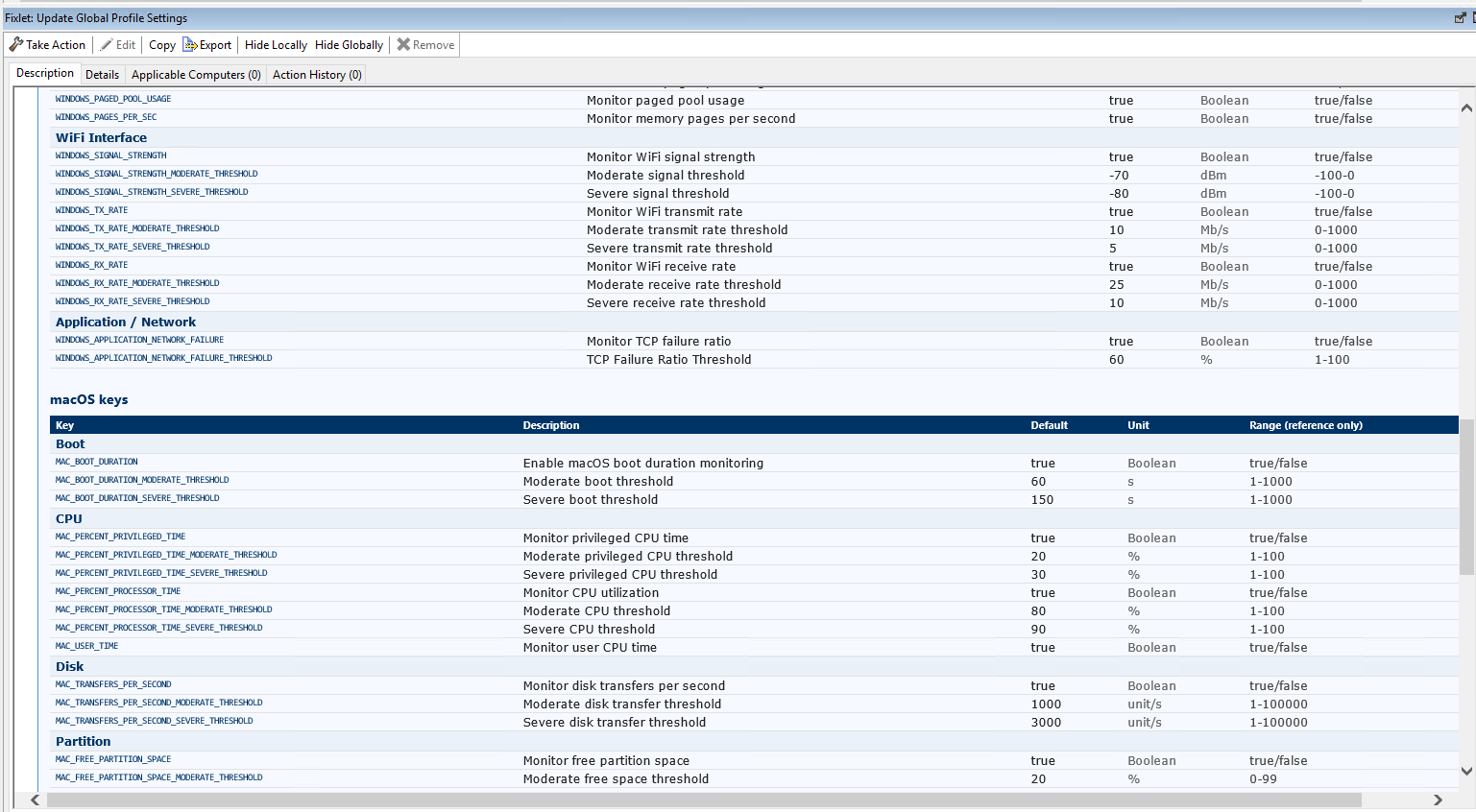
macOS and Global settings in Fixlet ID 55
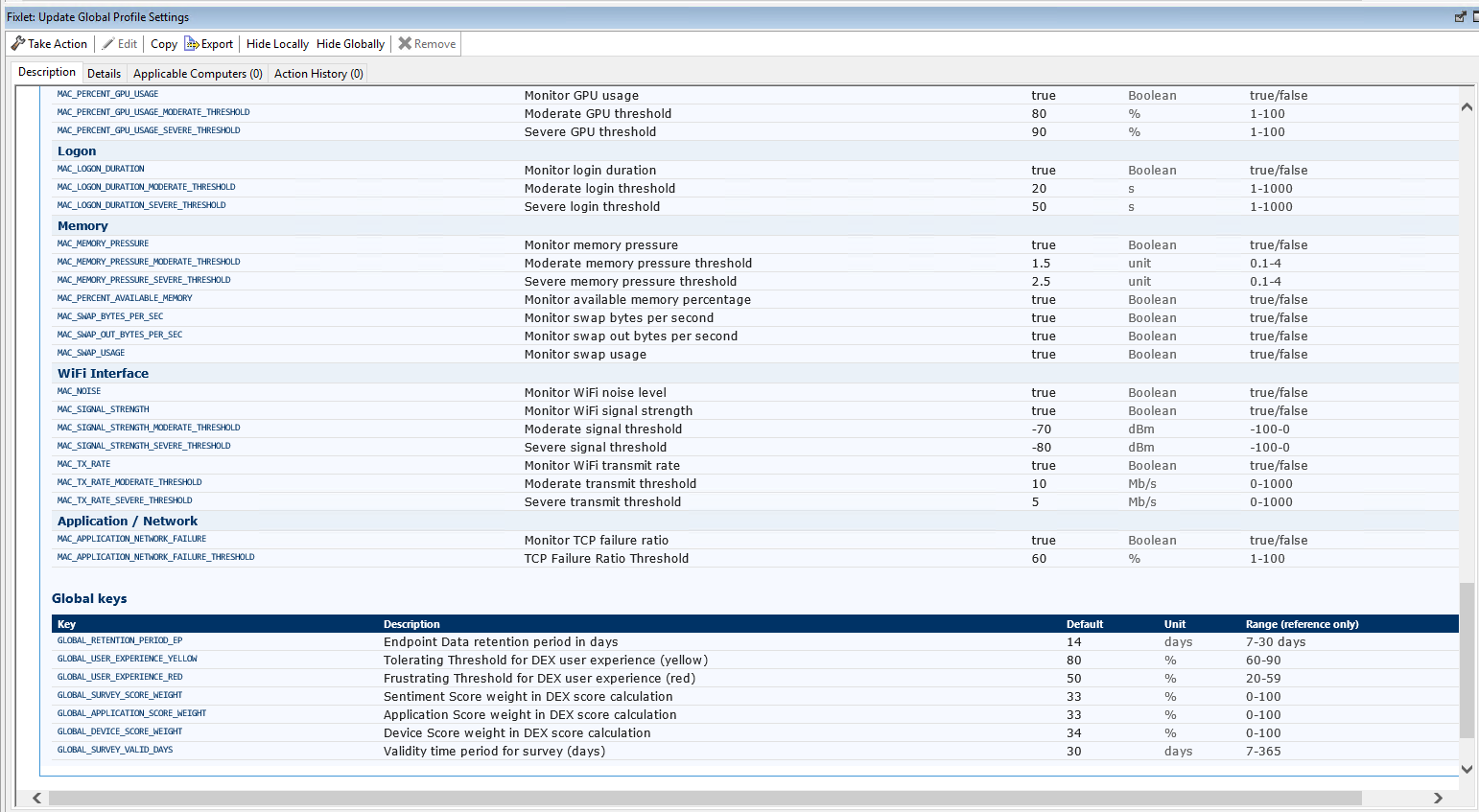
Global settings propagation & action retry behavior
After the Global Profile Settings Fixlet completes, the updated settings may take some time to be reflected on the endpoints. Internally, the DEX server generates a new Single Action targeting the endpoints. This action has no end time and remains open indefinitely. The targeting criteria are driven by a custom relevance clause that checks both the minimum required plugin version and whether the configuration ID to be applied is higher than the configuration ID currently stored in the endpoint's local database. Any endpoint that is newly registered after the action is generated automatically becomes applicable to the action when it meets the targeting criteria. If the action fails on an endpoint, the retry mechanism attempts the action up to 3 times, with a 6-hour interval between each retry.