Logs
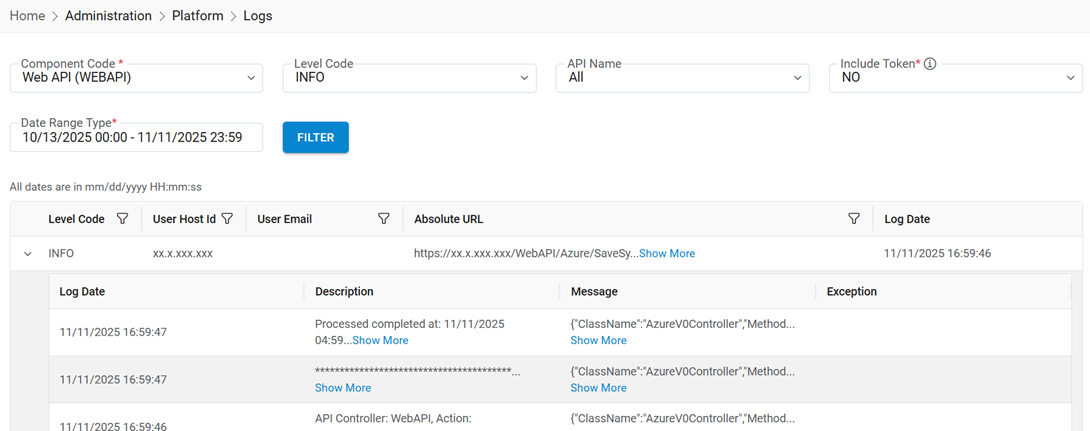
This section allows HCL BigFix CLM Admin to view the log of tasks that have been performed by HCL BigFix CLM.
- Click on Administration, then Platform, then Logs to view the
logs.
Figure 1. Logs 
Refer to the table below to understand the fields mentioned in the above figure and fill in the details:
Table 1. View Logs Field Description Component Code HCL BigFix CLM component code Level Code Level code as info, error, and debug API Name Name of the internal API Include Token Specify if the token is included with the selected API Date Range Type Displays the date range from starting period of log to the end period of log Note:All fields marked with asterisk (*) are mandatory. - Data gets displayed as shown below:
Figure 2. View Logs 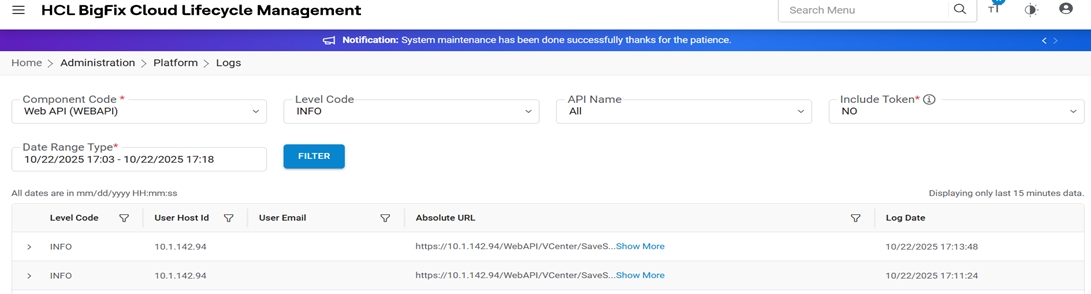
- Click on Expand to check detailed logs.
Figure 3. Detailed View Logs