
Add Provider
To add a provider, follow the steps below:
- Click on + PROVIDER.
Figure 1. Figure – Add Provider 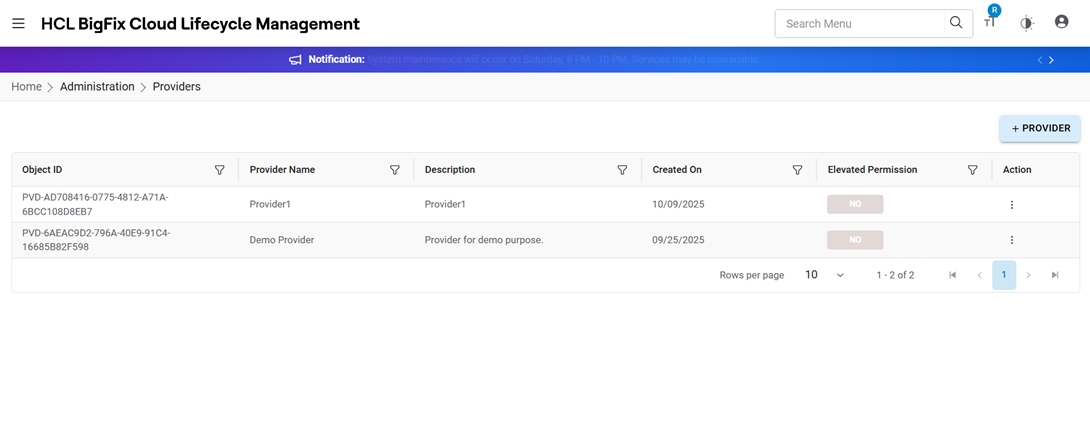
- The following form opens:
Figure 2. Add Provider 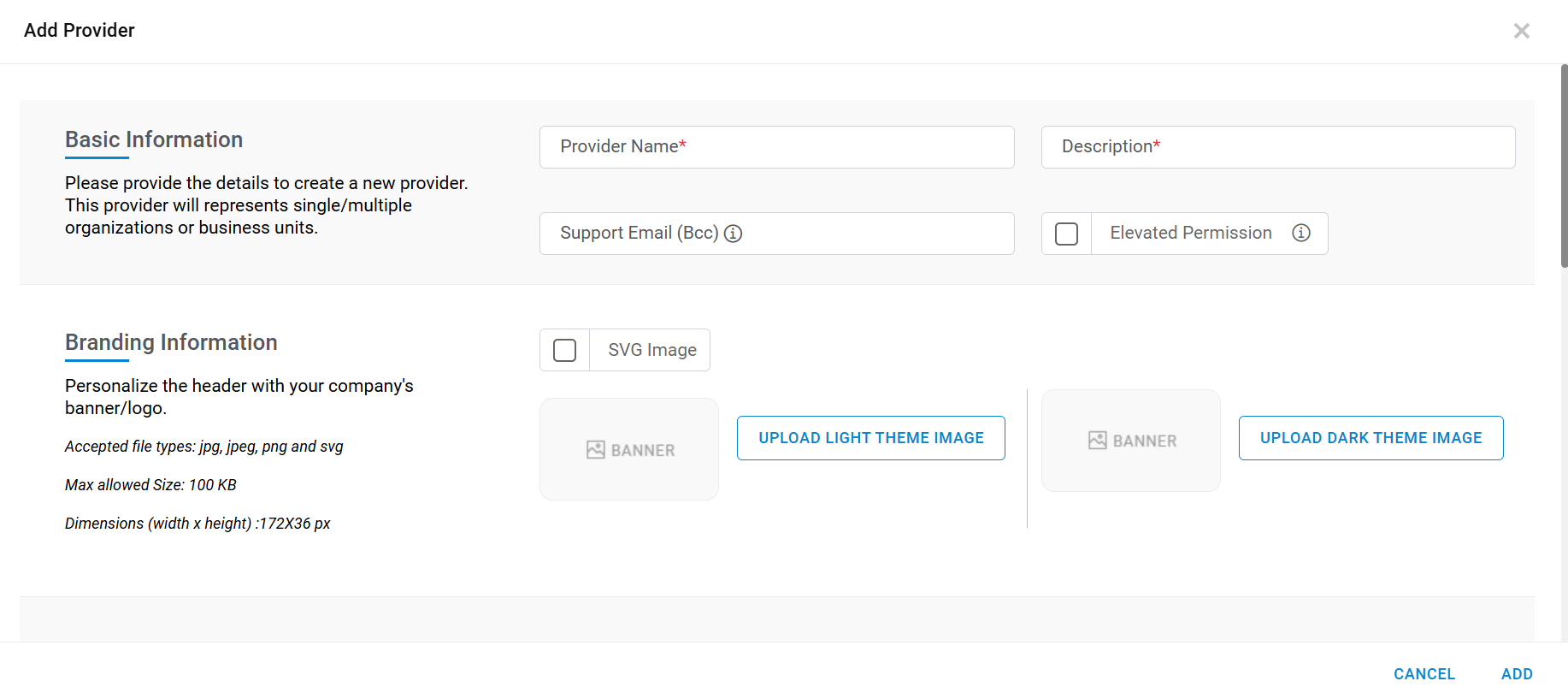
Figure 3. Figure - Add Provider (Cont.) 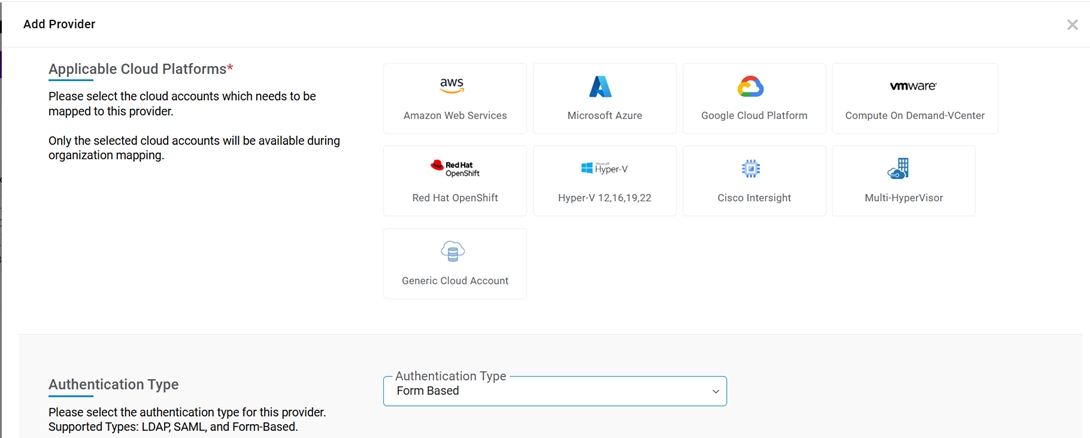
- Fill in the details listed in the following table:
Table 1. Table – Provider Details Field Name Description Provider Name Provide the Provider Name. Description Describe the provider and list out the services that are being consumed Support Email (BCC) - Email values should be a comma (,) separated value in Support Email.
- Recipient(s) in BCC will receive all email notifications generated from HCL BigFix CLM application.
SVG Image Admin can select this option to apply customer specific branding for dark and light theme. Banner Image Admin User can change the appearance of the HCL BigFix CLM Web/Reports to meet Customer-specific branding by changing the logo for dark and light theme. Elevated Permission - There was no restriction on role wise creating provider (Tenant)/Users/Organization. To overcome this problem HCL BigFix CLM introduced a new elevated(privilege) role to a provider.
- With elevated permission, users can create Provider (On Board Tenant), Provider User and Organization using API/Out of box workflow task.
Applicable Cloud Platforms - Select the check boxes for cloud platforms that are applicable
Authentication Type The authentication types are Form-based, LDAP and, SAML.
In the case of SAML, HCL BigFix CLM supports windows Hello mechanism.
Note:Windows Hello is a more personal and secure way to sign in to your Windows device. Instead of using a password, with Windows Hello you can sign in using facial recognition, fingerprint, or a PIN.- These options help make it easier and safer to sign into your account because your PIN is only associated with one device, and it's backed up for recovery with your Microsoft account.
Note:
- There can be only one elevated provider in the system.
- A default service account user will be created with provider. This default user will be enabled for the authentication of the workflow task for tenant onboarding.