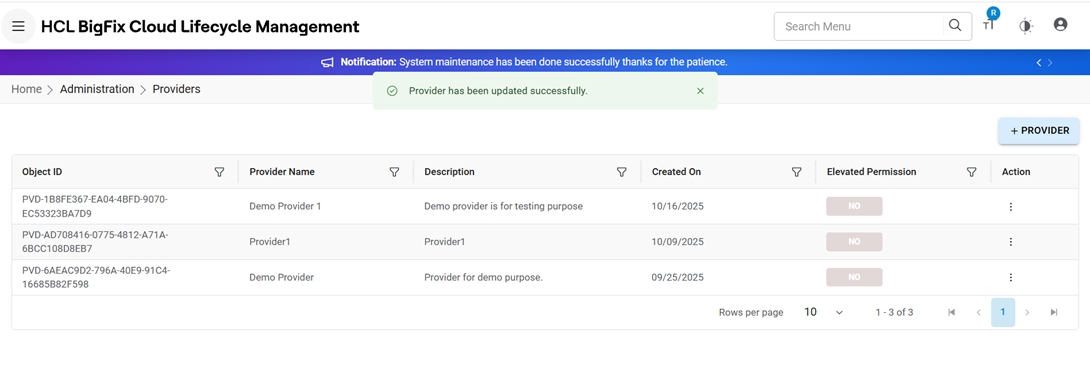
Edit Provider
To edit/modify details of an existing provider, follow the steps below:
- On the View Provider, click Edit against the provider that the admin
wants to edit.
Figure 1. Edit Provider 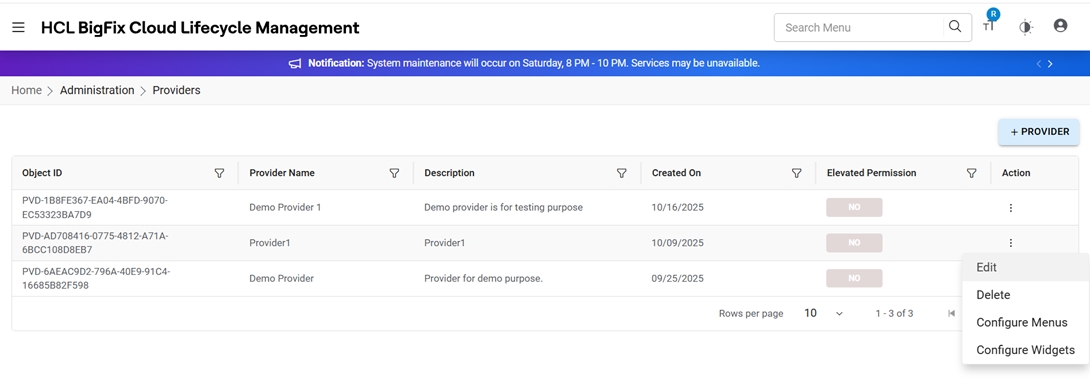
- Modify the details and click Update. To discard the
changes, click Cancel.
Figure 2. Edit Provider (Cont.) 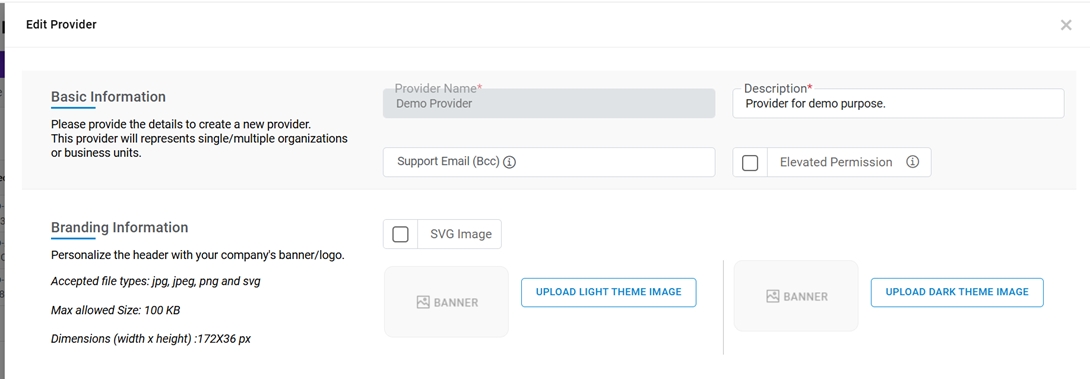
Figure 3. Edit Provider (Cont.) 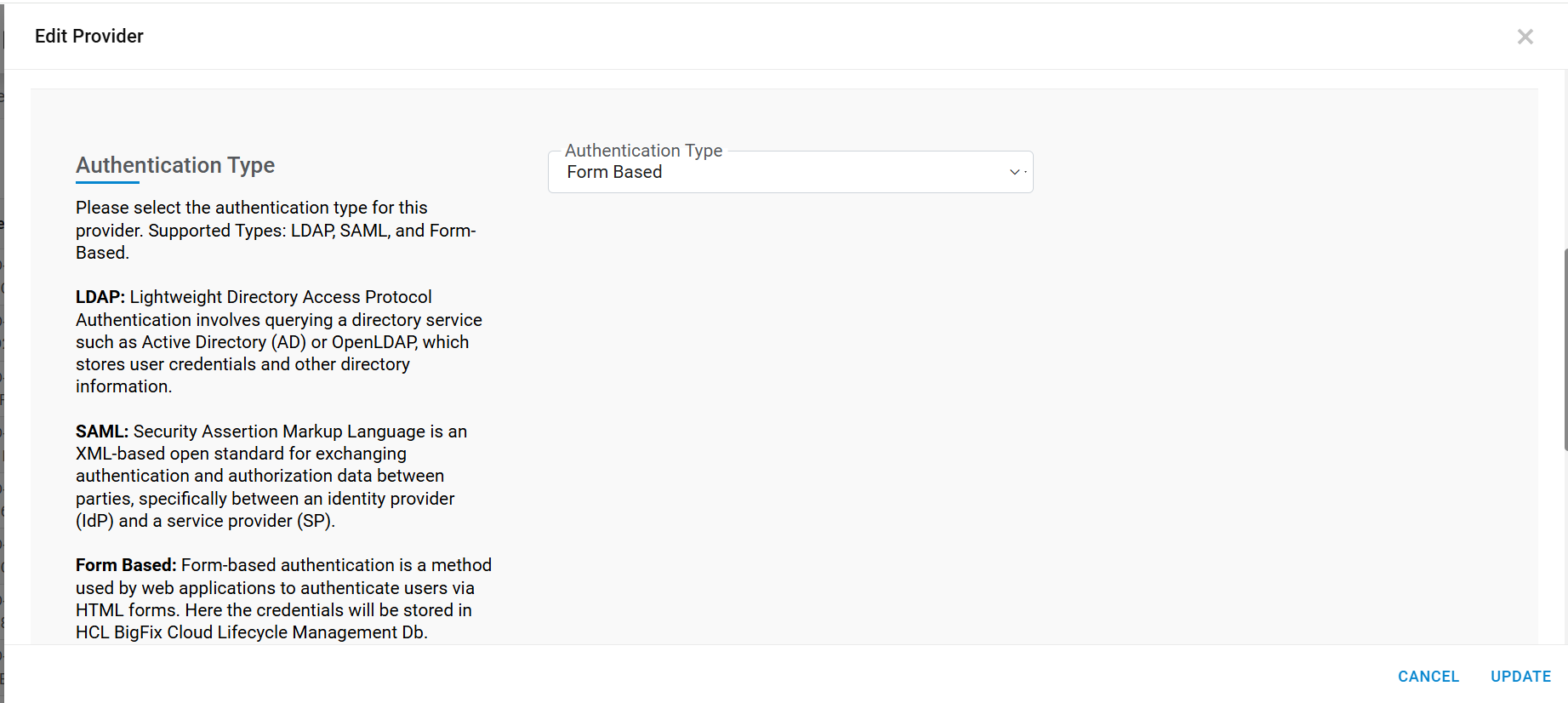
Figure 4. Edit Provider (Cont.) 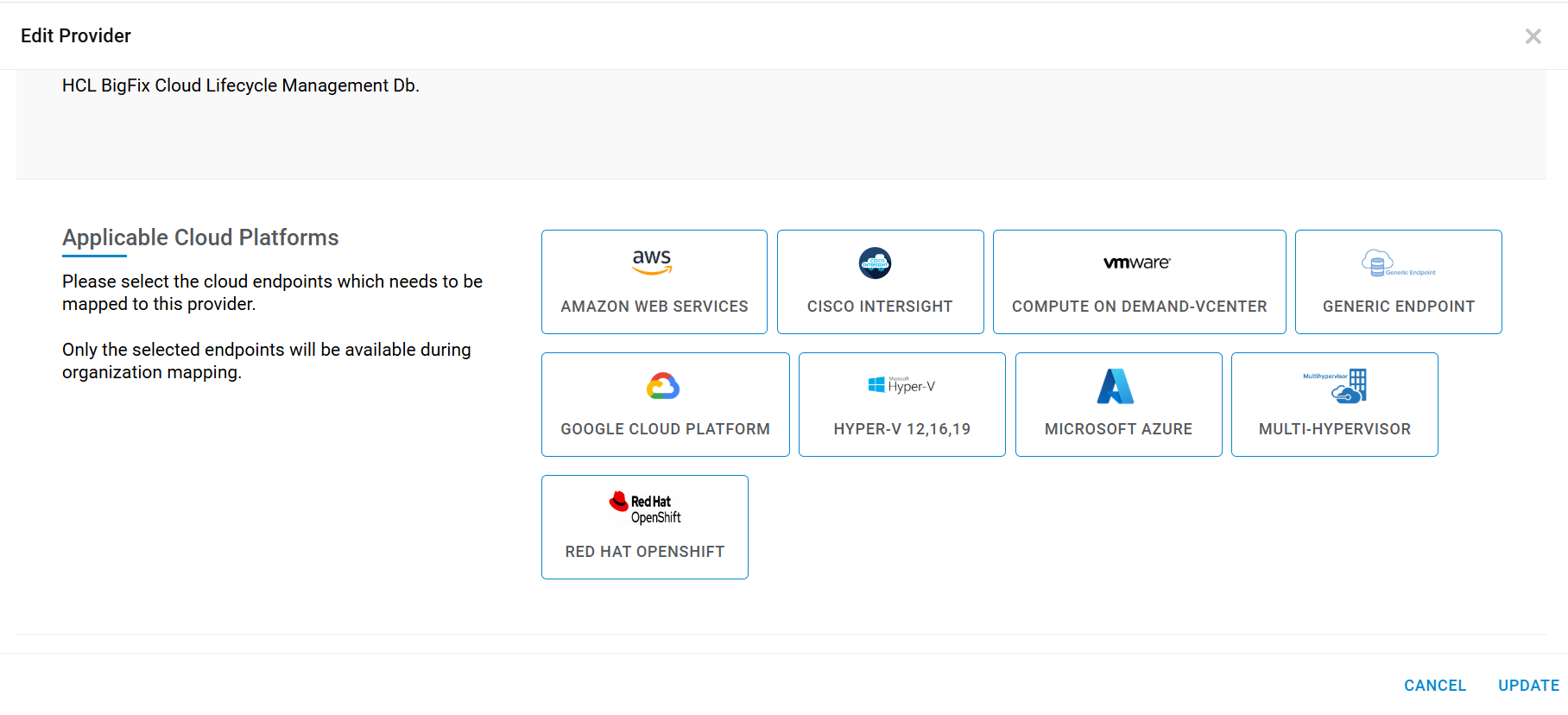
- On clicking Update, a success message appears.
Figure 5. Edit Provider (Cont.)