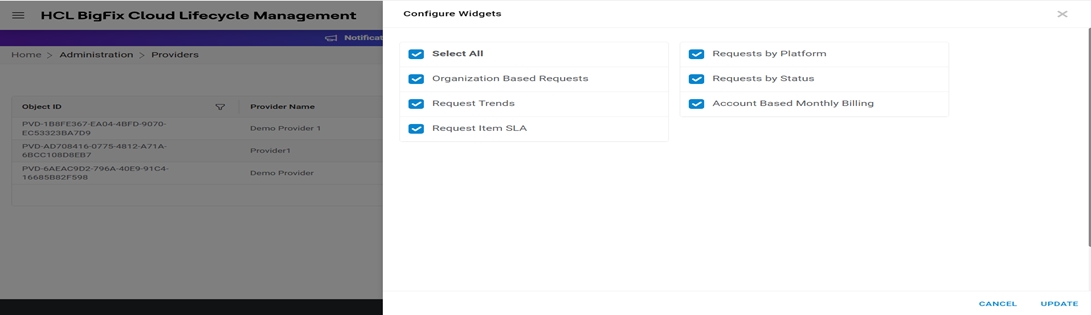
Configure Widgets
To add/update the widgets for the provider, follow the steps below:
- On the View Provider, click Configure Widgets against the provider
for organization that admin wants to configure.
Figure 1. Configure Widgets for Provider 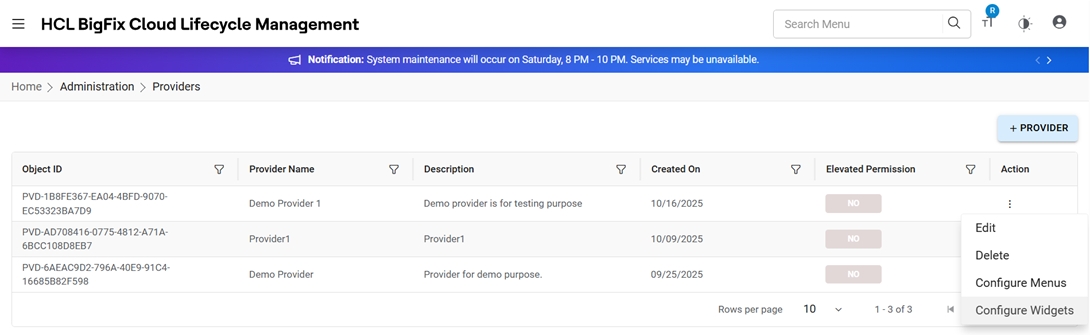
- Click on Configure Widgets.
- Check/Uncheck the Menu items and click Add.
Figure 2. Configure Widgets for Provider