Manage Last Man Standing
Last Man Standing (LMS) ensures that computers in a subnet can be awakened using the Wake-on-LAN feature. However, LMS computers must be running all the time, so you must select only one or two computers in a subnet for this designation. When choosing which computers to designate as LMS, select a type of computer that is likely to be running all the time, such as servers.
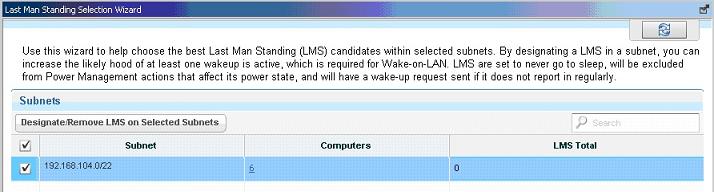
The LMS Selection Wizard automates the selection of LMS computers per subnet, where you can define your own custom set of LMS computers.
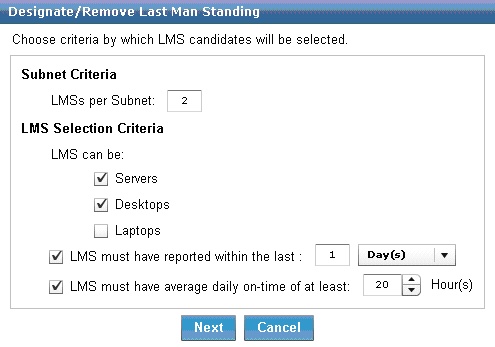
The LMS wizard finds computers that match the entered criteria and submits them as potential LMS candidates.
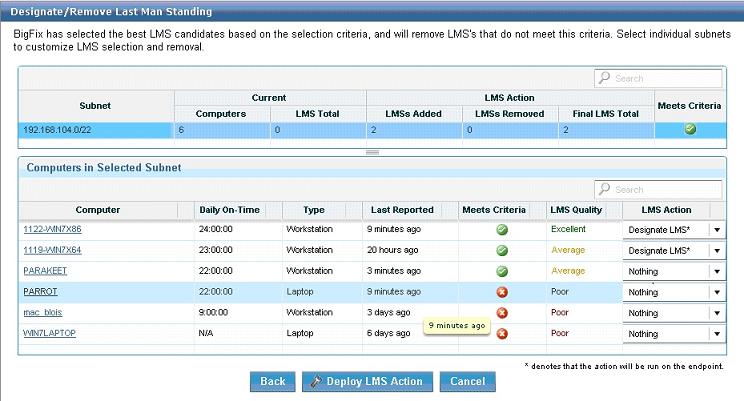
You can review all proposed LMS candidates and select from that list before issuing the action in this section.