Wake-from-Standby by Magic Packet
Power Management includes tasks for enabling and disabling Wake-from-Standby by Magic Packet, which configures Windows network adapter settings to allow a targeted Wake-on-LAN broadcast packet to wake a computer from standby.
These tasks change the Windows network adapter setting from “Allow this device to wake the computer” to “Only allow a magic packet to wake the computer”. These settings are available in the network adapter properties in Windows.
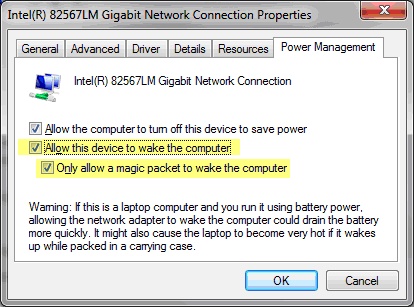
Access these tasks by clicking Wake-from-Standby by Magic Packet in the navigation tree and selecting the appropriate task in the List Panel.
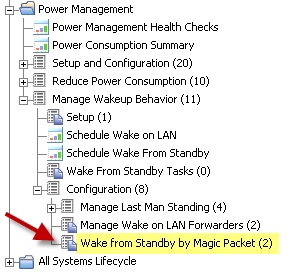

To disable or enable Wake-from-Standby by Magic Packet, click the appropriate task and click in the Actions box of the task window to initiate the action.