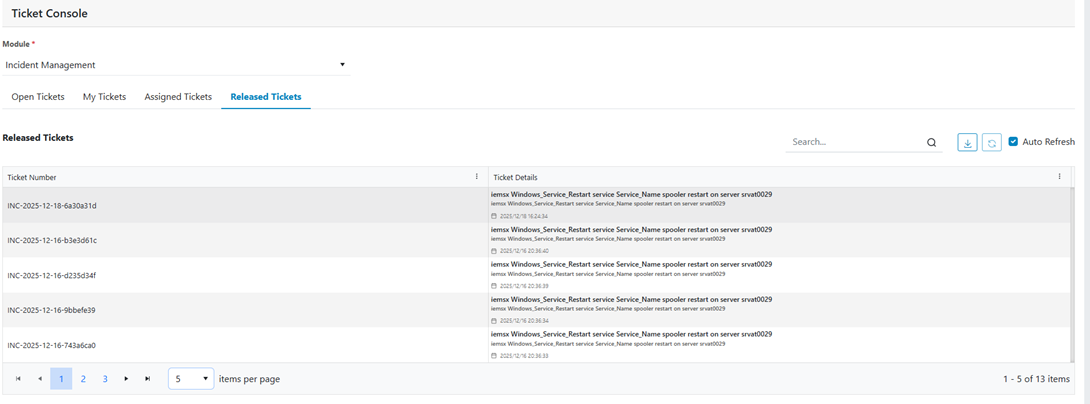
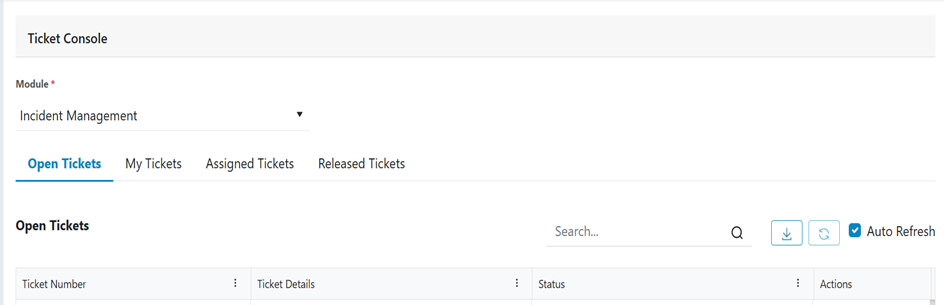
The Released Tickets screen provides a consolidated view of all tickets that are released
or execution successfully. This screen helps users quickly monitor for those tickets’
executions are successfully done and deleted.Figure 1. Released Tickets
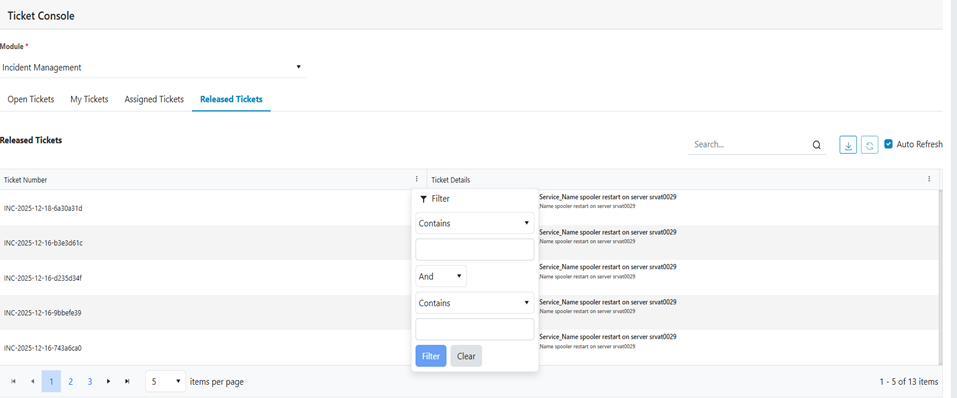
Filter
Tickets can be filtered by clicking on 3 dots and applying filters as per requirement
like below screenshot.Figure 2. Filter
Search
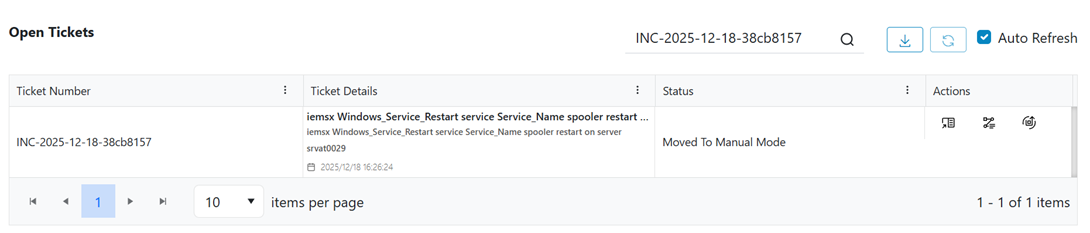
The Search feature allows users to quickly locate tickets by entering keywords or
identifiers into the search box. It performs a unified search across multiple ticket
attributes to help users find relevant tickets efficiently.
Tickets can be searched for by Ticket Number, Ticket details and status.Figure 3. Search
Export
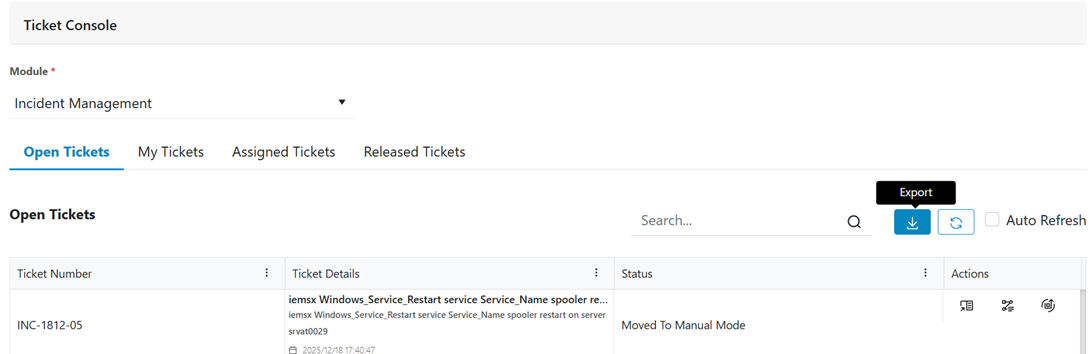
The Export feature allows users to download all ticket information which shows in the
page from the current tab into a file.Figure 4. Export Open Tickets
Auto Refresh
The Auto Refresh feature automatically updates the Ticket Console as soon as any
ticket gets updated or creates any new ticket to display the most recent ticket
information.
This ensures users always have an up-to-date view of tickets without requiring manual
refreshment. For manual refresh disable first Auto refresh and then click on refresh
button besides Auto Refresh.Figure 5. Auto Refresh