
Create New
Create a new analysis.
- To create a new analysis, enter Title.
- Select Runbook Tool type.
- Click Download Template, to download the template in which the data needs to be provided to the system. Ensure that the ticket data from the IT Service Management tool is extracted in the same format.
- Upload the ticket dataset in the form of a .csv file.
- Select the stages from the Stages dropdown. Ticket Analysis and Runbook
Recommendation is selected by default.
Figure 1. SaaS based Ticket Analysis – Select Stages 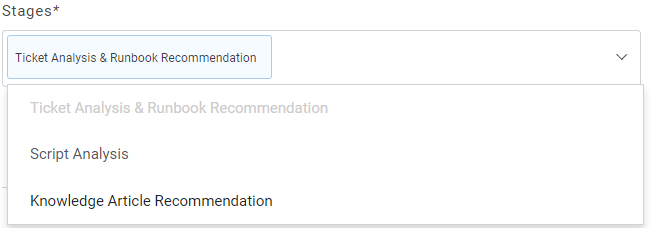
Figure 2. SaaS based Ticket Analysis – Create New Analysis 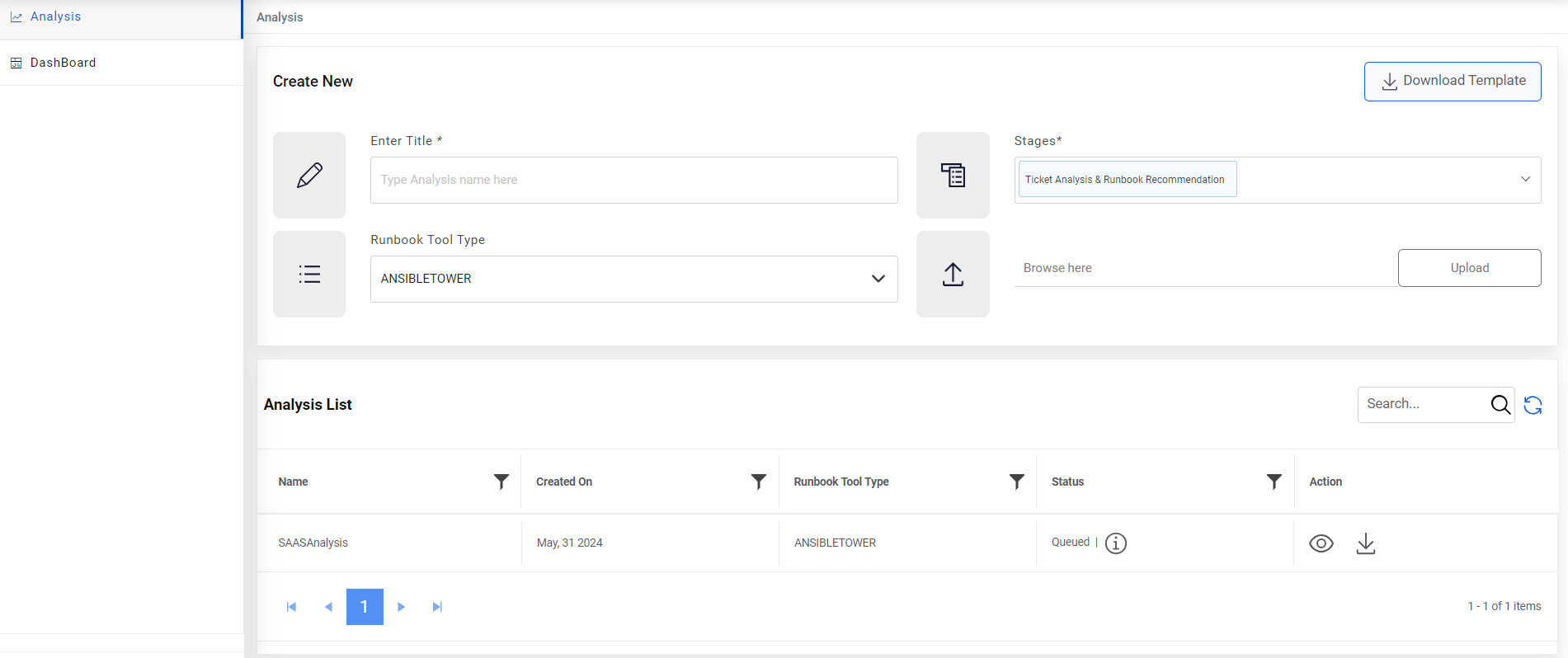
- Click Upload to start the analysis. A message appears confirming the same.