Master Configuration
- From the hamburger menu, navigate to Master Configuration and click the edit icon of
Access & Security.
Figure 1. Master Configuration Panel 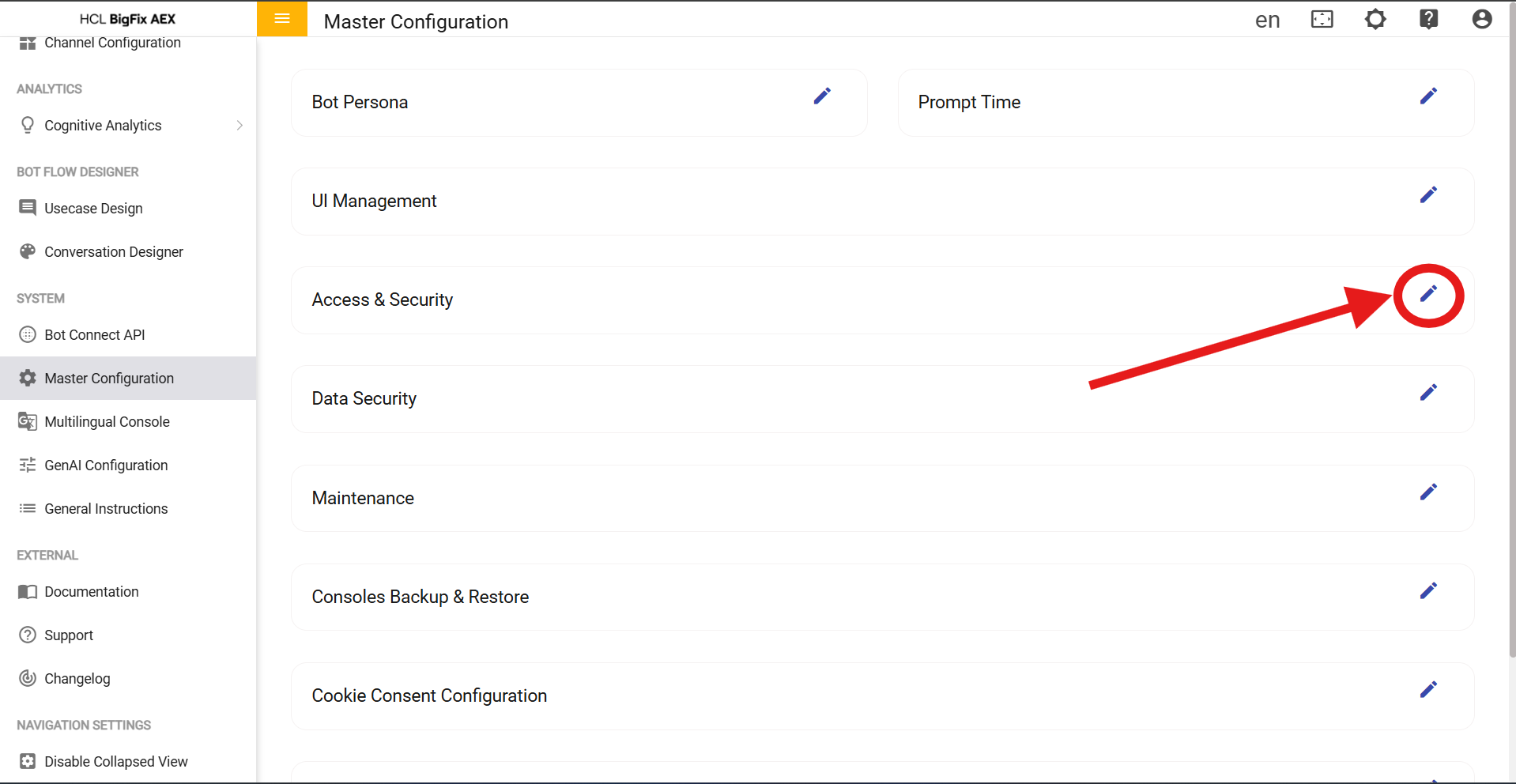
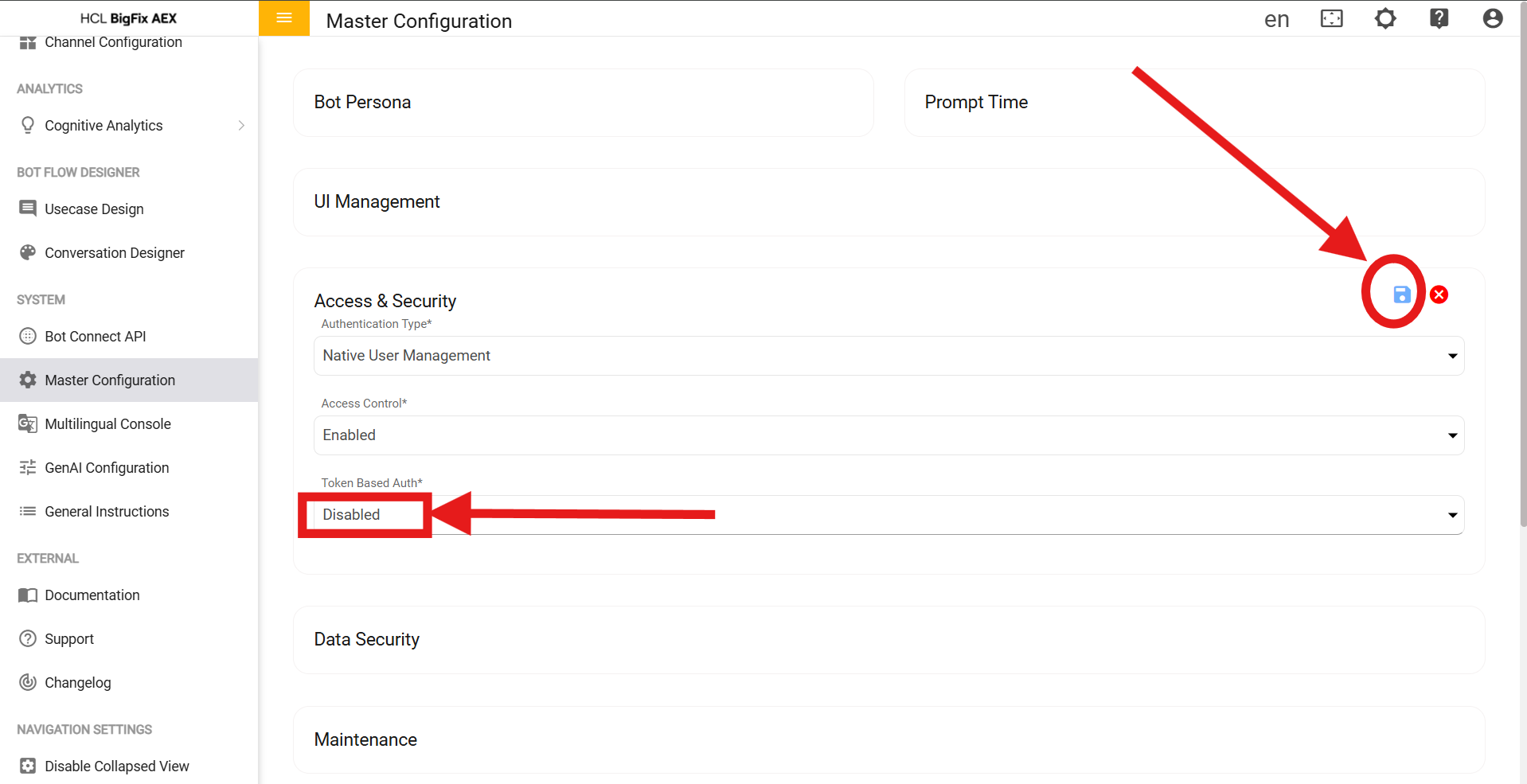
- Change the token based Auth to enable and click on the blue save
icon.
Figure 2. Saving Token based Auth