
Making Collection
- Select Knowledge Spaces from the left hamburger menu and click + Add New
Collection as shown below.
Figure 1. Add New Collection 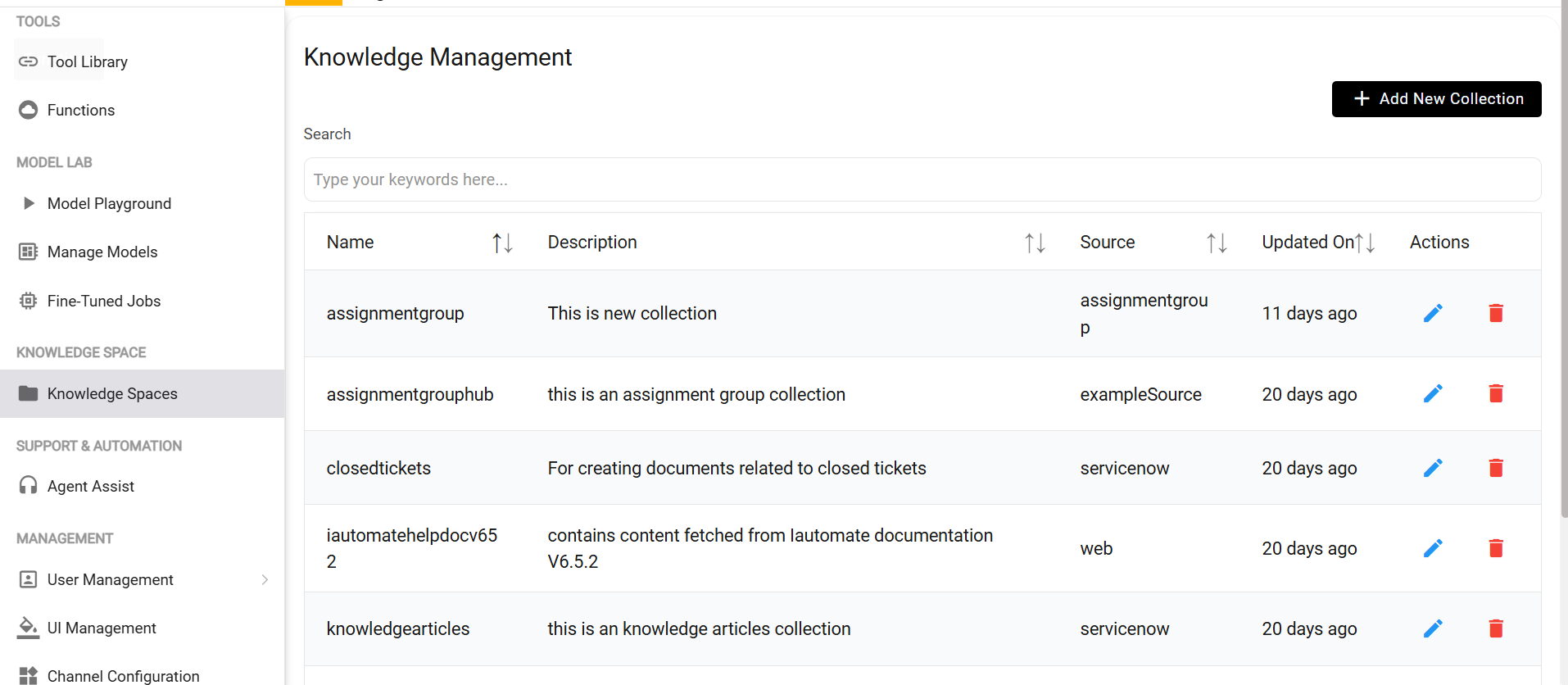
- Fill in the fields as shown in the image below, toggle to Custom as indicated,
and then click Save.
Name of Collection Description Source closedtickets closed tickets from servicenow servicenow Note:First, use the values shown in the image to create the collection, and then use the values from the table(Create Collection) for the remaining collections.Figure 2. Create Collection 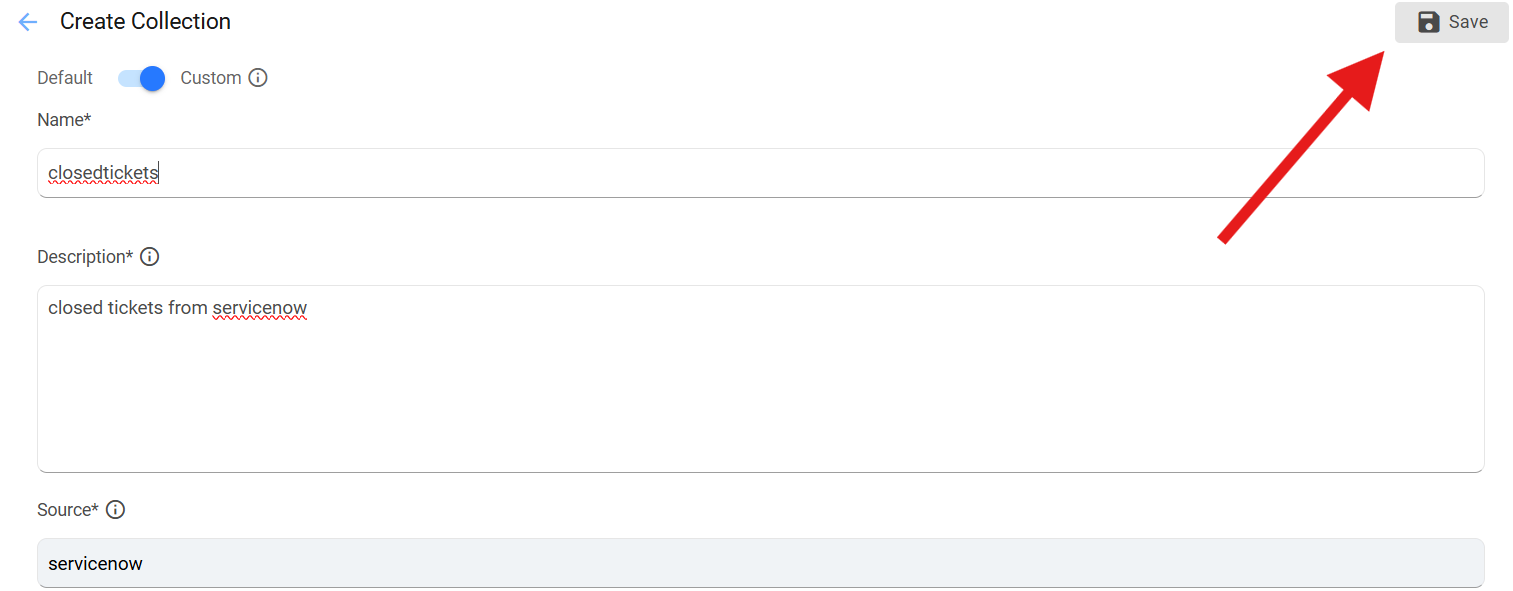
- Similarly create another collection as shown in step 2 with below values.
Name of Collection Description Source knowledgearticles Knowledge articles from servicenow servicenow assignmentgroup assignment group from servicenow assignmentgroup