
Update and Sync Data source Settings
The Update and Sync Data Source Settings are used when an added data source adds, deletes, or updates the number of its document. The system syncs with the data source as defined by the user. The user defines the sync frequency and the URL that needs to be synchronized.
- Click on the Kebab Menu (Three Dots Menu) on the added Data Source card. This
displays the actions that can be performed on that data source. Click on Update and Sync
Datasource Settings.
Figure 1. Update and Sync Data Source Settings .png)
- The Sync Settings screen appears:
Figure 2. Sync Settings 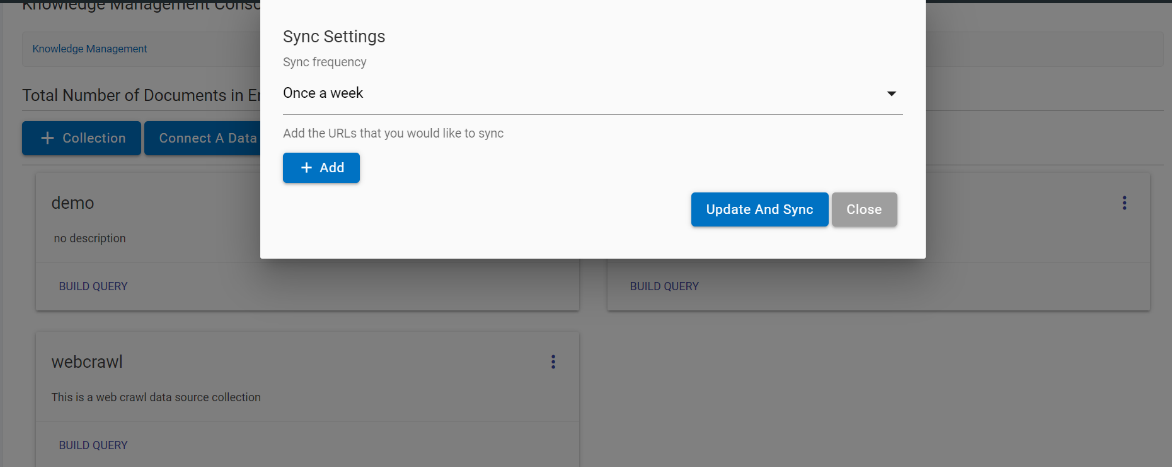
- The following fields need to be populated:
- Sync Frequency: Select the sync frequency from the drop-down. Sync frequency can be once a week, once a month, once a day, once an hour or every five minutes.
-
Add the URLs that you would like to sync: Click the Add button to define
the URL that needs to be synchronized. Clicking on Add button again allows users
to add more URLs to be synchronized. To delete a URL, click on the delete icon
 corresponding to the URL that you want to delete.
Figure 3. Sync Settings (Cont.) 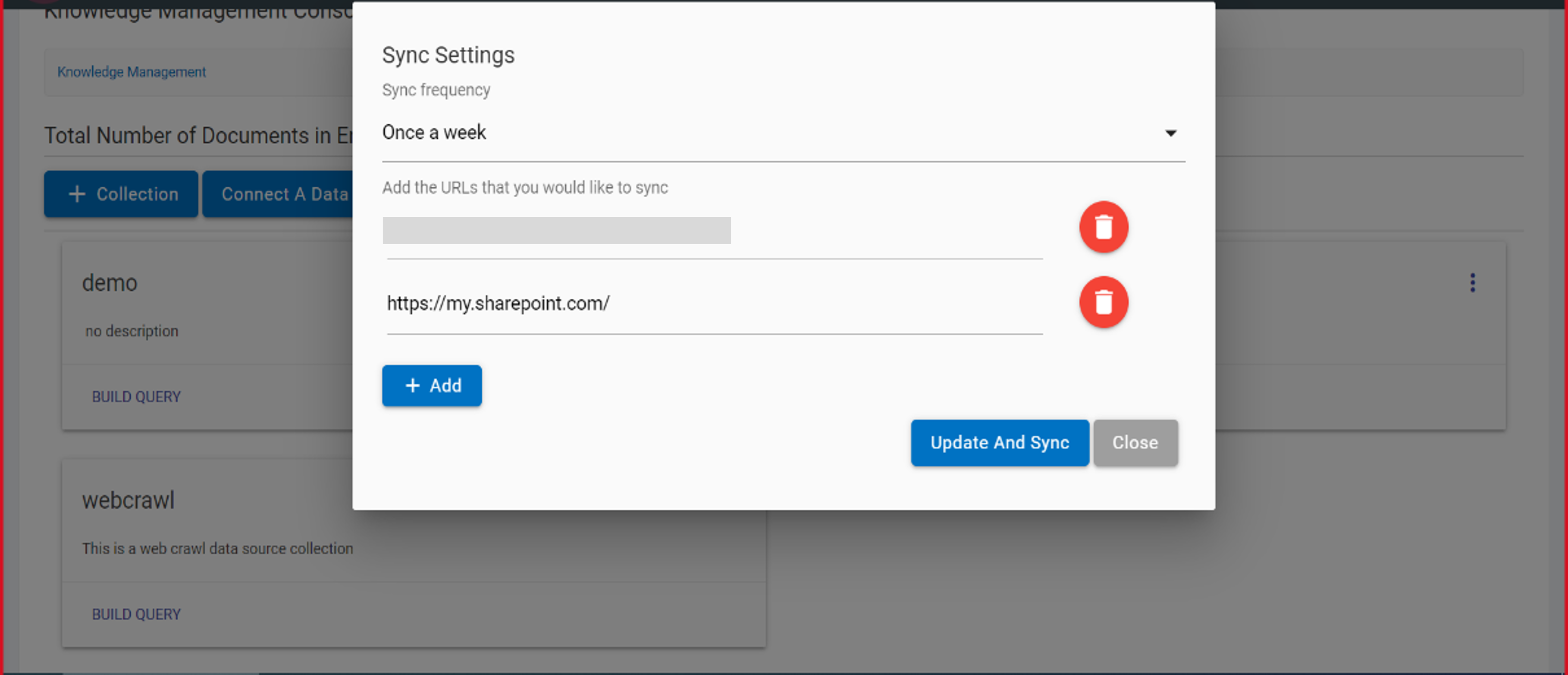
- Click Update and Sync to sync the Data Source. A Success Message appears.