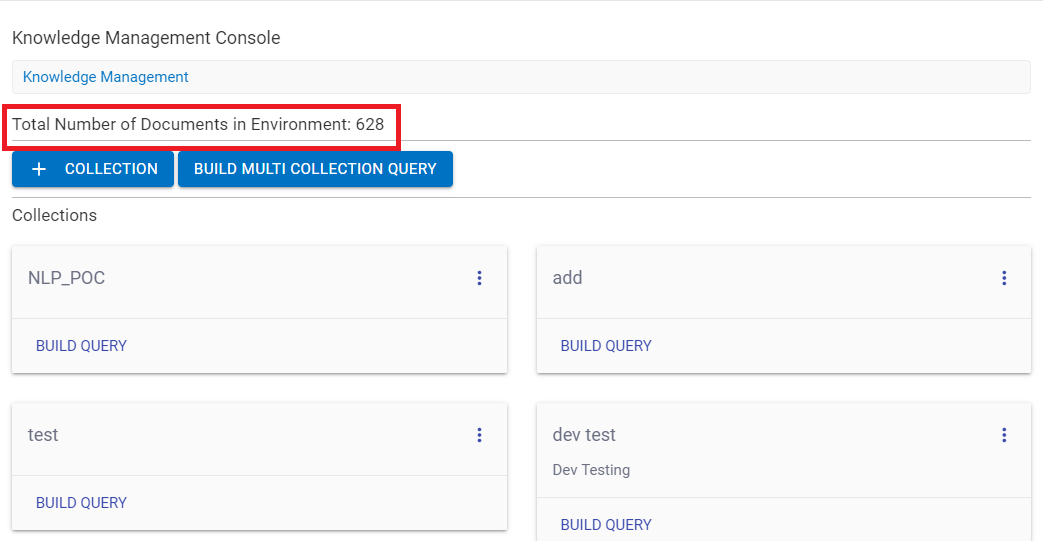
Knowledge Management & Ranking Console
Knowledge Management Console manages different knowledge-based repository services. Currently, we have the Watson discovery service as its knowledge repository. It is a cognitive search and content analytics engine that you can add to applications to identify patterns, trends, and actionable insights to drive better decision-making.
This knowledge management console uses BERT (Bidirectional Encoder Representations from Transformers) model, which is a transformer-based machine learning technique for natural language processing. It Securely unifies structured and unstructured data with pre-enriched content and uses a simplified query language to eliminate the need for manual filtering of results. This functionality is also called Auto Q&A (question and answer). The admin console for KMS with the latest WDS version 2 is now accessible in version 9, whereas for BigFix AEX version 8, we have only search functionality enabled (OTB KMS Search).
Perform the following steps for enabling the Integration in Global Admin:
- Log into Global admin and navigate to Tenants page under Provider tab.
Figure 1. Tenant Page 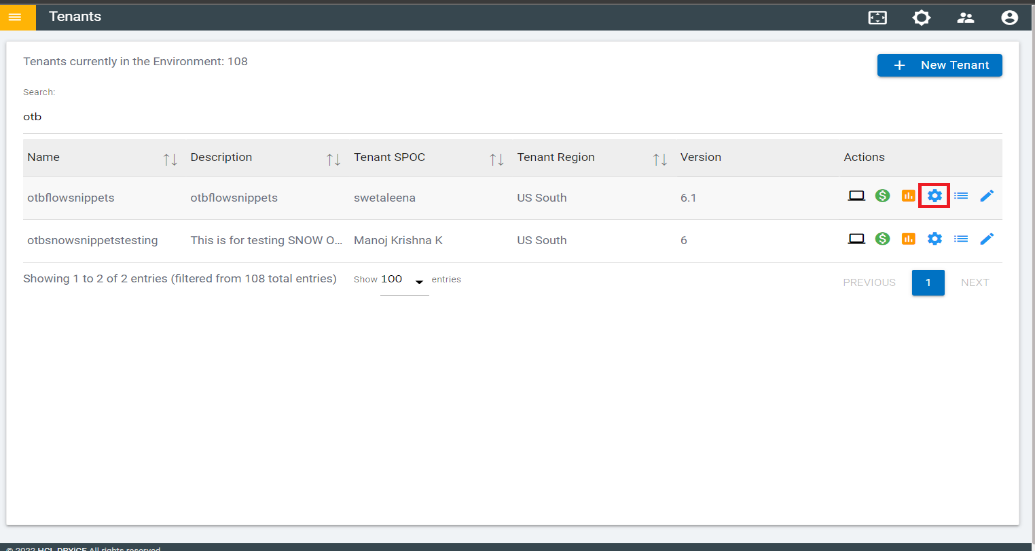
- Click on the configure button available in actions column.
- In tenant’s configuration page, click on Open in “Choose Integrations”
card.
Figure 2. Choose Integrations 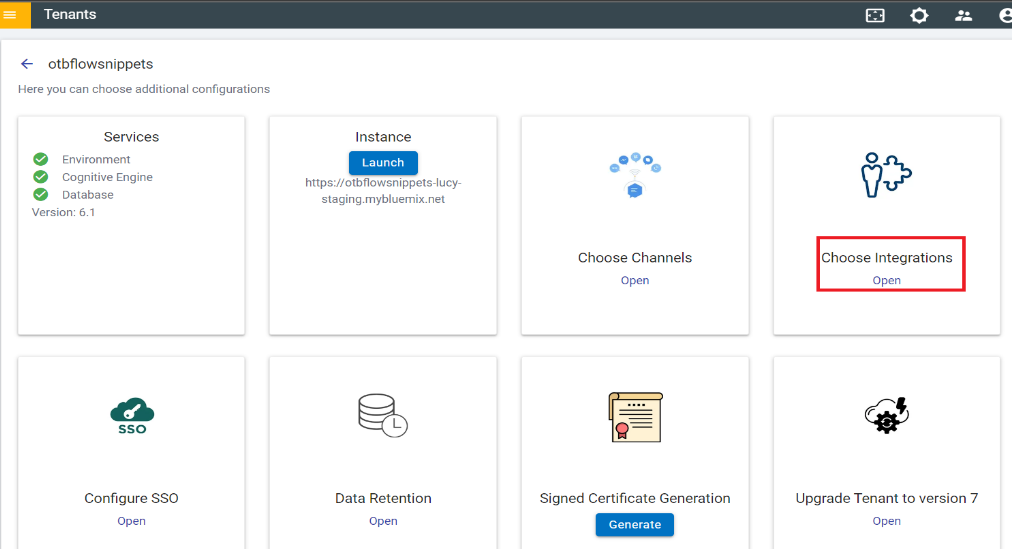
- Click on Open on “Knowledge Management Console” connector.
Figure 3. Available Integrations 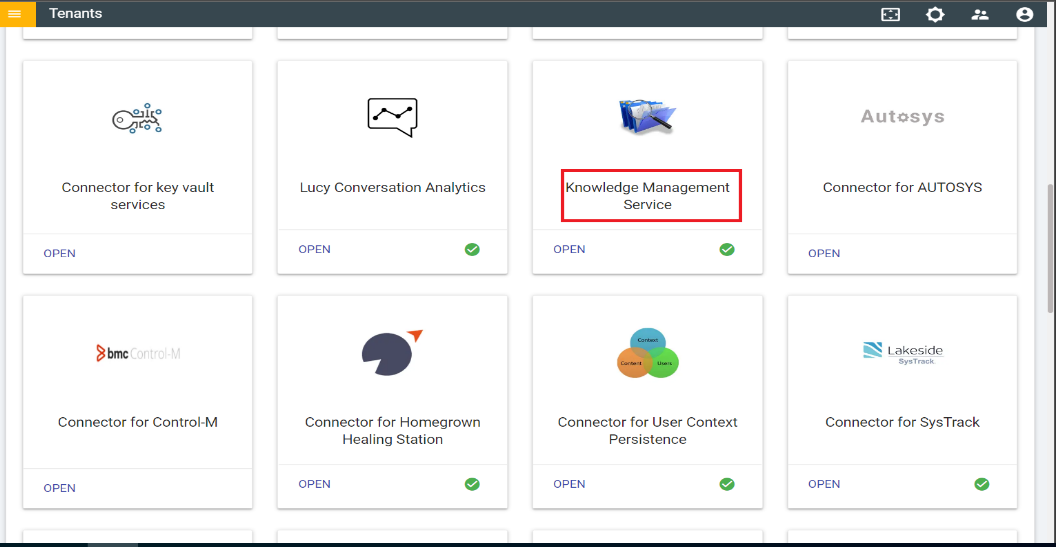
- Choose “Watson discovery service” as the Service.
Figure 4. Knowledge Management Console Integration 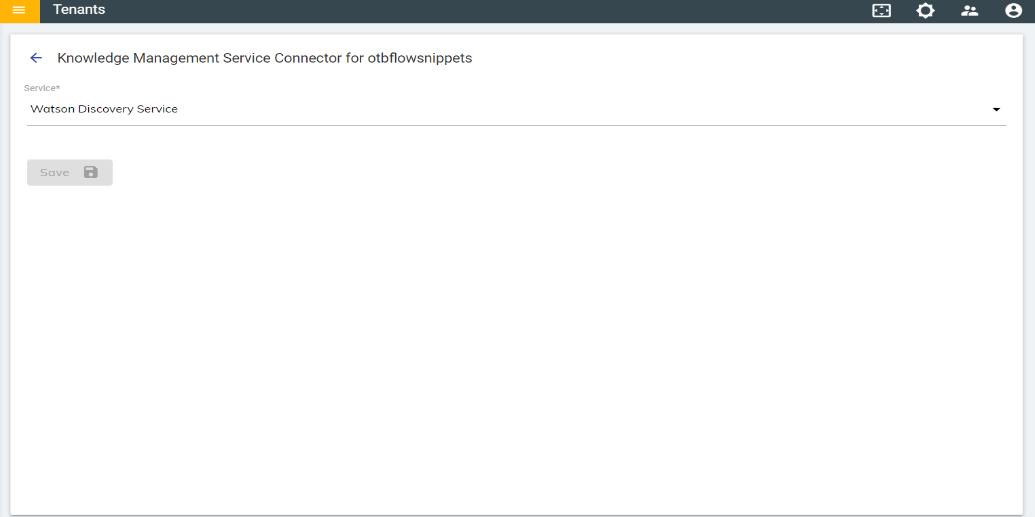
- Click on Save to enable the integration.
Total numbers of documents in the environment show the total number of documents present in all the collections.