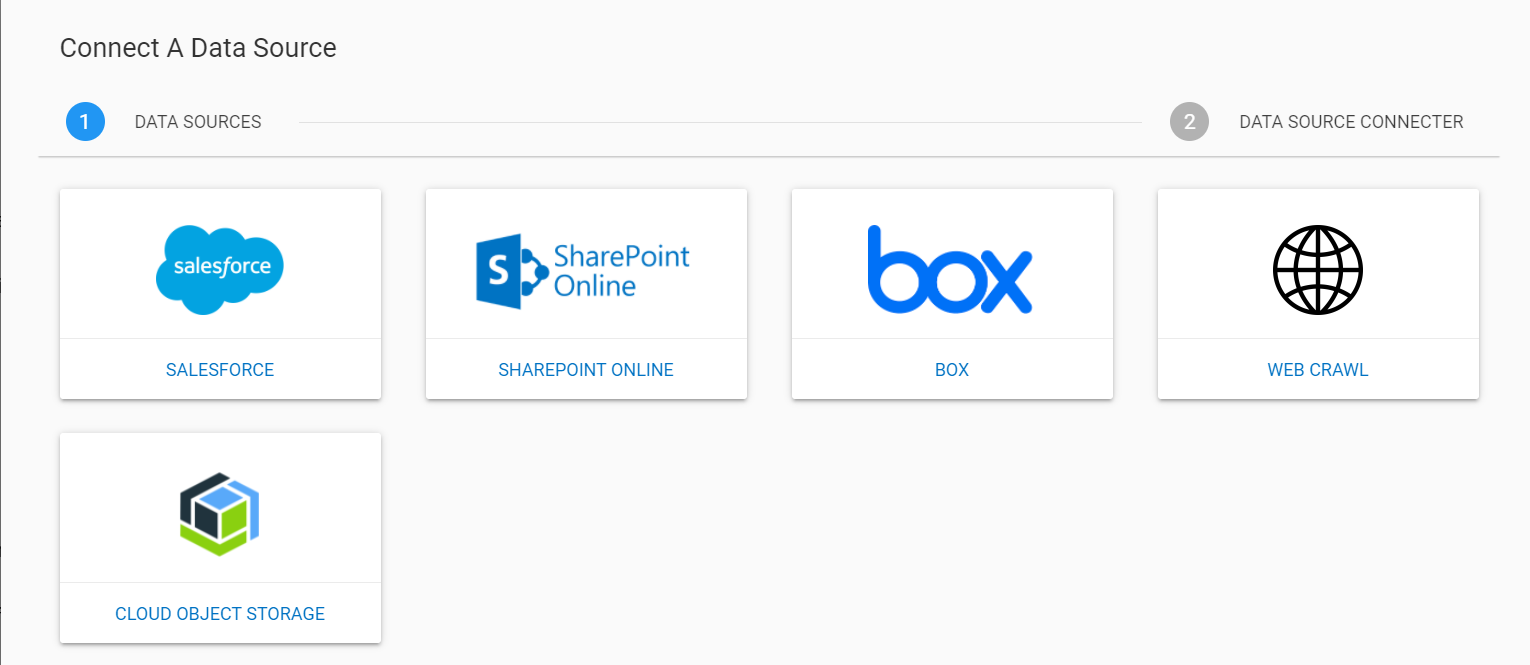
Discovery Services Data Sources
KMS (Knowledge Management Service) manages different knowledge-based repositories. Currently we have Watson discovery service as its knowledge repository. It is a cognitive search and content analytics engine that you can add to applications to identify patterns, trends, and actionable insights to drive better decision-making.
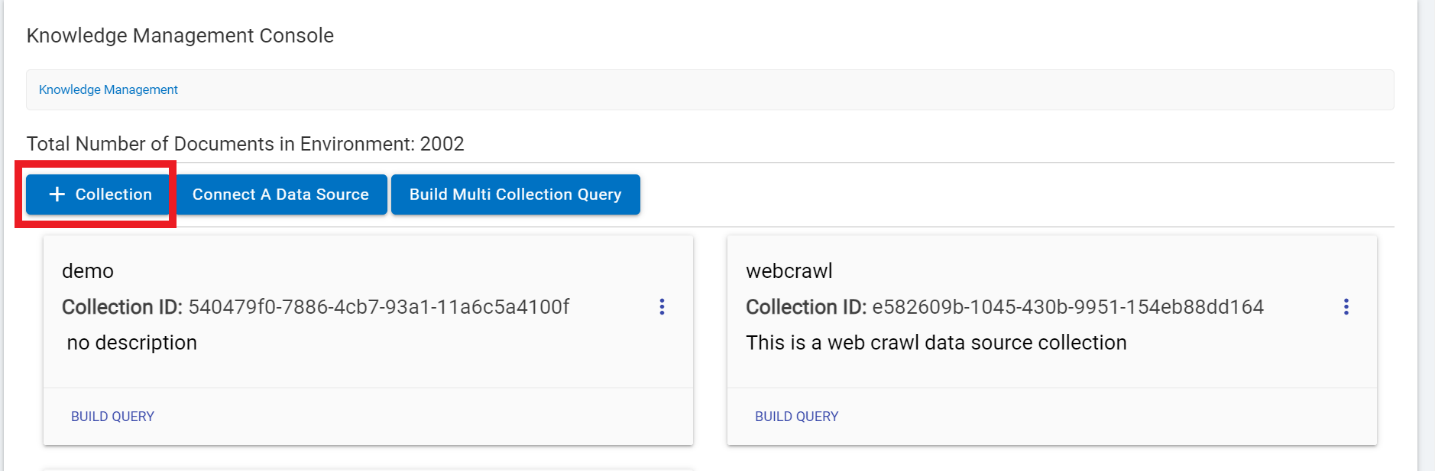
- It acts as an environment that contains collections and collections contain documents. The documents are added in a collection by selecting the collection and then clicking on the document tab as below:
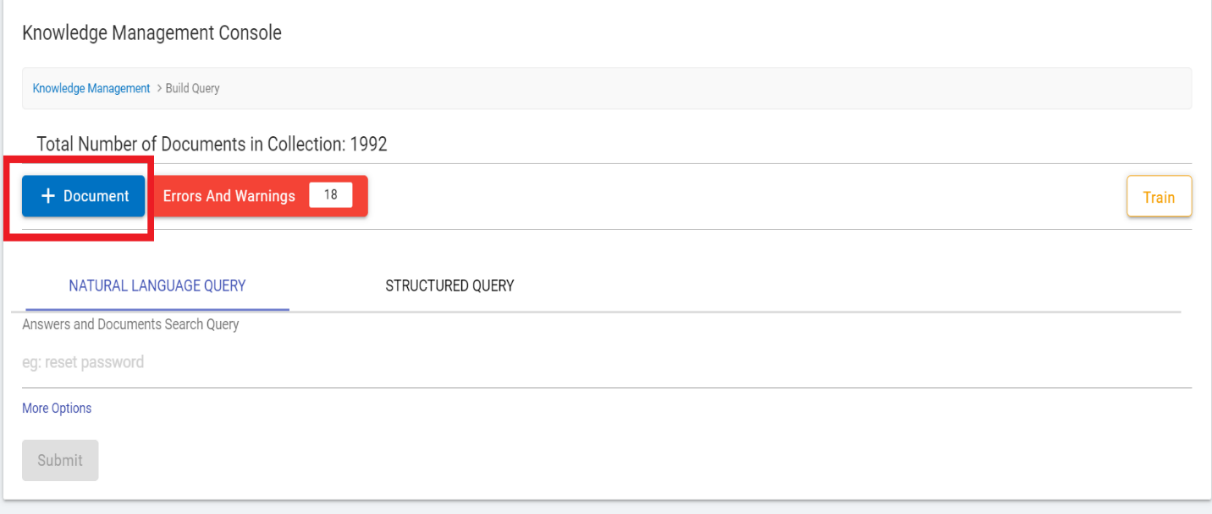
- In the case of large number of documents, it is advised to add documents using the “Connect A Data Source” tab.
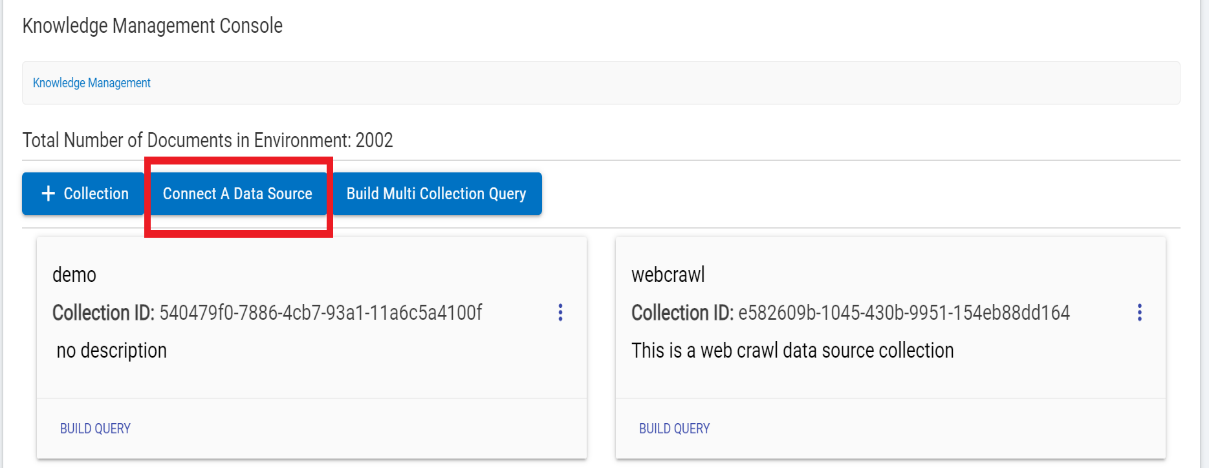
- Selecting this option (Connect A Data Source) displays all the available data sources in the Knowledge Management Console.
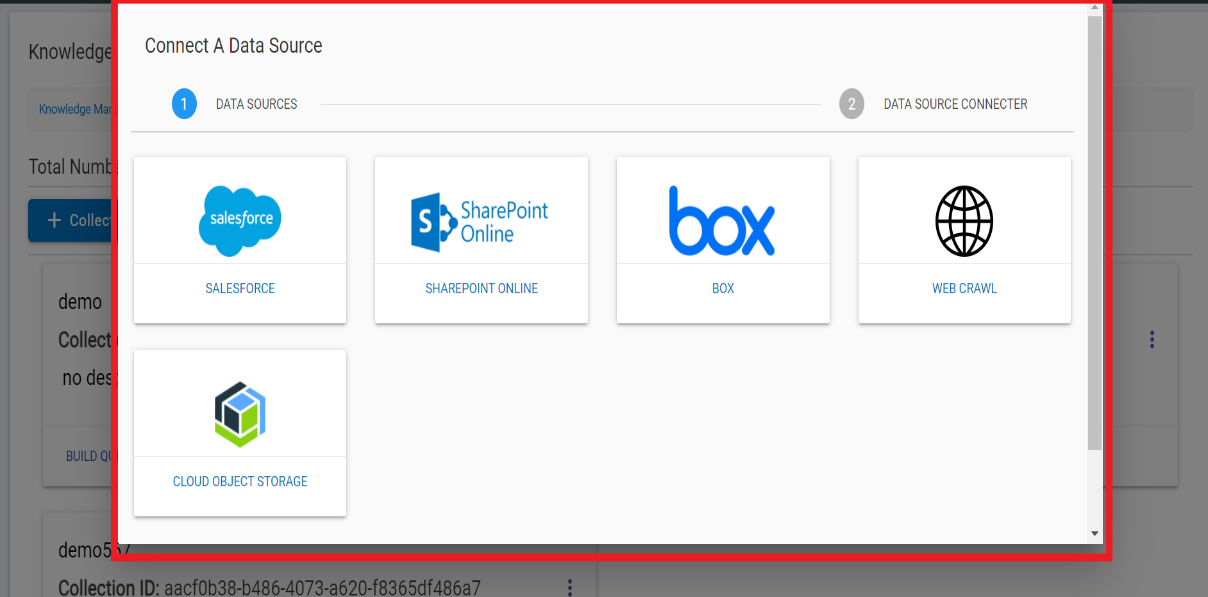
The following data Sources are available in KMS:
- Salesforce discovery service
- SharePoint discovery service
- Box discovery service
- Web crawl
- Cloud object storage service
These discovery services act as crawlers, Users need to provide required credentials as per the data source. It ingests the documents from the respective repositories and upload in the system (KMS). It is an automated process. Once the documents are uploaded, it allows users to build query and leverage the KMS functionality. Refer to the further part of this section to understand the process of connecting various data sources using the Knowledge Management Console.
Knowledge management & discovery services can be used with multiple data sources, which allows BigFix AEX to crawl, index and make the content available to fulfil end user’s query. The following steps showcase some of the data sources which can be configured from the knowledge management console:
- Go to the BigFix AEX tenant for which data sources are to be configured.
- Navigate to Admin Console.
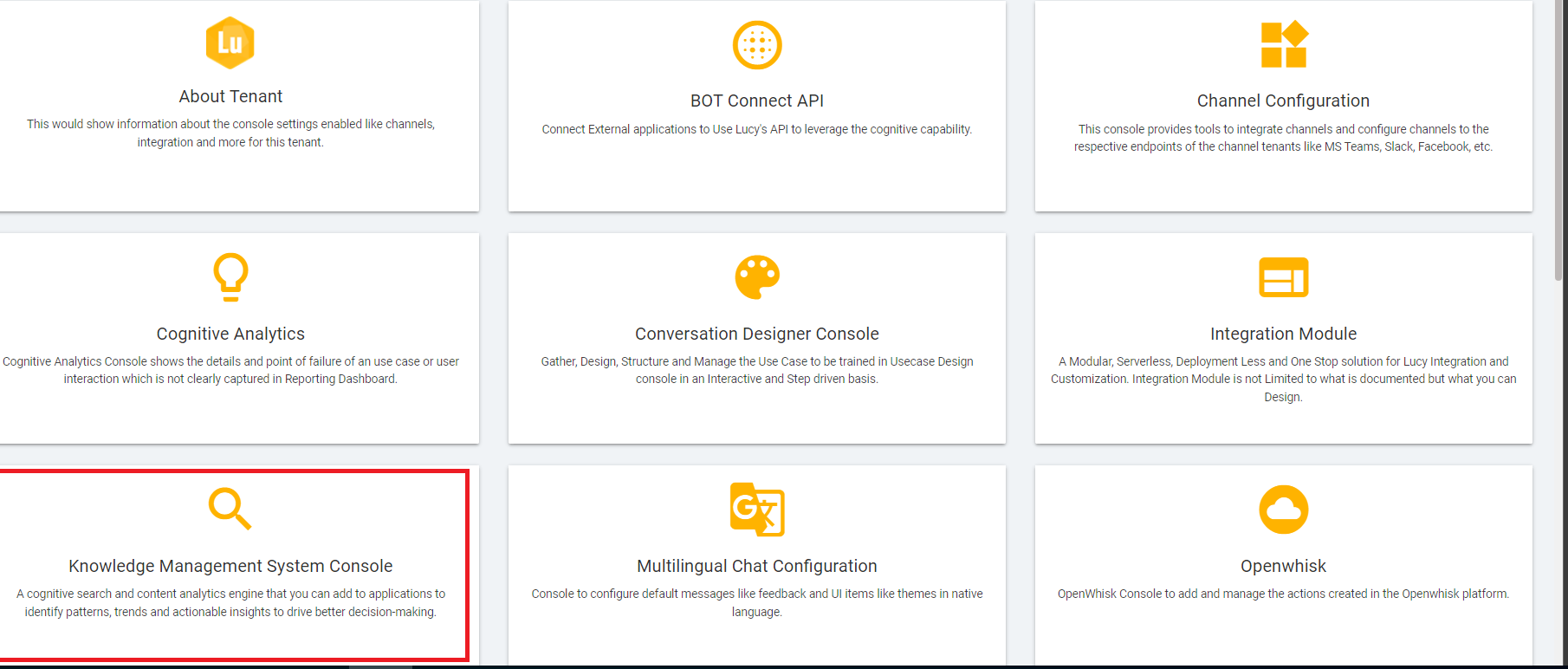
- Find and select Knowledge Management Console.
Figure 6. BigFix AEX Tenant Admin Console .png)
Figure 7. Knowledge Management Console Main Page 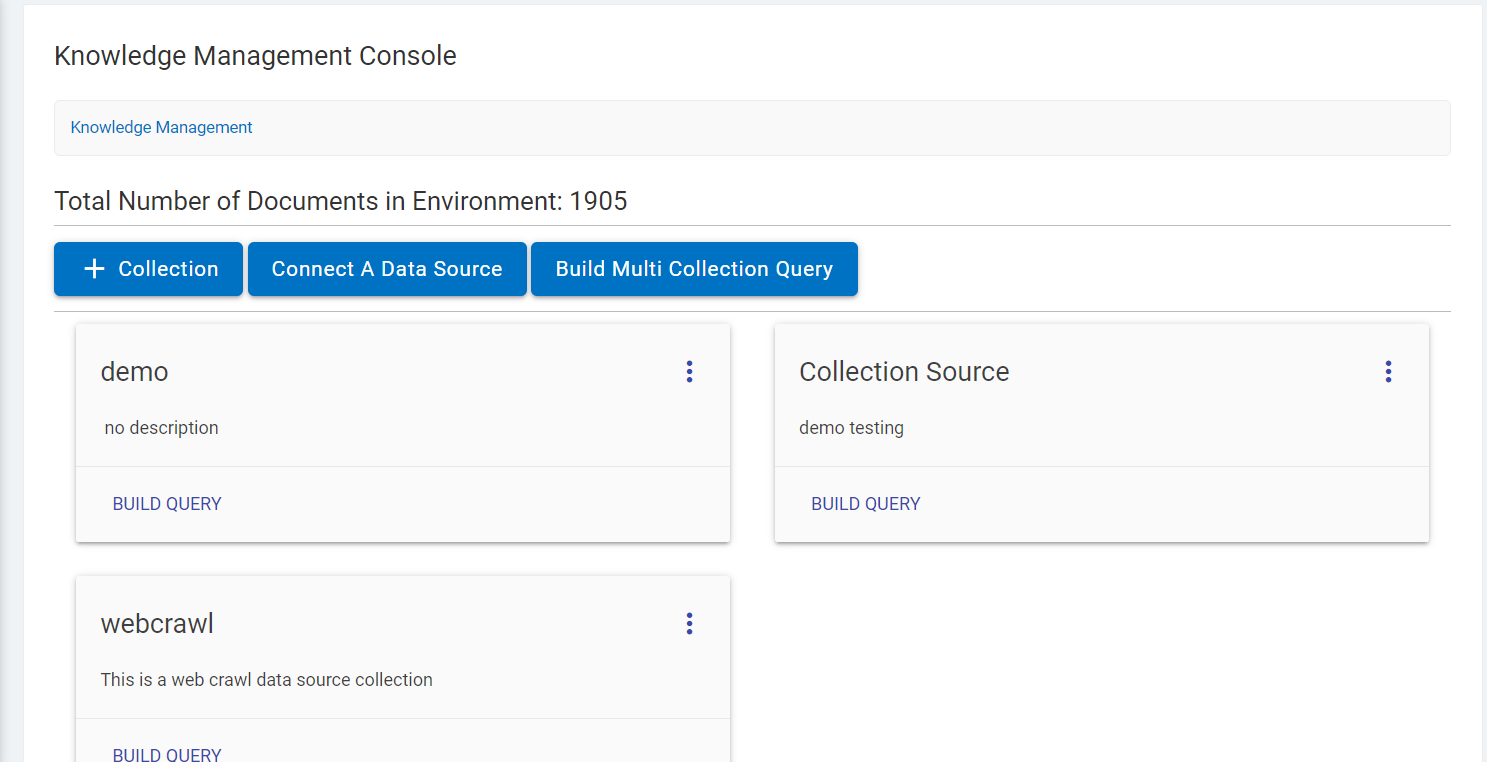
- Click on Connect a Data Source.
Figure 8. Connect a Data Source 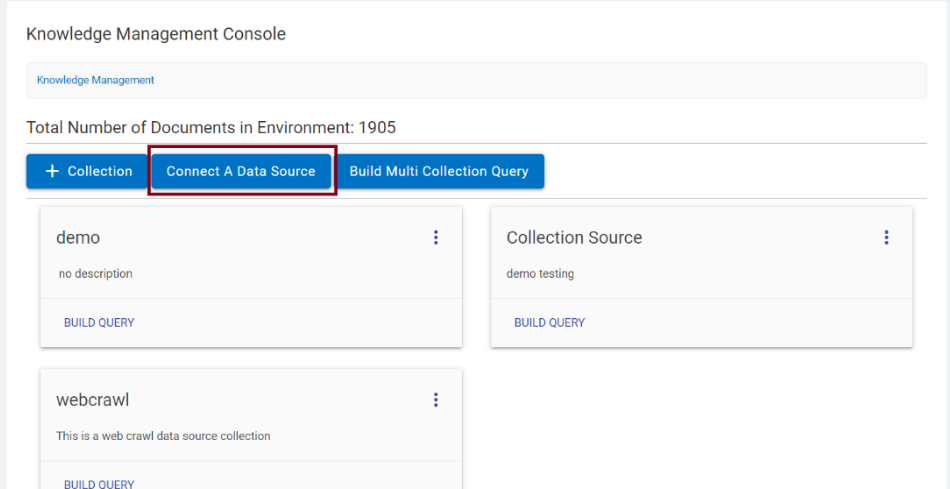
- The following screen appears containing all the data sources that can be connected.