
Salesforce Discovery Service
Salesforce Discovery Service is the crawler which gets the users the documents from salesforce repository. Users don’t need to manually add the documents.
- Select the Salesforce from KMS Data Source as shown in the following figure:
Figure 1. Salesforce Data Source for Crawling 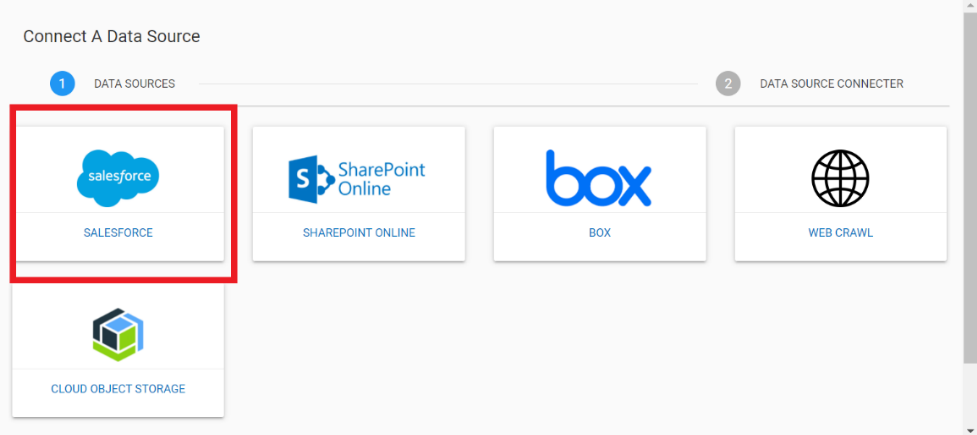
- Selecting salesforce on KMS takes the users to the following screen:
Figure 2. Salesforce Data Source 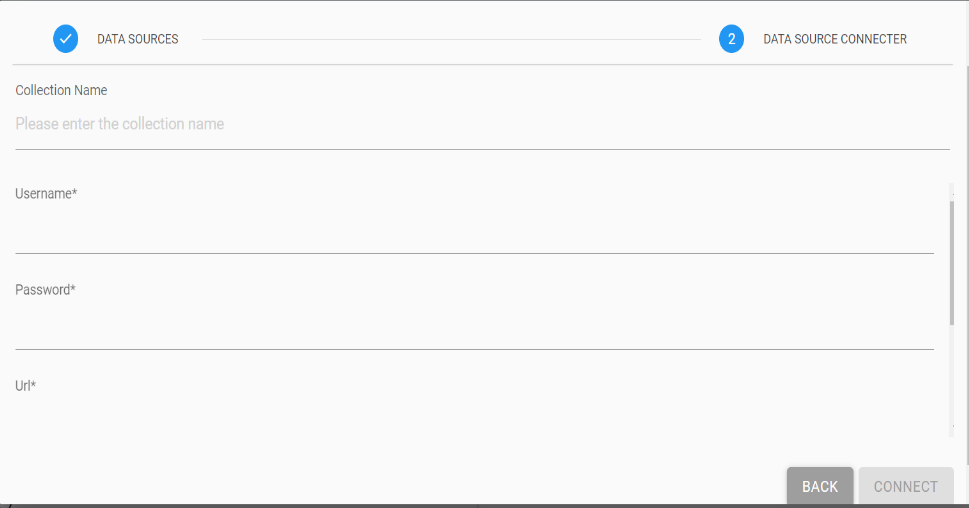
- The following fields need be populated:
- Collection name
- Username
- Password
- URL
- Click Connect to connect the system to the Salesforce. Click Back to go back to the previous screen.
- Once connected, the salesforce crawler ingests and downloads all the documents from the salesforce and uploads it to the system. The user can then query as per the requirement.