
Build Multi Collection Query
- Click on the Multi Collection Query button as shown in the figure.
Figure 1. Build Multi Collection Query 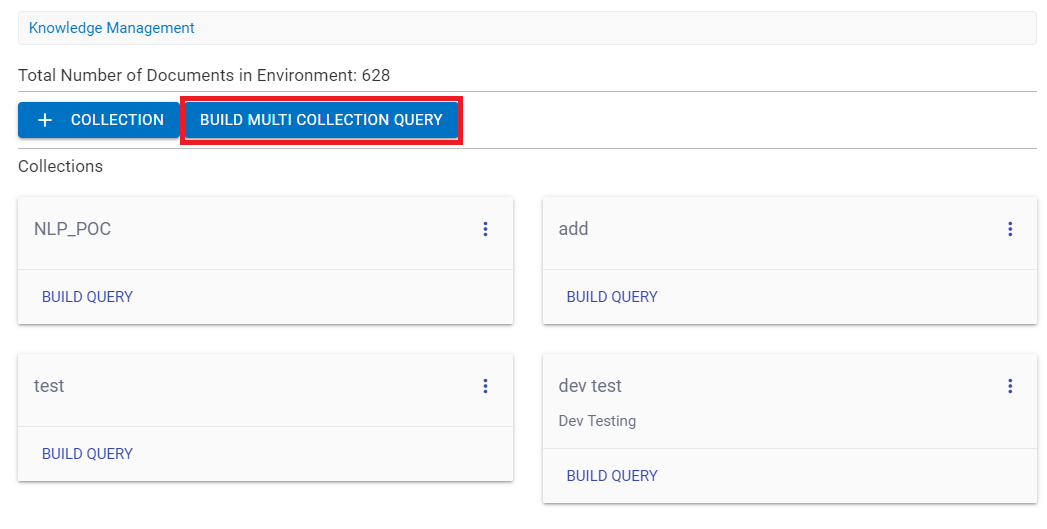
- A console appears that allows the user to choose the list of collections from the
dropdown for which query can be asked.
Figure 2. Build Multi Collection Query 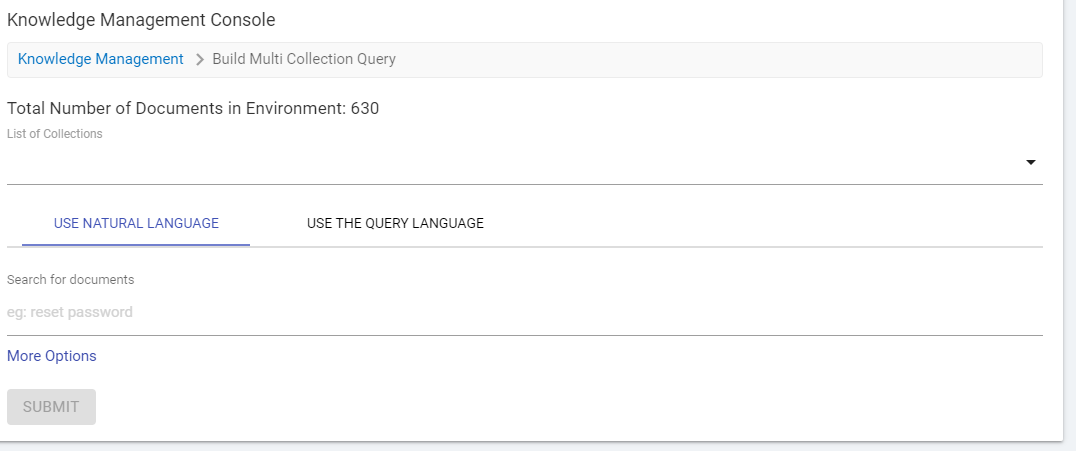
- The List of Collections field allows you to select the collection.
Figure 3. Build Multi Collection Query (Cont.) 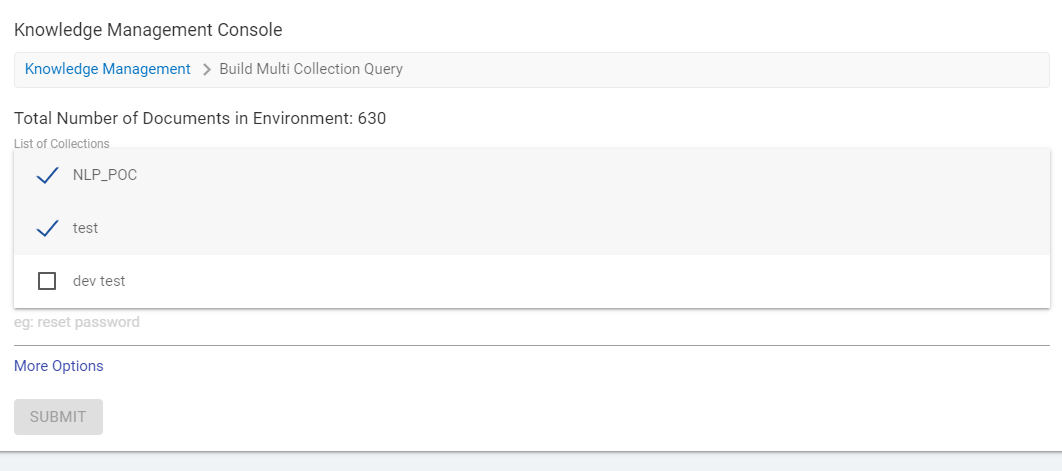
- Choose the collection and make a query from any of the selected collection.
Figure 4. Build Multi Collection Query (Cont.) 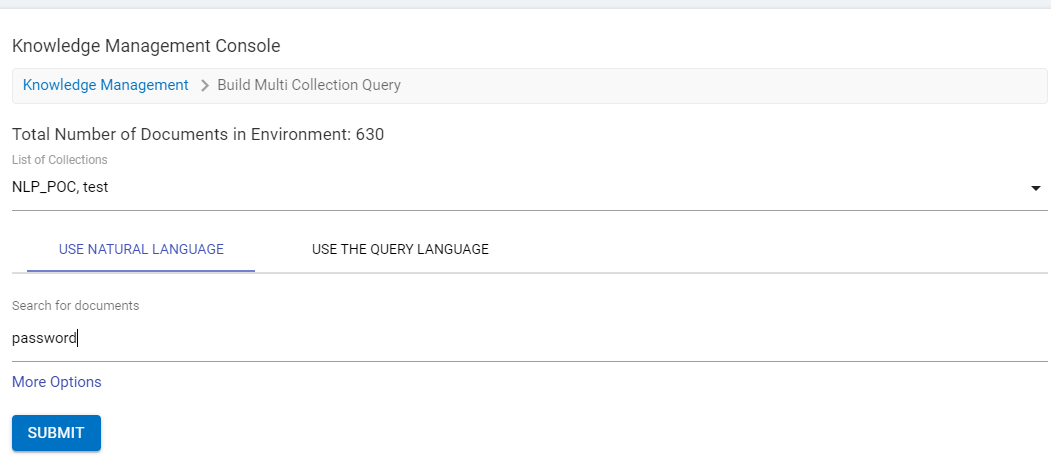
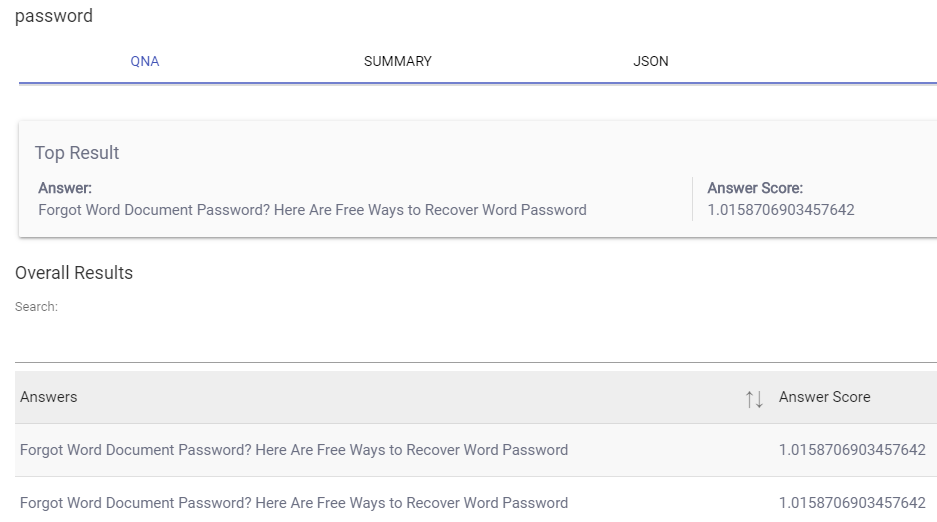
- Click Submit and get the result of the query in the QNA, summary and JSON.
Note:
Use Natural Language and Use the Query Language work same for the individual collection.