
Getting Started with BigFix AEX Cognitive Console
- To access the Cognitive Console, you will need the “Administrative Credentials”.
- To get the administrative credentials and license information about the platform you can
do one of the following actions:
- Contact the tenant admin whose Cognitive Console you are trying to access.
- Write an email to your account manager from BigFix AEX, he is the authorized representative to issue credentials and license for BigFix AEX.
- Drop an email to the support group at BigFix AEXPSSupport@hcl.com.
- There are three types of administrative logins for accessing the admin portal:
- Form based Authentication: This type of authentication is available for users where the “BigFix AEX” platform is not integrated with your organization’s Active Directory (AD).
- SSO/SAML based Authentication: This type of authentication is available for users where the platform is integrated with your organization’s AD . In this mode, you can use the credentials provided by your organization’s AD to login seamlessly to the “BigFix AEX” platform.
- Integration Connector based Authentication: This type of authentication is available for the users when integrated with certain out of the box connectors such as Cherwell. It provides a custom login mechanism for a user to login to BigFix AEX via their Integrating system such as Cherwell. This way users can replicate from existing login mechanism under integrating system.
Once you have your credentials ready, follow the steps below:
- Launch an internet browser and type the URL: https://aexdocs.us.bigfixaex.ai/admin#/ in the
address bar.
In case your organization is configured for SAML/SSO you will either be automatically logged in or will be redirected to your organization’s Single Sign On Page, after authenticating with your AD credentials . Post this you will be redirected to the BigFix AEX Cognitive Console.
- In case you are using Form-Based authentication, you will see the Login screen
for BigFix AEX Cognitive Console.
Figure 1. BigFix AEX Cognitive Console 
- Enter your credentials and click the Sign-In button.
- In case of a login failure, only 5 unsuccessful logins are allowed. Post which, login is
disabled, and you need to re-try after 5 minutes.
Figure 2. BigFix AEX Access Denied 
- On successful authentication, user is automatically redirected to the Cognitive Console Dashboard.
-
BigFix AEX Cognitive Console Landing Page depicts the various modules available in
BigFix AEX Cognitive Console and Cognitive Console Modules lists them. These
modules are used for undertaking administrative and configuration activities. These modules
have been explained in detail in the subsequent sections.
Figure 3. BigFix AEX Cognitive Console Landing Page 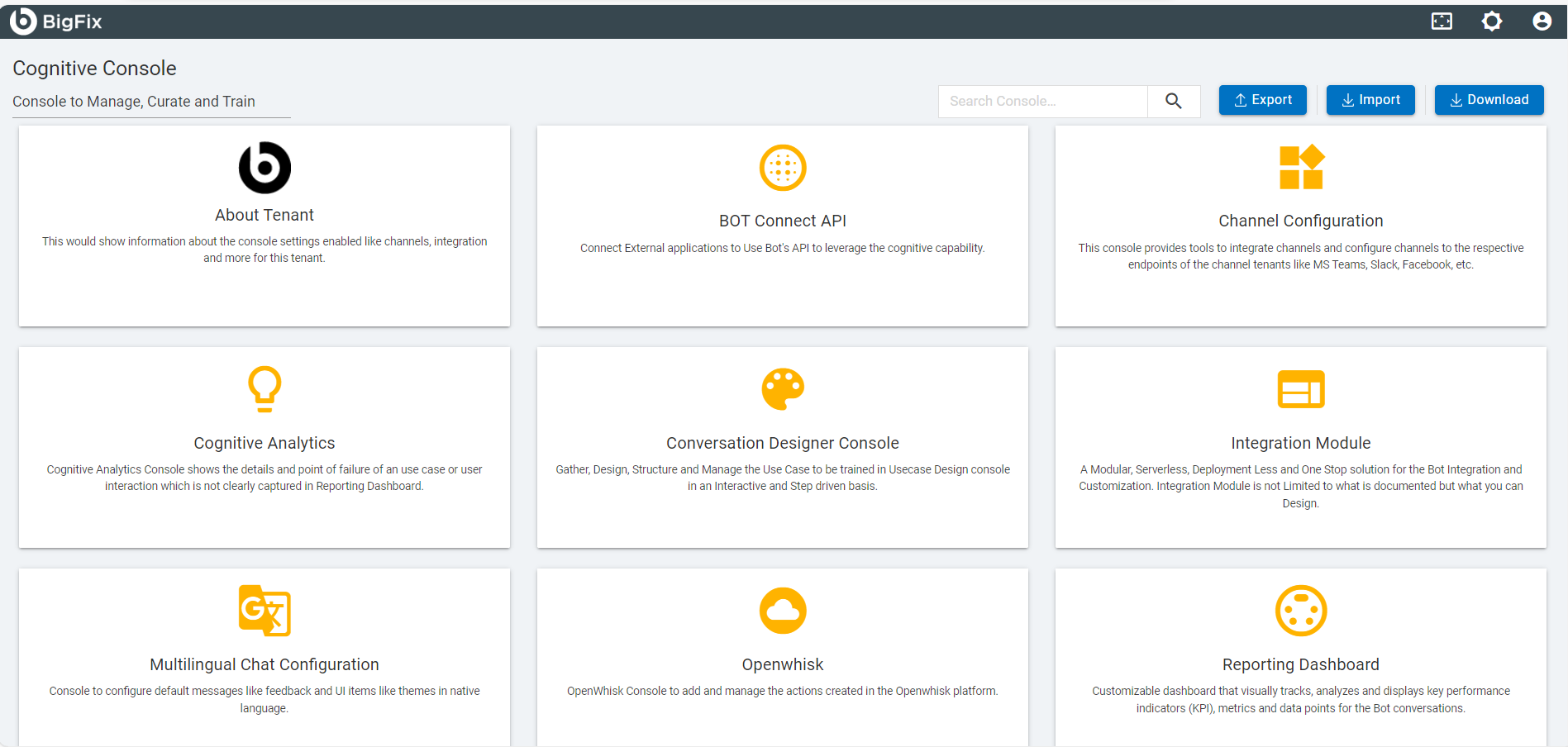
- The administrator can navigate to different modules of the console to configure BigFix AEX by clicking on the SAML.
Cognitive Console Modules
| Modules | Description |
|---|---|
| User Management | Create and manage users |
| UI Management | Create a dynamic and customizable UI console |
| Channel Integration | Configure various enterprise channels in BigFix AEX |
| SOP Management | Create and manage SOPs |
| Spell Checker Management | Check or add technical words and organization specific acronyms and phrases |
| Reporting Dashboard | Tracks, analyze and display metrics for BigFix AEX conversations |
| Integration Module |
Integrate BigFix AEX with third-party services through this server-less, versatile solution. Refer to the BigFix AEX Developer Guide for more details. |
| Bot Connector API |
Integrate BigFix AEX with various tools and applications to respond to user’s query. Refer to the BigFix AEX Bot Connector Guide for more details. |
| OpenWhisk |
Allows you to author, edit and run IBM Cloud Functions actions/functions as well as to view the logs of the various actions without the need to login to the IBM Cloud interface Refer to the BigFix AEX Developer Guide for more details. |
| Cherwell Configuration Control | Make Cherwell specific configuration in BigFix AEX, for e.g. upload Service Catalog, create Cherwell use cases. |