
Start migration
BigFix on-premises to SaaS migration is performed using the Universal Migration Fixlet, which deploys the migration tool to your on-premises endpoints. Click Start Migration to launch a guided, step-by-step work flow for downloading and deploying the Universal Migration Fixlet to your on-premises endpoints.
About this task
Procedure
-
From the BigFix SaaS app, select . Click the Start migration button to open up the
wizard.
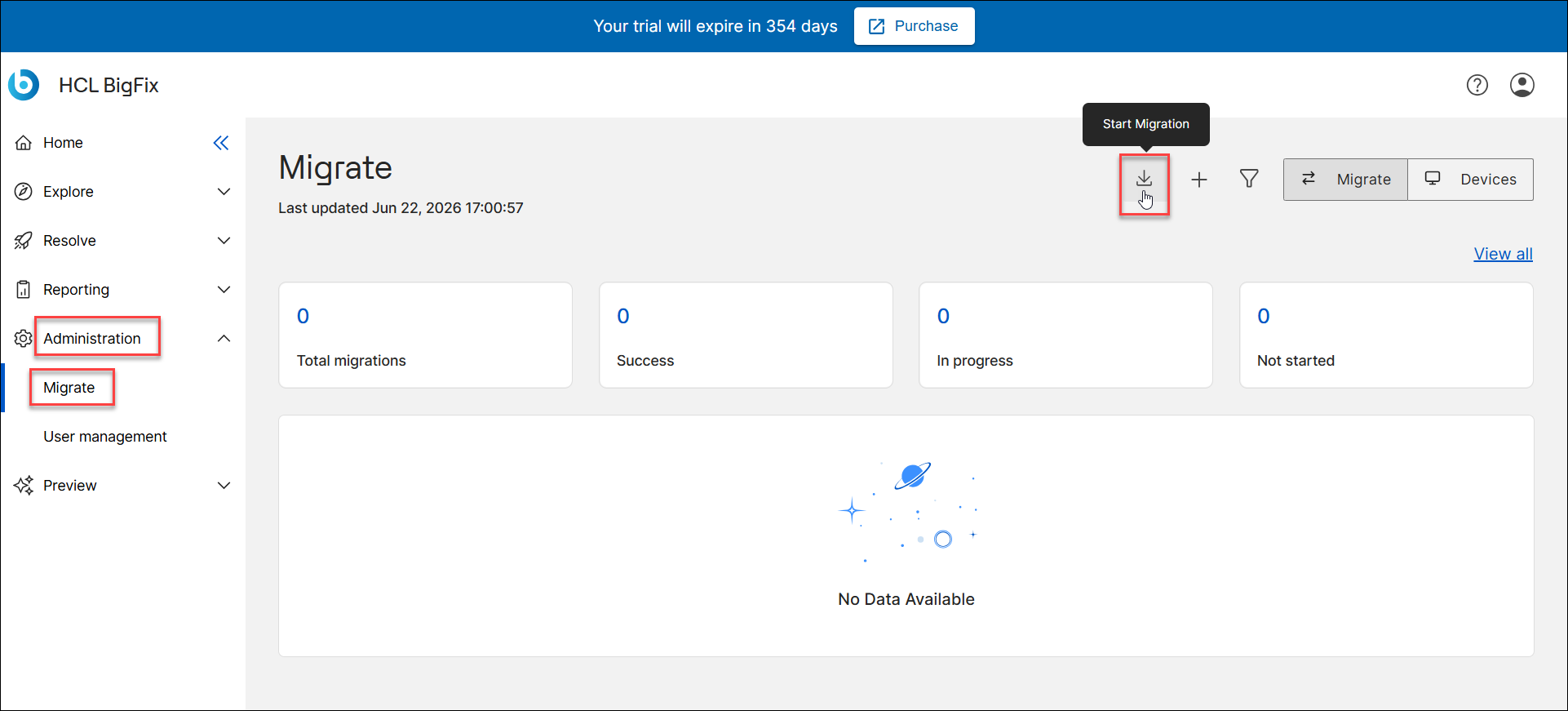
-
Click the Download universal migration Fixlet button.
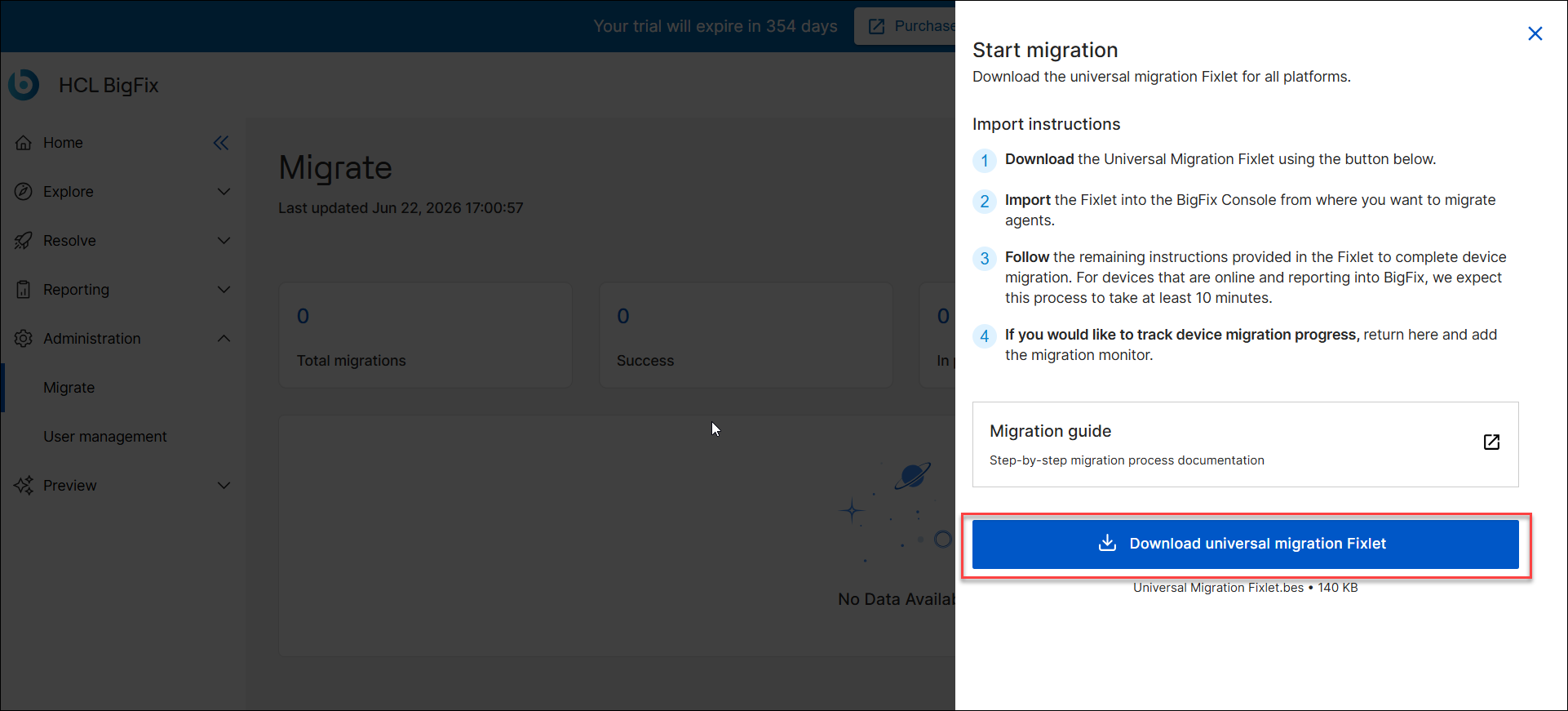
-
File Name: Universal Migration Fixlet.bes (about 140 KB)
-
This universal Fixlet supports all available operating systems.
-