
Subscribing to the QRA site
Subscribe your target endpoints to the BigFix Quantum Risk Analyzer external site so that the QRA Tasks and Analyses appear in the BigFix Console.
Before you begin
You need a BigFix Console with Master Operator or appropriate site-level permissions. Only endpoints running BigFix Client 11.0 or later can subscribe.
Procedure
- Open the BigFix Console. In the Domain Panel, expand All Content and navigate to Sites.
-
Locate the BigFix Quantum Risk Analyzer site under
External Sites. Subscribe your target endpoints to the
site: open the site and use the Computer Subscriptions
tab.
Eligibility is additionally governed by the site's external subscription constraints. The Site Level Relevance requires BigFix Client 11.0 or later, so older clients cannot subscribe. After subscription, the QRA Tasks and Analyses appear under the site in the Domain Panel.
Figure 1. BigFix Quantum Risk Analyzer external site. The Details tab shows the gather URL and the external subscription constraints (BigFix Client 11.0 or later); use the Computer Subscriptions tab to review subscribed computers. 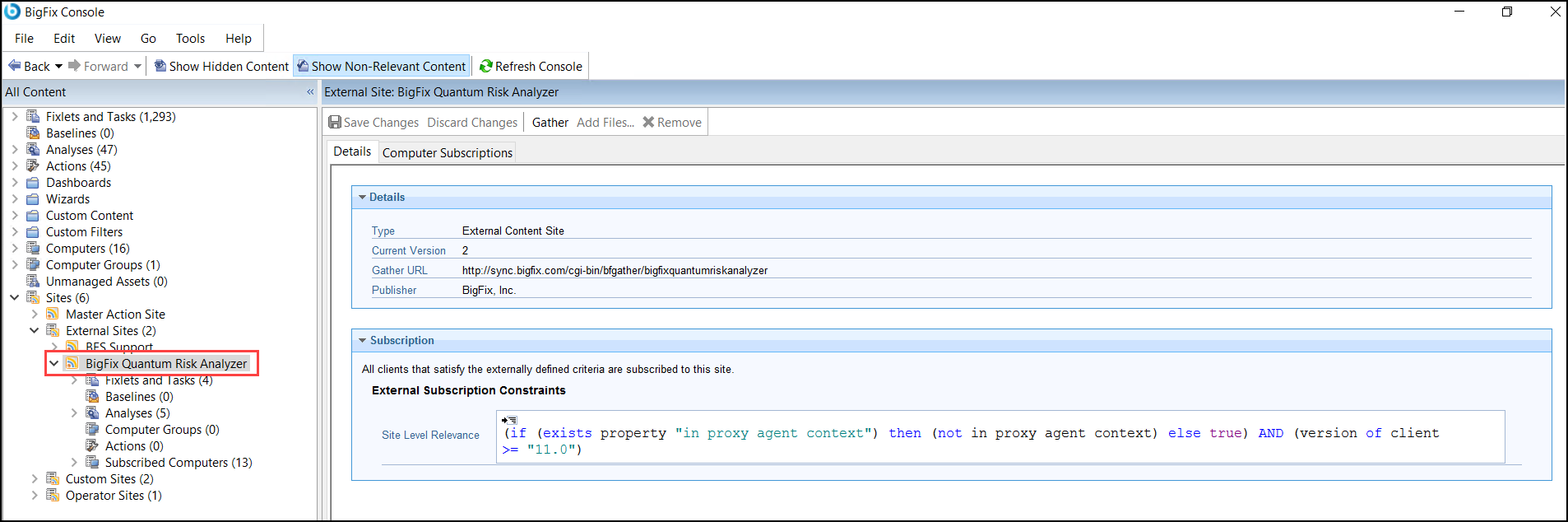
-
Confirm that the QRA Tasks appear under the site's Fixlets and
Tasks node: BigFix Quantum Risk Analyzer - Scan
Tool, Configure BigFix Quantum Risk Analyzer
Key, Install BigFix DataBridge, and
Kibana Saved Object Dashboard Import.
Figure 2. QRA site: Fixlets and Tasks. The four Tasks are Configure BigFix Quantum Risk Analyzer Key, BigFix Quantum Risk Analyzer - Scan Tool, Kibana Saved Object Dashboard Import, and Install BigFix DataBridge. 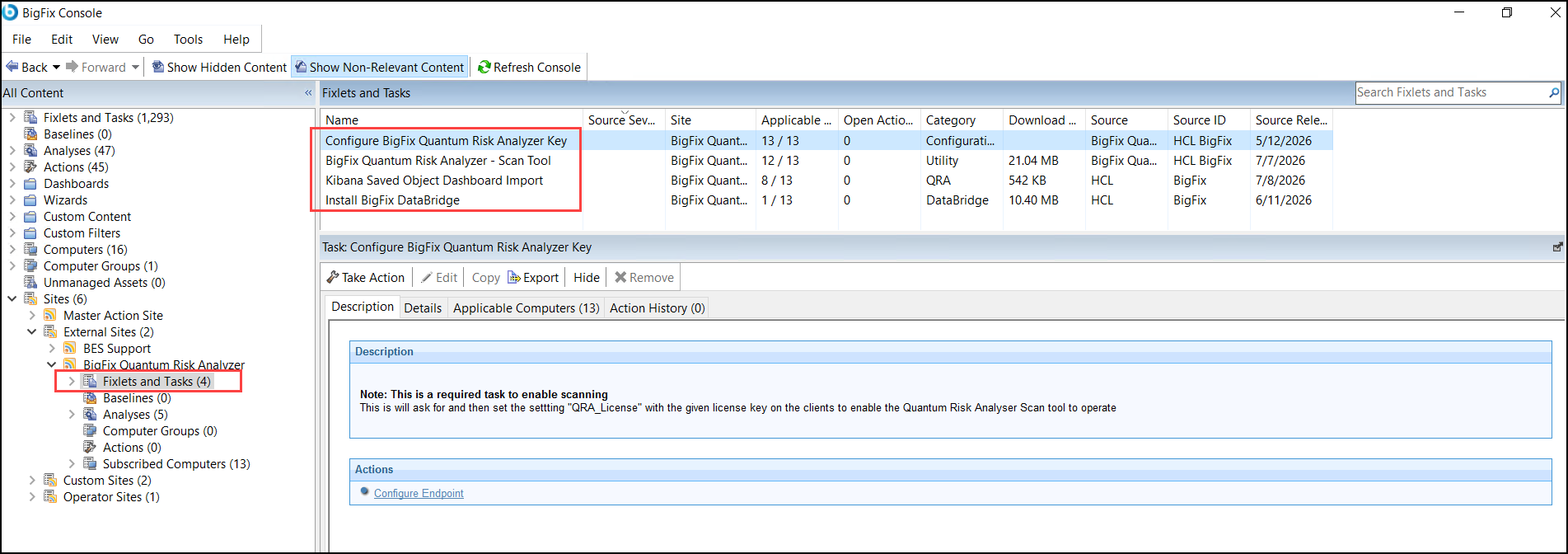
What to do next
Next, activate the QRA Analyses so that Web Reports can display scan data.