Configuration Of Rest Messages
Learn how to set up and configure REST API messages.
About this task
Procedure
-
Search for the term
Rest Messagewithin the All tab and click Rest Message.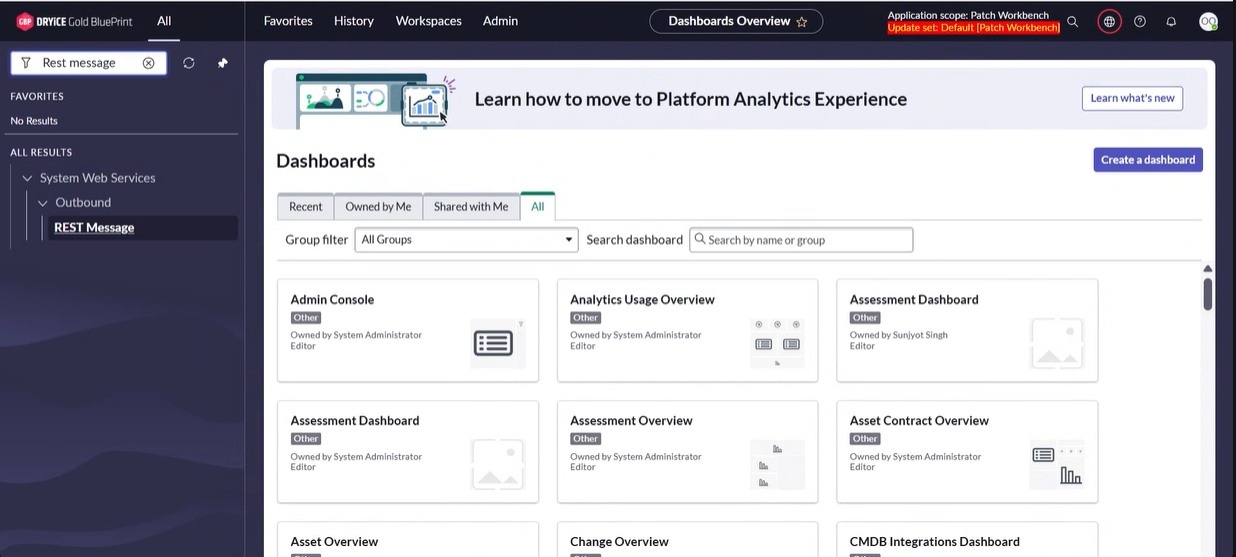
-
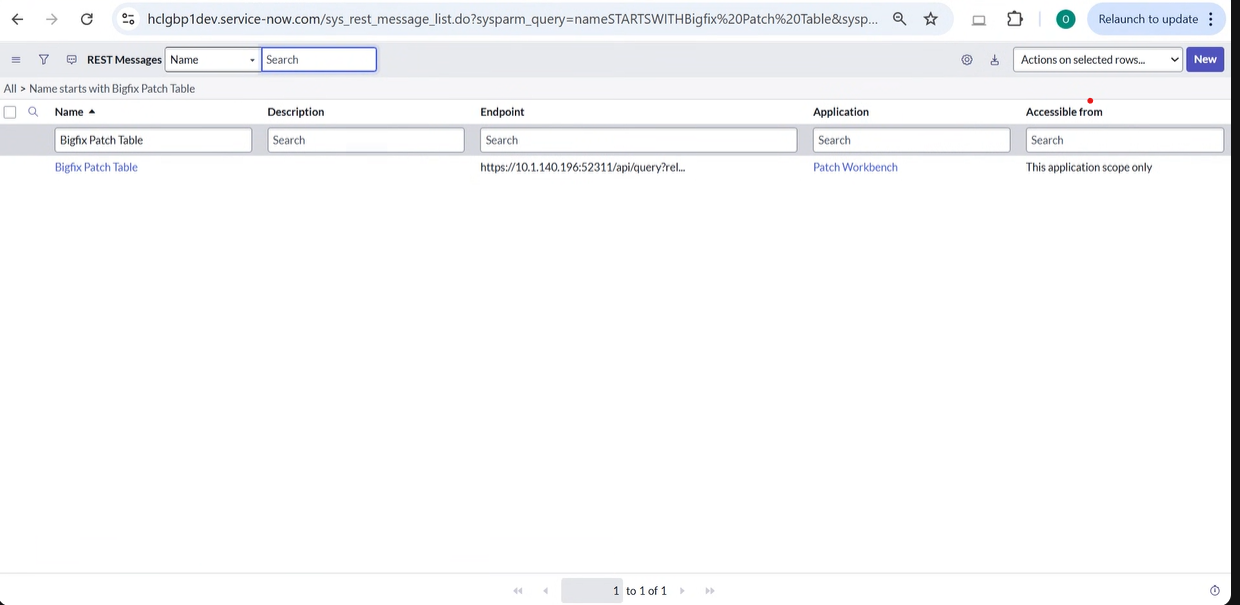
Search BigFix Patch Table in the
Name field and click BigFix Patch
Table.
-
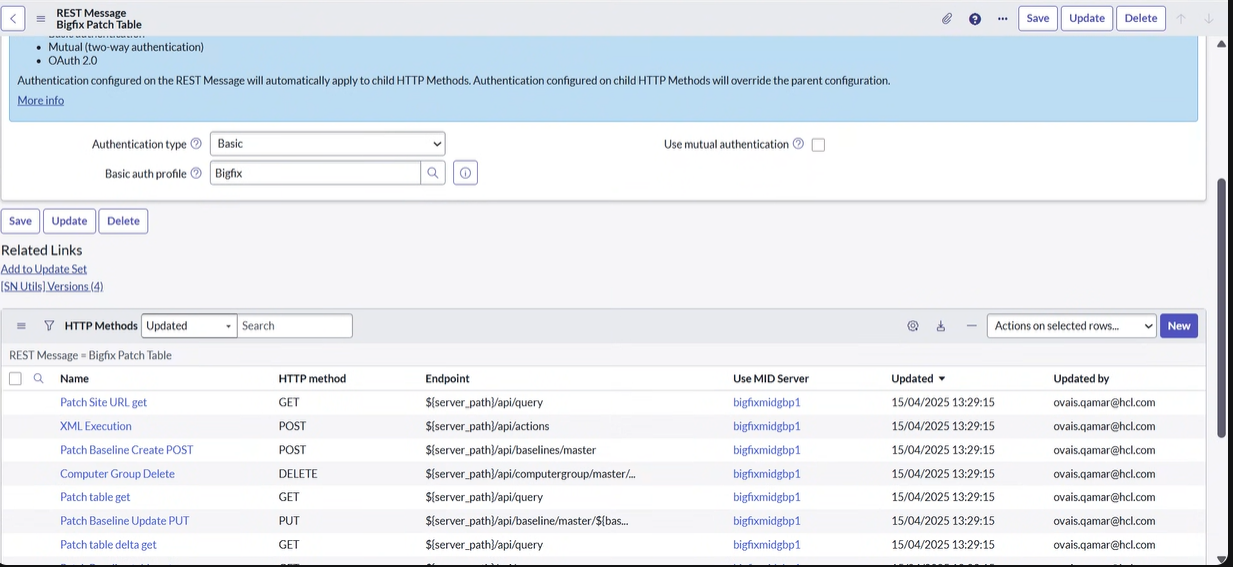
Ensure the Authentication Type is set to
Basicif it is currently configured differently, and update the Basic Auth profile for API authorization accordingly.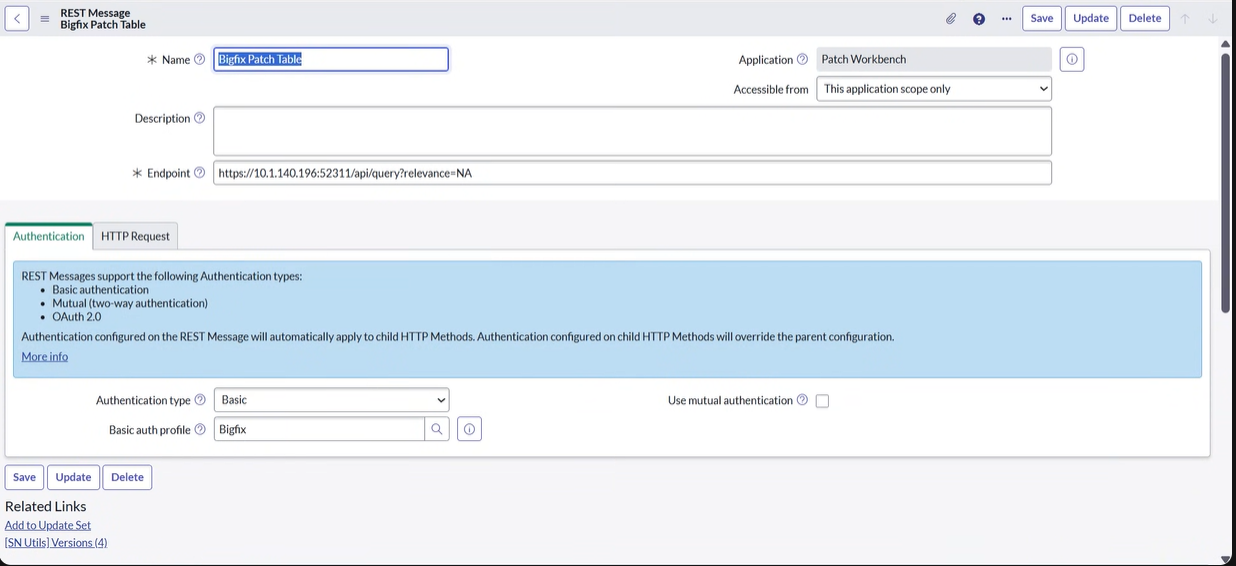
-
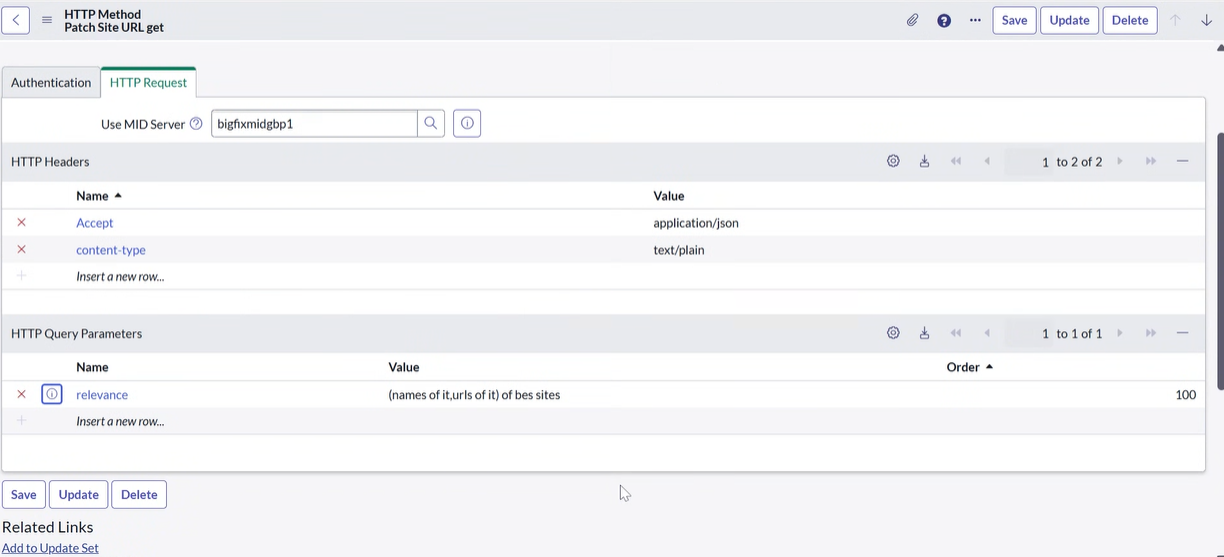
In Step 3, click on HTTP Request, and modify the
HTTP Query Parameters relevance as per your
requirements.
-
tab, enter
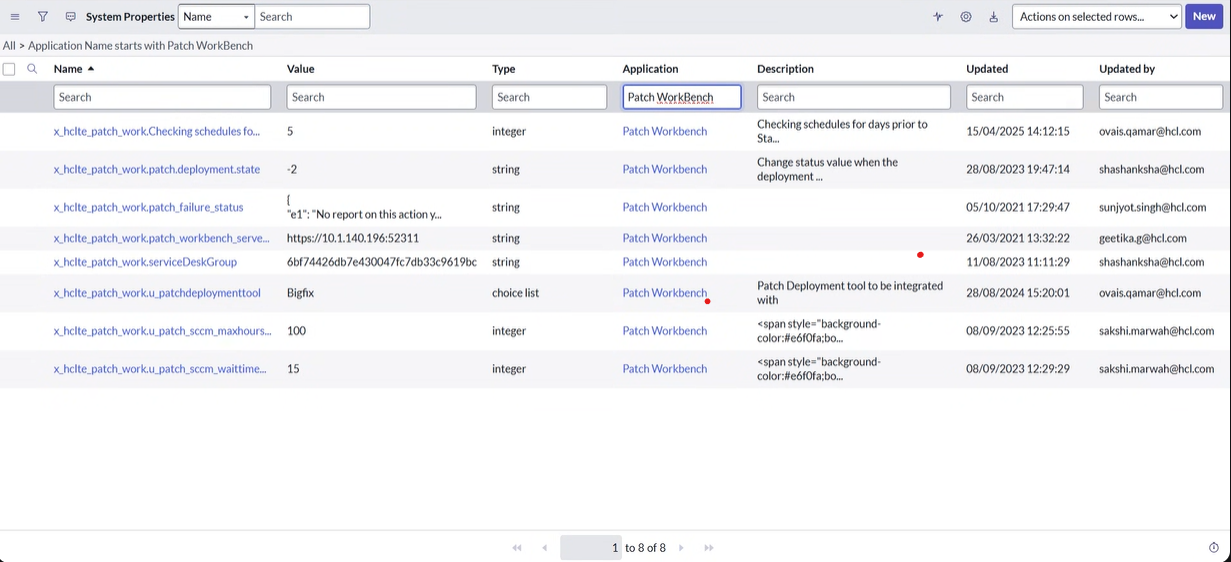
sys_properties.LISTin the search bar, and press Enter.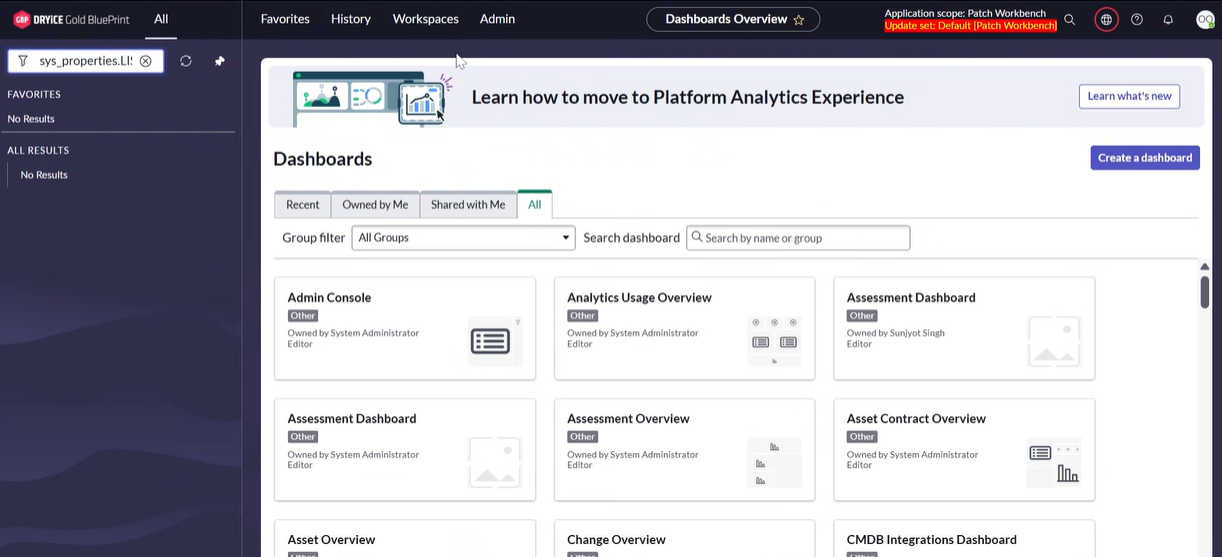
-
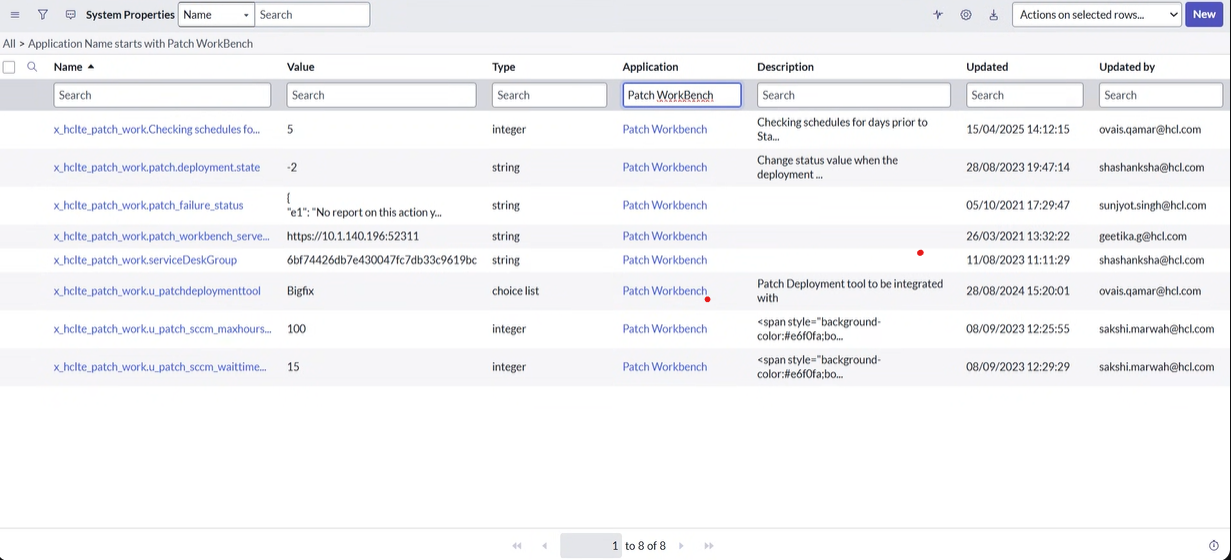
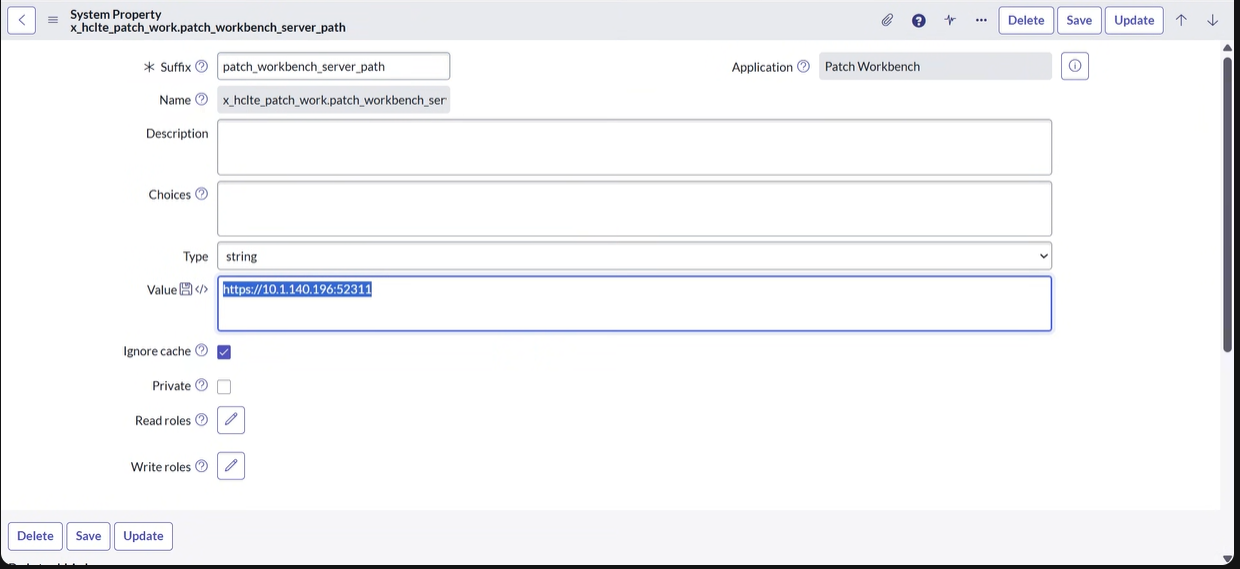
Click on x_hclte_patch_work.patch_workbench_server_path
and update the Value field according to your
configuration.
-
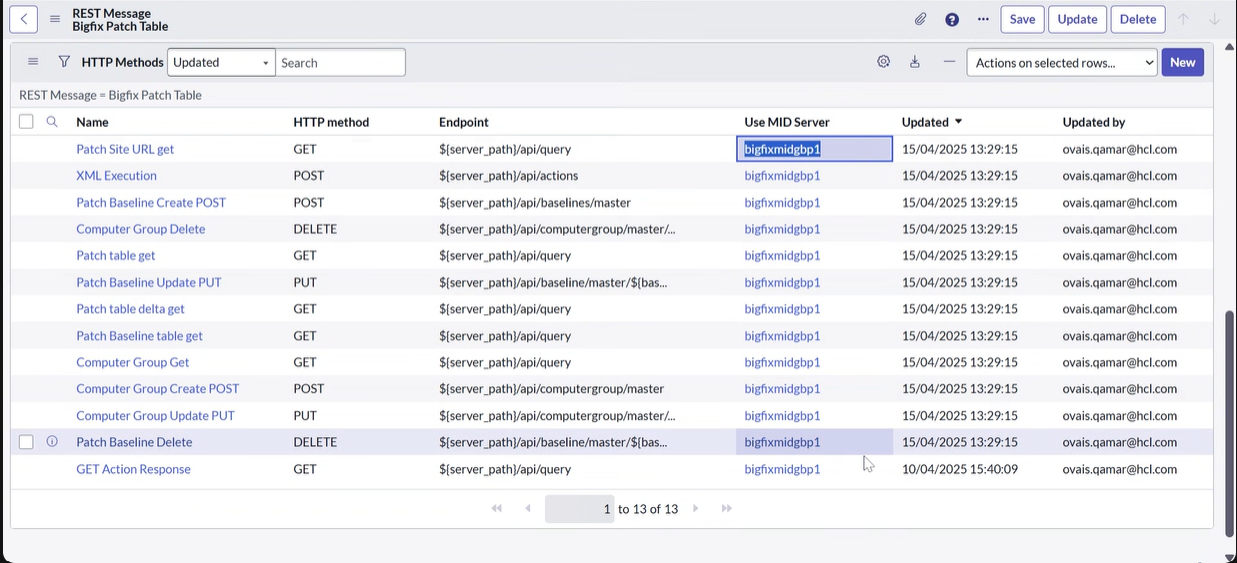
, then scroll down to HTTP Methods. Change
the Use MID Server setting as per your configurations.
-
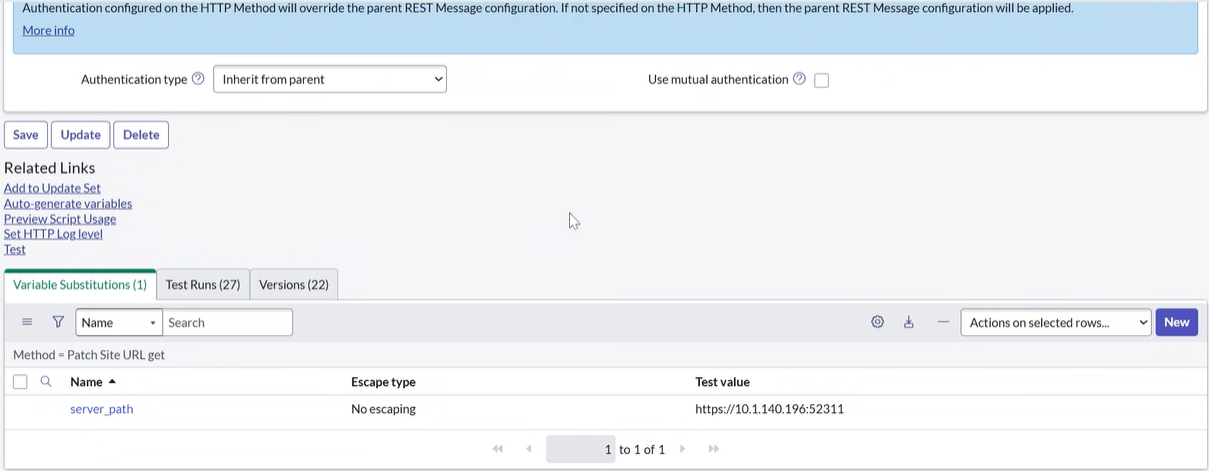
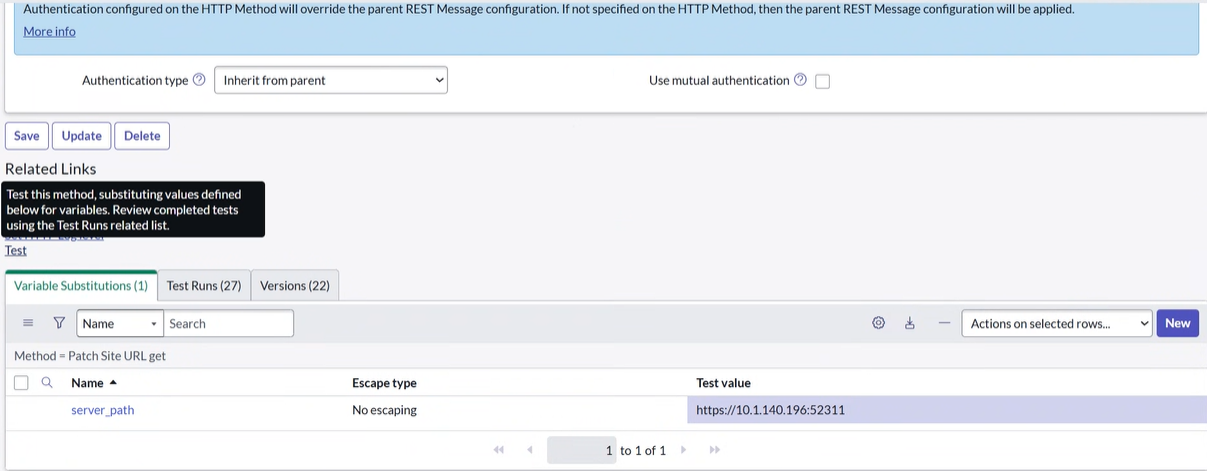
- Repeat step 2.
- Scroll down to HTTP Methods.
- Click on any method (e.g., Patch Site URL get).
- Select
server_path. - Update the Value field similarly to the changes made in Step 6.
-
Click Test next to the HTTP
Method.
-
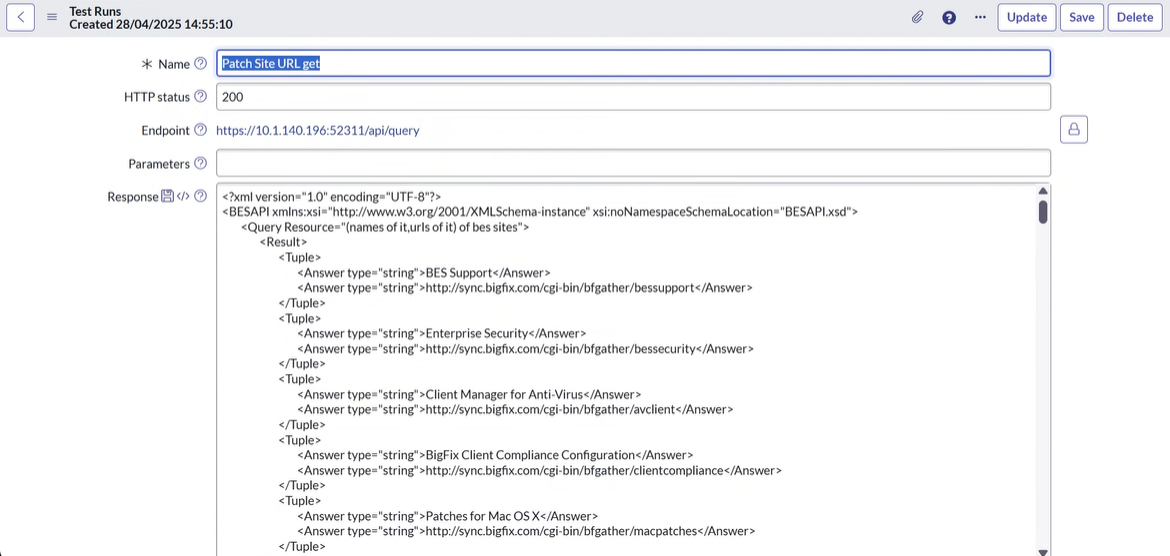
After testing the API, a successful result will be displayed with an
HTTP Status of
200, indicating that the API is functioning correctly.