

Installing DEX FillDB
The DEX FillDB is responsible for collecting logs and other system data from BigFix-managed endpoints and pushing them into the database through NATS JetStream.
This component can be deployed on multiple nodes simultaneously to scale up, depending on the environment size. For a POC or small-scale environment, one node is enough.
Install the DEX FillDB using the #32-Install Dex FillDB (WIN) on Windows Fixlet.
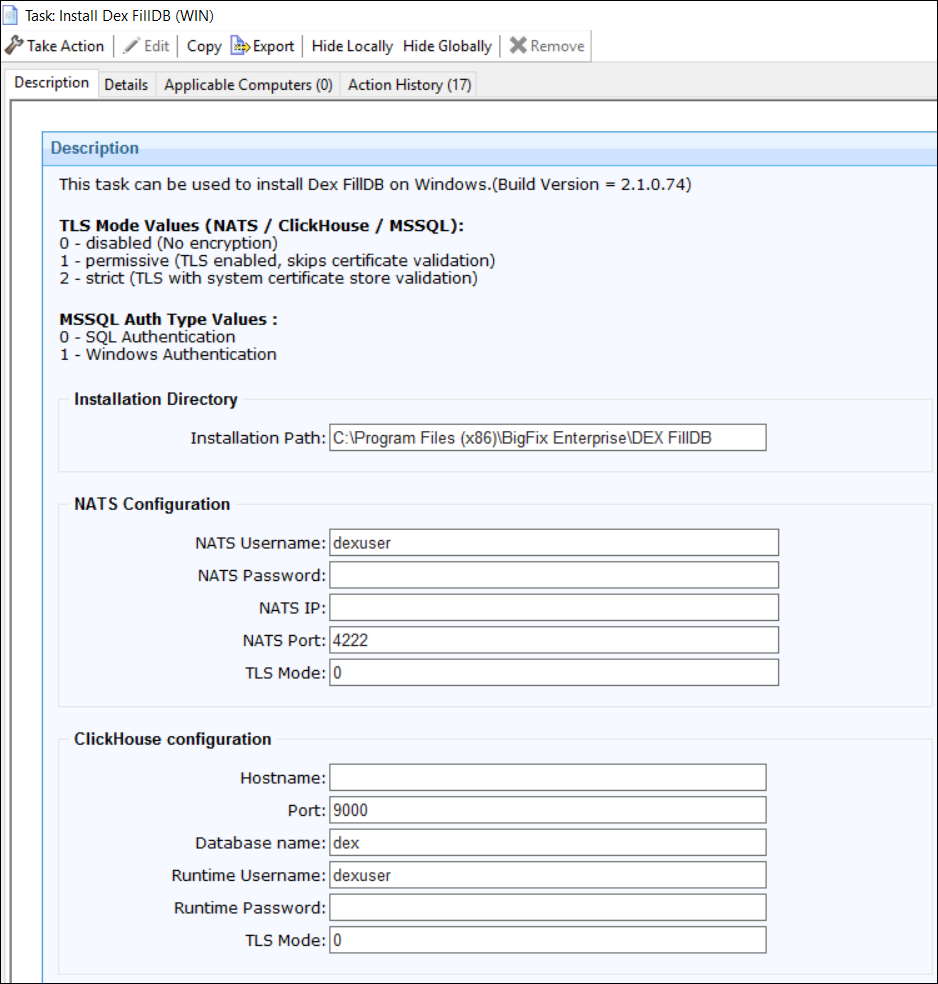
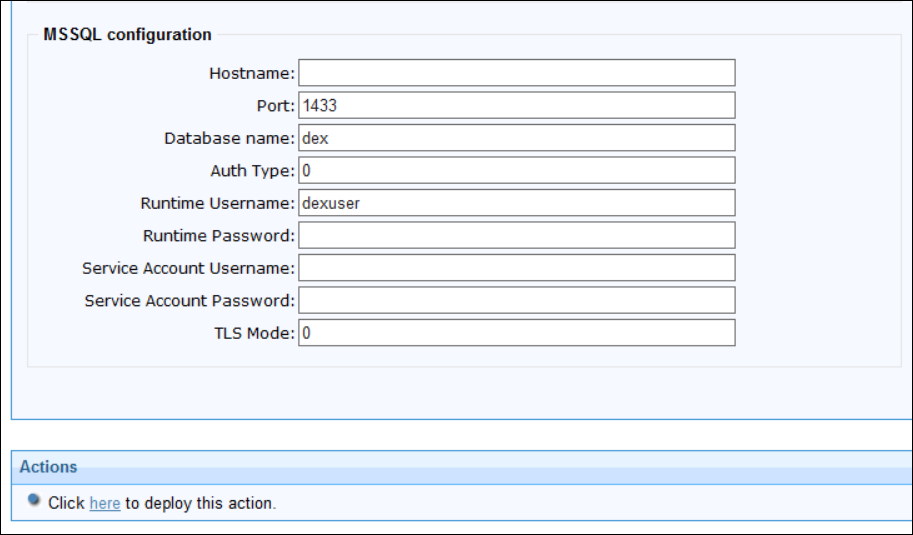
Required fixlet input parameters matching those of DEX Server:
- Installation path Default: C:\\Program Files (x86)\\BigFix Enterprise\\DEXServer
- MSSQL details: hostname, port (Default: 1433), TLS Mode (Default: 0), DB name (Default: dex), admin/read-write user credentials (Default: dex_user)
- ClickHouse details: hostname, port (Default: 9000), TLS Mode (Default: 0), DB name (Default: dex ), admin/read-write user credentials (Default: dex_user)
- NATS details: host IP, port (Default: 4222), TLS Mode (Default: 0), credentials (Default: dex_user)