
Patch Dashboard
Patch in the BigFix UI provides a fully integrated patch management experience in the Resolve menu, giving IT administrators and patch managers a single, risk-prioritized view of missing patches and vulnerable devices without requiring the BES Console.
Overview
The Overview page is read-only: it does not create or modify deployments. To take action, drill down from a card or chart to the Fixlets, Devices, or Deployments page that it links to.
- Who uses it
- IT administrators who triage and deploy patches, patch or release managers who track patching workload against SLAs, and operations engineers who investigate vulnerable endpoints.
- Access
- The Patch Dashboard uses your existing BigFix operator permissions. No
additional role or license is required to view it. The dashboard shows data
only for the patch sites that your operator account has permission to
access.
If your operator account does not have permission to any patch content site, the Patch Dashboard does not display patch data. Instead, it shows the screen below along with an error notification. To get access, ask a Master Operator to grant your operator account permission to the relevant patch sites.
Figure 1. Patch Dashboard with no access to patch sites 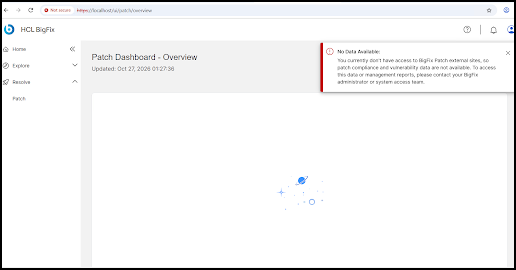
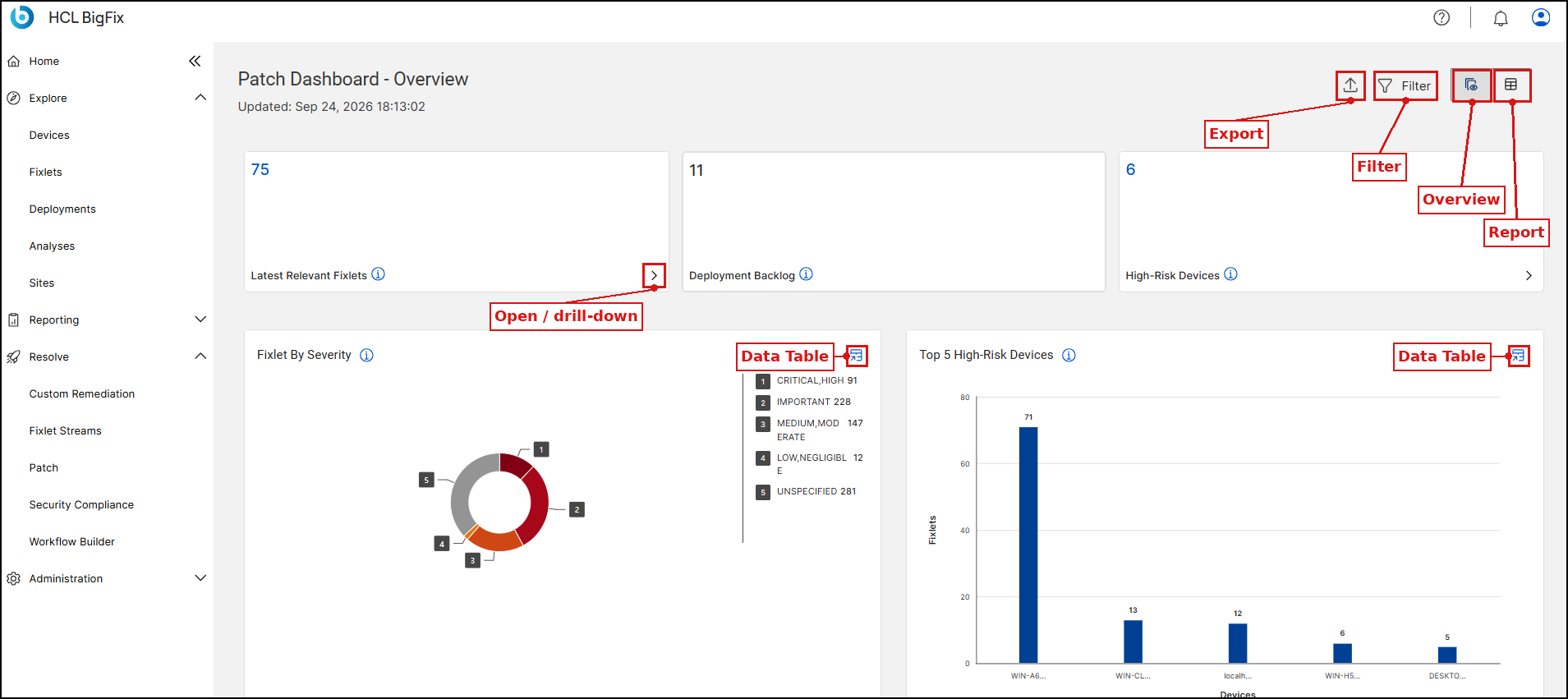
The page header shows the page title, an Updated timestamp that indicates when the dashboard data was last refreshed, and the Export and Filter icons. Every KPI card and chart also has an information (i) icon; hover over it to read a short definition of that metric.
Key features
| How to access Patch Dashboard | Steps to open the Patch Dashboard from the Resolve menu in the BigFix UI. |
| KPI cards | Summary metric tiles shown at the top of the Overview page, covering deployment backlog, latest relevant Fixlets, and high-risk devices. |
| Charts and widgets | Charts and ranked-list widgets that visualize patch risk and impact across your environment. |
| Filters | Narrow the data shown across the dashboard by OS family, Fixlet severity, or security range. |
| Drill-down navigation | Drill down from any widget into its filtered, detailed view. |
| Viewing and exporting dashboard data | View any widget's underlying data as a table, and export the dashboard or an individual widget. |