
Registering VIOS NFS repositories
Use the VIOS Advanced Deployment Wizard to register the directory of a targeted VIOS endpoint as an NFS repository. Registration is required to be able to use the VIOS NFS Repository Management feature in the wizard to download and manage the fix packs on an NFS repository. You can register only one location on an endpoint as an NFS repository.
Before you begin
- Activate the VIOS Registered NFS Server Information analysis.
About this task
Procedure
- From the BigFix console, click .
- Click NFS Repository Management.
-
Click Register VIOS NFS Repositories.
Figure 1. Registering VIOS NFS Repositories 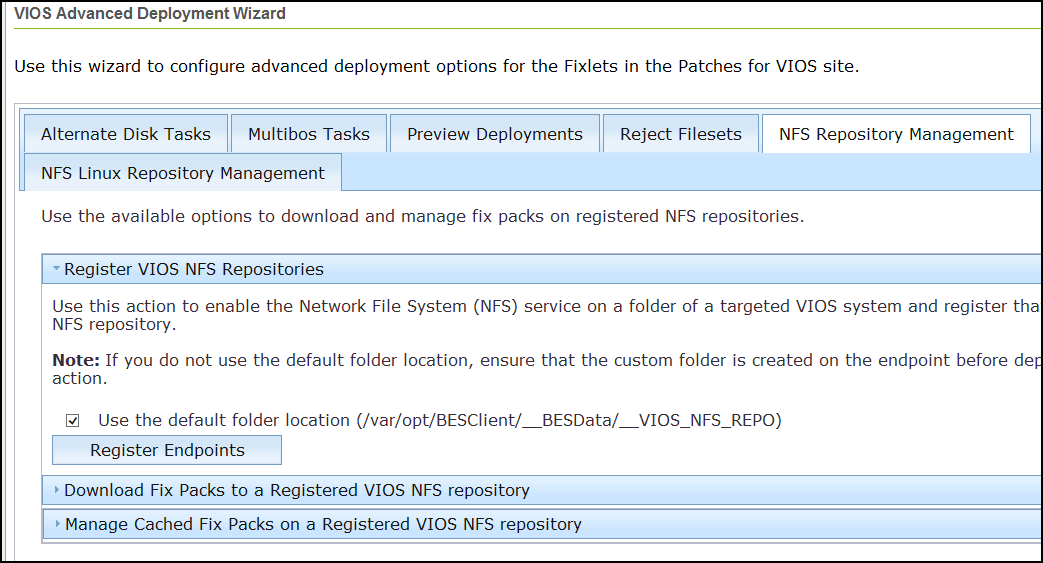
- If you do not want to use the default folder location, which is /var/opt/BESClient/__BESData/__VIOS_NFS_REPO, as the directory to be the NFS share, deselect the related check box.
- Click Register Endpoints to select
the target endpoints.If you deselected the default folder location check box, you are prompted to enter an existing directory on the endpoint that you want to register.Note: The directory must already exist on the endpoint before deploying the action. It also must contain folder permissions to use NFS.Note: The NFS Repository Management can not be used with NFS authentication.
- Select the target endpoints and click OK.
- Deploy the action.