
Creating Fixlets for firmware updates
You can use the VIOS Deployment Wizard to deploy packages for firmware updates, which are
also known as microcode updates, on endpoints that are not managed by IBM Hardware
Management Console (HMC). These updates can be in either .rpm or
.iso format.
Before you begin
To deploy firmware updates from the VIOS Deployment Wizard, you must first obtain the updates that you want from Fix Central.
Note: Currently, BigFix does not provide any
tools to help download firmware updates.
CAUTION: Do not rename any of the downloaded files.
The VIOS Deployment Wizard uses the file name when it attempts to parse the new
firmware version information.
About this task
Procedure
- From the BigFix console, click .
-
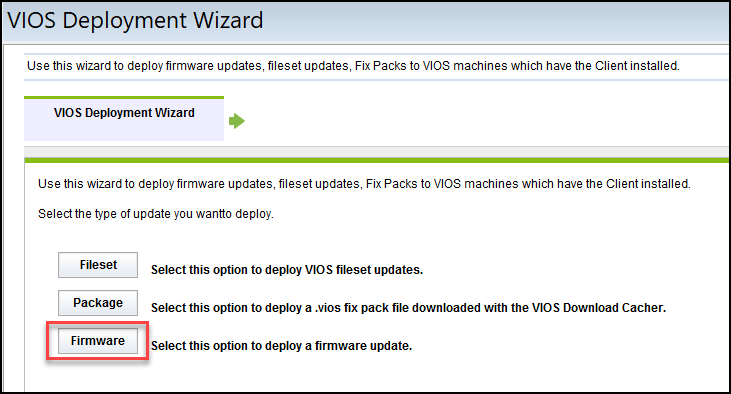
Click Firmware.
- Enter the location of the PowerVM VIOS package that you want to deploy.
- Select the check box if you want to create a one-time action rather than a reusable Fixlet.
- After you set the necessary parameters, click Finish.
Results
What to do next
Activate the PowerVM VIOS Firmware Level analysis, which reports the permanent and temporary firmware versions and the system version that it is running on (temporary or permanent).