
Using precache SP/TL - Deploy technology and service pack fix pack to a new or existing alternate disk clone
Use the AIX Advanced Deployment Wizard to generate a custom Fixlet that creates an alternate disk clone of the current operating system on the target disk and deploys the desired fix pack to the cloned disk using precached SP/TL content.
Before you begin
Procedure
- From the BigFix console, click .
-
Under the Alternate Disk Tasks tab, click Using
precache SP/TL - Deploy technology and service pack fix pack to a new or existing
alternate disk clone to expand the deployment options pane.
Figure 1. Deploy technology level and service pack fix pack to a new or existing alternate disk clone 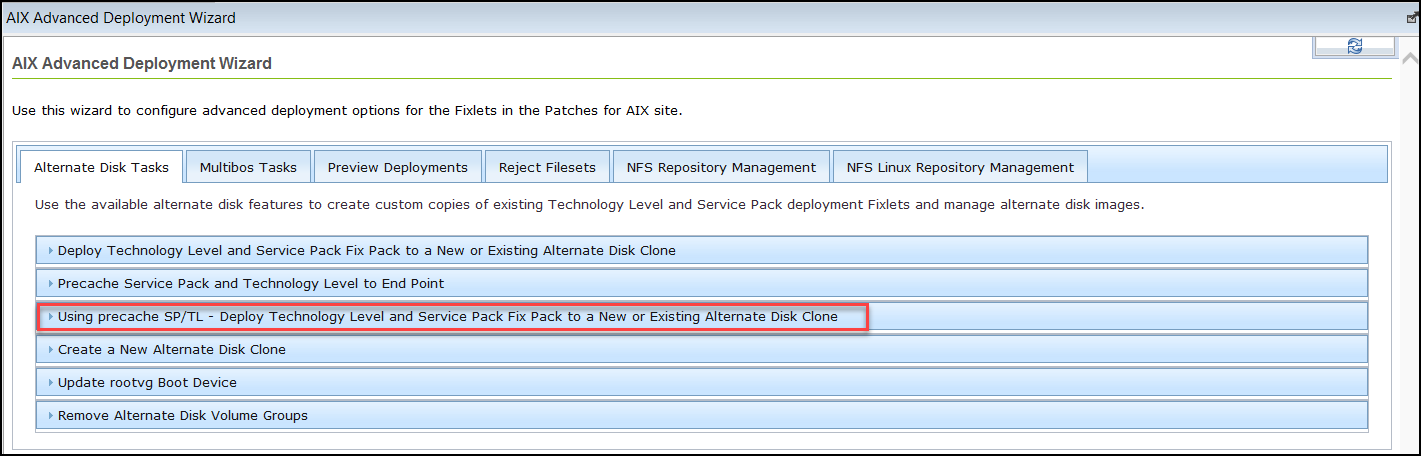
-
Select the major version, technology level, and service pack of the operating system
level that you want to deploy to the alternate disk location.
Figure 2. Available options 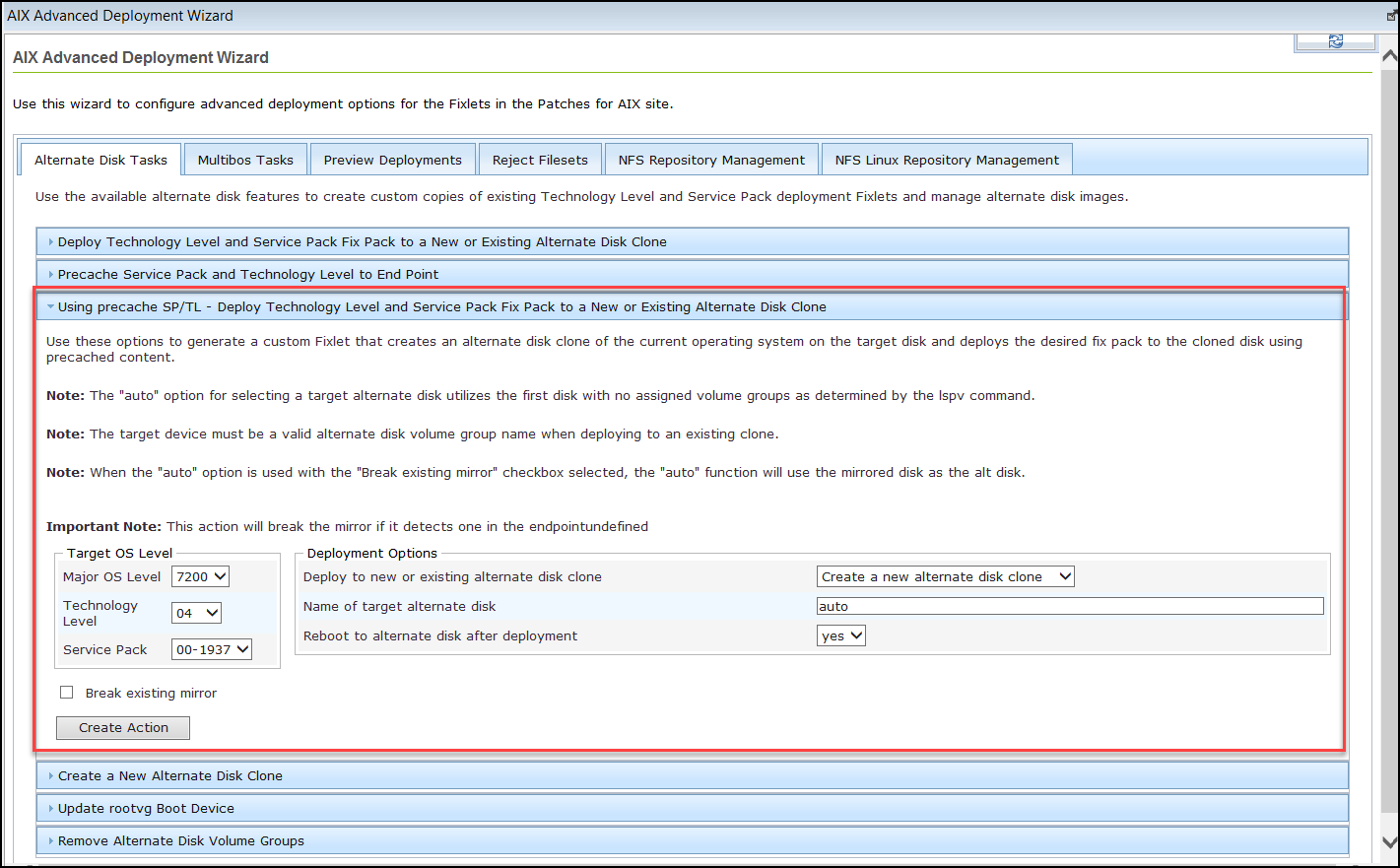
-
Specify the Deployment Option: Deploy to new or existing alternate disk clone, Name of
target alternate disk, and Reboot to alternate disk after deployment.
Important:
If you select Break existing mirror checkbox, the wizard will execute the action to break the mirror if it detects a mirrored root volume group (rootvg) on the endpoint.
If the Break existing mirror option is used, this action will break the mirror if it detects one in the target environment.
- Click Create Action.
- Deploy the action.