
Precache service pack and Technology level to Alternate Disk
Use the AIX Advanced Deployment Wizard to generate a custom Pre-Cache Fixlet that downloads and precaches the required Service Pack and Technology Level filesets before performing an alternate disk deployment.
Before you begin
Procedure
- From the BigFix console, click .
-
Under the Alternate Disk Tasks tab, click Precache
service pack and Technology level to Alternate Disk to expand the deployment
options pane.
Figure 1. Deploy technology level and service pack fix pack to a new or existing alternate disk clone 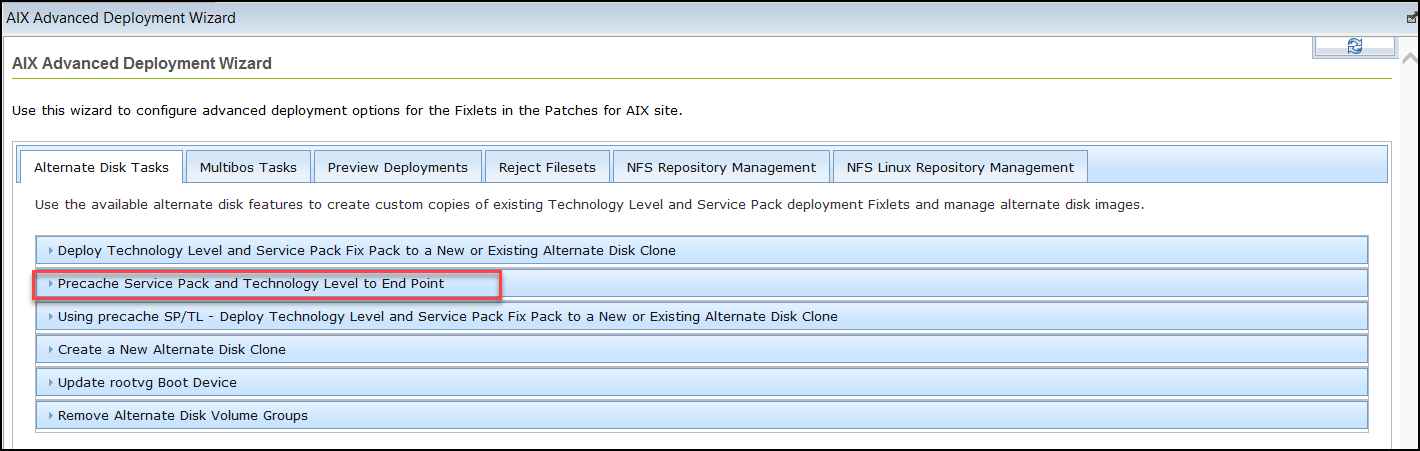
- Use the wizard interface to define the target OS level.
-
Specify the desired final state of the cloned partition: Major OS Level, Technology
Level, and Service pack.
Figure 2. Available options 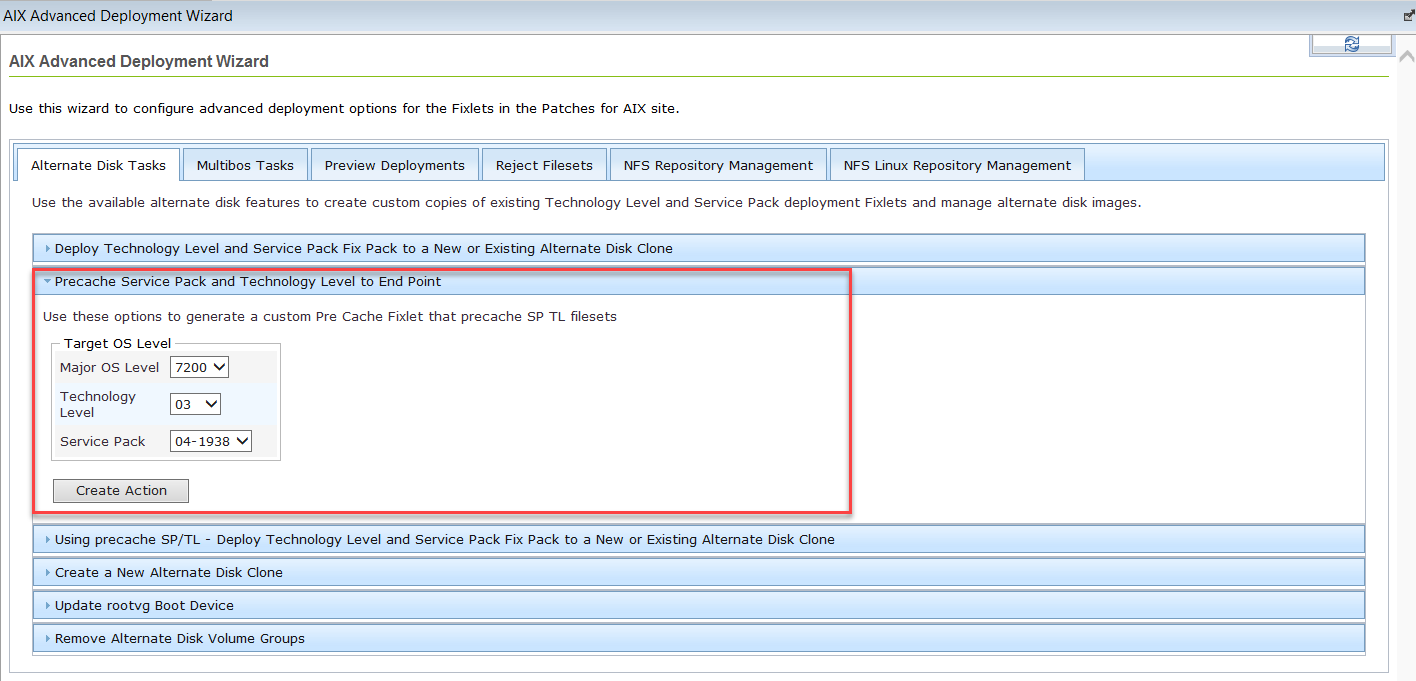
- After selecting the desired OS level, click Create Action to generate a pre-cache Fixlet that downloads the SP/TL filesets to the endpoint.
- Deploy the action.