
Deploy using the Key only option
Use this option to create an IAST session without downloading an agent. When selected, only a token is generated. This is useful when working with the IAST .NET Core Site Extension for Azure App Services, or when creating an IAST session for an already downloaded agent. This option applies to all IAST agents, across languages.
Procedure
-
To collect IAST findings, set the following environment variables on the web server
where IAST runs:
IAST_ACCESS_TOKEN: [key] IAST_HOST: as shown in the instructions (e.g. https://cloud.appscan.com/IAST)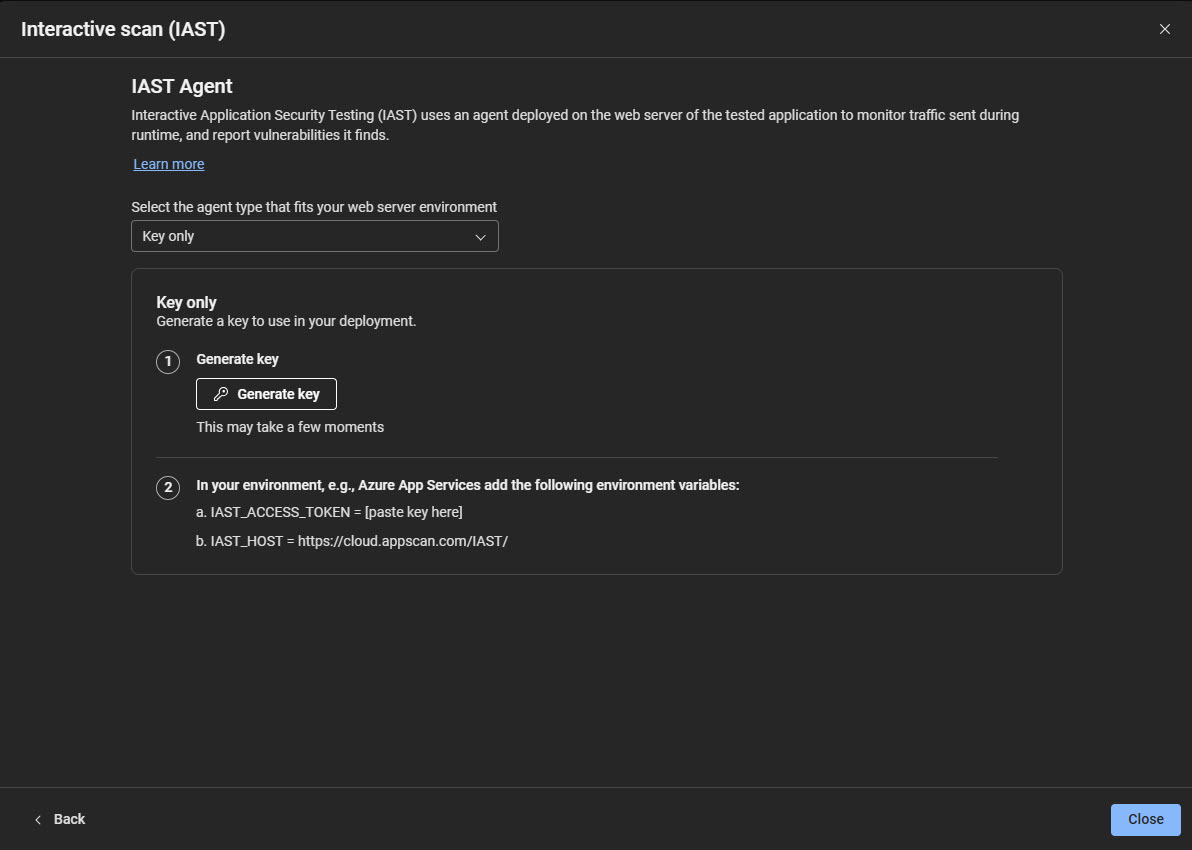 Note:Setting these environment variables overrides any key and host information embedded in the agent. This allows the "Key only" session to be used with any agent you have already downloaded.