
Deploying a Node.js IAST agent

You can deploy an IAST agent on the application server that supports Java, .NET, Node.js or PHP based applications. This section explains how to create a Node.js agent type on your web server.

Procedure

  1. Generate a key for the Node.js agent (through the user interface or API).
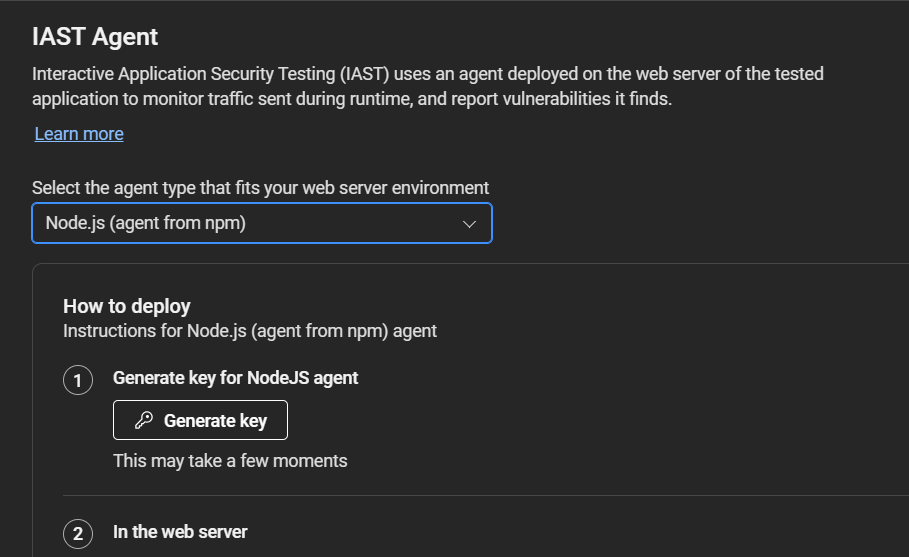
  2. On your web server:
    1. Add an environment variable: IAST_ACCESS_TOKEN: [key]
    2. Open the command prompt and run:
      npm install --save @hclsoftware/secagent
    3. Edit package.json by locating this line:
      "start": "node index.js",
      and editing it to this:
      "start": "node -r @hclsoftware/secagent/src/Iast.js index.js",
    Note: Alternatively, you can add the key to the package.json command as follows:
    • Windows: "start": "set IAST_ACCESS_TOKEN=12345 && node -r @hclsoftware/secagent/src/Iast.js index.js"
    • Linux: "start": "IAST_ACCESS_TOKEN=12354 node -r @hclsoftware/secagent/src/Iast.js index.js"
    Tip: If you use Next to run your applications, the IAST agent can be run with NODE_OPTIONS environment variable before the original command, for example: NODE_OPTIONS='-r @hclsoftware/secagent/src/Iast.js' next app.js
  3. Start your application using npm start.

Results

The IAST agent will monitor requests and report security issues as you use or test your application (run functional tests, run a Dynamic Scan, or explore the app manually).