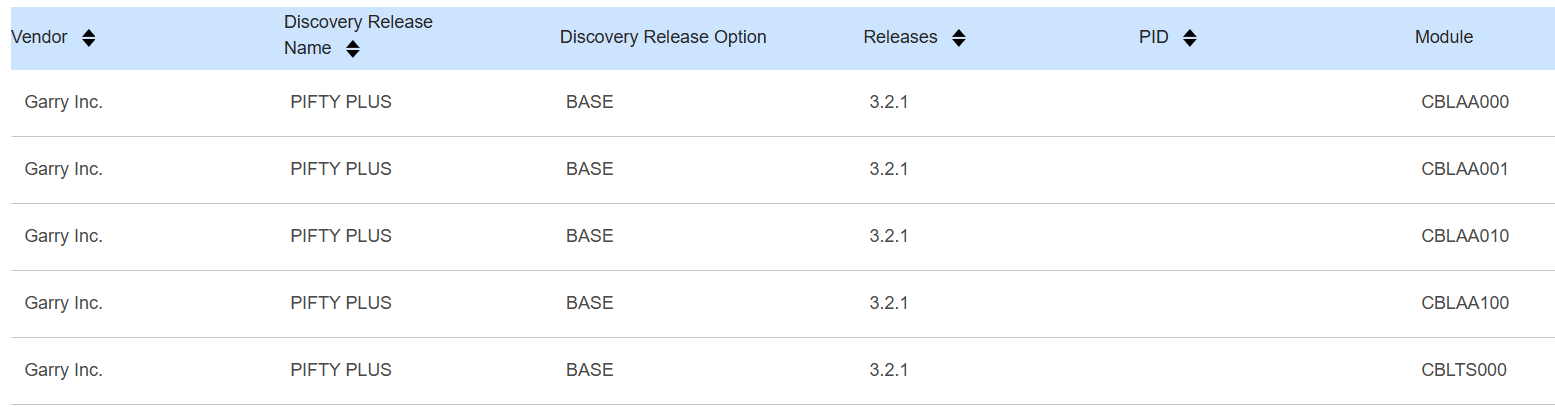
Sample LKB Summary Report
The LKB summary report shows a summary of any IQ-tagged data found and added to your repositories’ local knowledge database (LKB). This local product information is used during further IQ import matching processing. Relevant reports will include LKB matched data details as appropriate.
The LKB summary report can be used to delete specific entries from the LKB if
required:
- Under the Actions column, select Delete icon next to all the entries you wish to delete on the page.
- Select Submit.
A pop-up appears to confirm your deletion request.
- Select Cancel to exit the delete request or click Delete to
execute your deletion selection.
The update of the LKB and if enabled, any pre-processed reports rebuild, will now execute.
-
To delete further entries on other pages, repeat the above process until all the required entries get deleted.