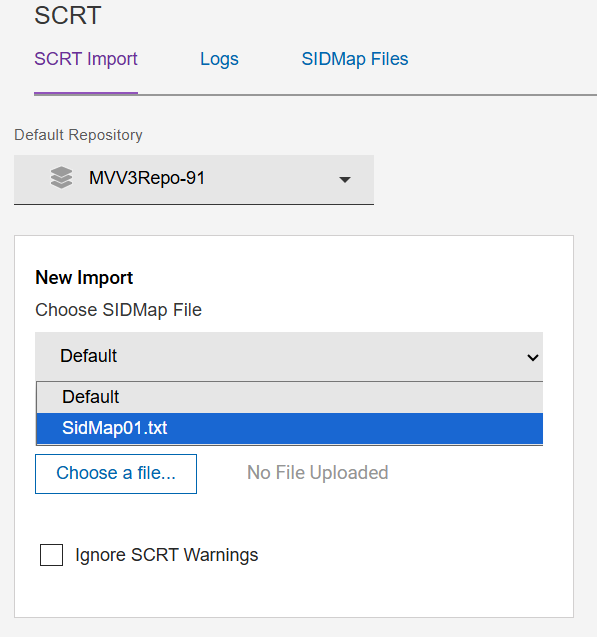
In this section, we will discuss the process of uploading the SIDMap
file.
The SIDMap file data is used when users have a different SMF ID in their SCRT data than
the one used in the target Repository. In order to match the data the user can
substitute the same SMF id in the Repository, with the one in the SCRT import data, as
it's being imported.
For example, in the Repository we have SMF ID QIP1 but lets say the SCRT data has
a different SMF ID of IPO1. In order for this SCRT data to be imported into
QIP1 repository and be matched successfully, the user would create a
SIDMAP01.txt (text file) to assign IPO1 to be QIP1, so when the SCRT data
is imported the data is matched.
An example sidmap.txt contains the following:
11111-IPO1=QIP1
11111-IPO2=QIP2
When the SCRT importer is processing data for machine serial 11111 and SMF id IP01,
assign a SID value of QIP1 instead to match with existing SID data already present in
the target repository.
To upload a SIDMAP file:
Select the SIDMap Files tab and then click the Upload button and
select the file previously created such as sidmap01.txt. Figure 1. SIDMap Files Upload Screen The Progress of the Upload process will then be displayed.
Note:
When the file is being uploaded to the SIDMap page, do
not navigate away from the Upload page before the process is complete
to avoid terminating the Upload process.
You can upload either single or multiple files after clicking Upload by using the
shift key to select multiple files.
Note:
Once completed, the list of available SIDMap
files is displayed.
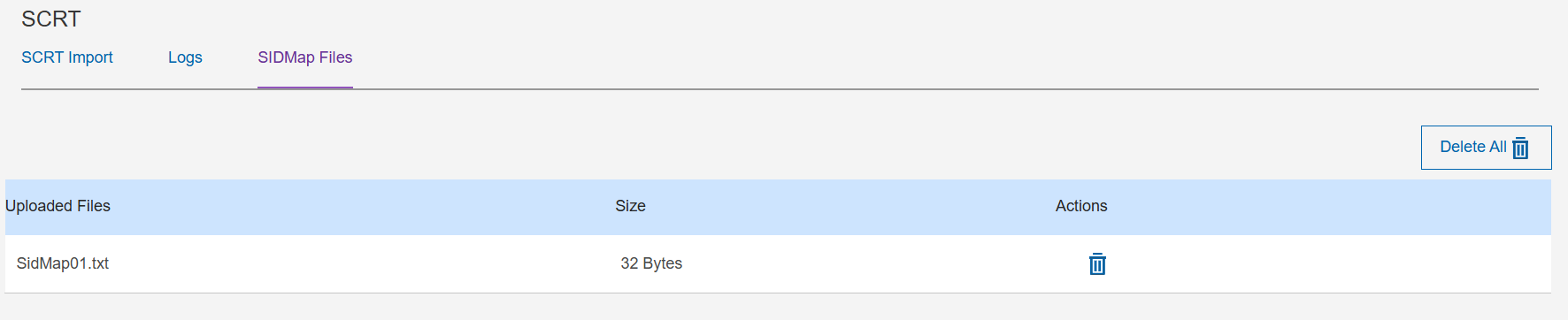
If you wish to delete an uploaded SIDMap file, click the delete icon next to the
file as shown below.
If you wish to delete all the SIDMap files which were uploaded, click the Delete
All button.
Figure 2. Delete All SIDMap Files