Login as User
An administrator is responsible for creating users. After your credentials are created, the administrator will share your Username and the Password along with the URL to access the web-interface. You will be redirected to force reset password page on first time login. The initial access URL is reported during the installation procedures.
To log into the application, follow the steps given below:
- Enter the URL provided by your administrator into your web browser and press Enter.
Example: URL: system.yourdomain.com:yourport
You are directed to the Login page:Figure 1. Login page 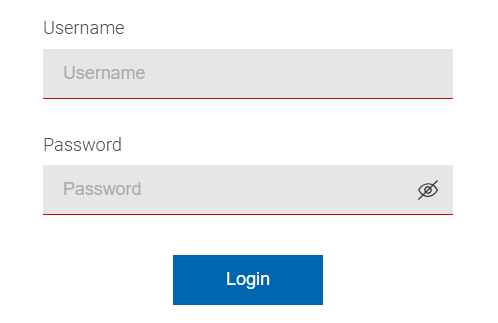
- Enter a valid username in the Username field. Enter a valid password in the Password field.
- To view the password entered by you, click icon
 in the
Password field.
in the
Password field. - To navigate to the external documentation website, click the question mark icon shown at the top right of the Login page.
- If you click the information icon, you will be shown a brief overview about the application and the current environment information, which includes docker version, hostname, and other backend related service level information. Support personnel may request this information for problem analysis.
- If you click the Japanese language icon in Login page, you can switch the
application language to Japanese from the drop-down based on your preference:
Figure 2. Login Language Selection 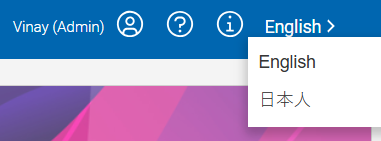
- Click Login. Note:If you click the Login button with a blank username or password, an informational message will be displayed:
Figure 3. Login Page Missing Password Message 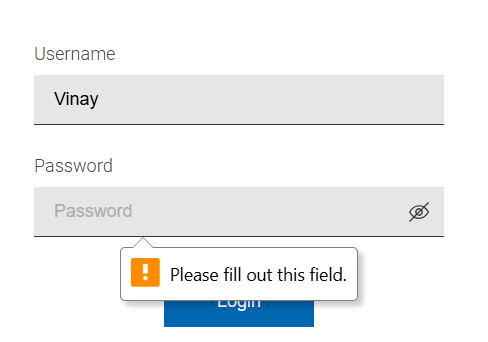 Note:If you enter an invalid Username or Password, a warning message appears as shown:
Figure 4. Invalid Credentials Warning Message