
Exporting an Event
This section explains how to export deployed events either as reusable templates or server-stored files for easy replication or migration across environments.
You can export the existing deployed events either to your server instance or as template. By exporting events, you can create reusable templates to replicate similar events effortlessly without starting from scratch or generate server-stored files for seamless transfer of events between environments with the same application configuration.
To export the events, follow the steps below:
- In the menu bar, click Unica Detect > Events
- In the All Events page, select the deployed event to be exported.
- In the View tab, click EXPORT DEPLOYED EVENT.
- Select one of the following options:
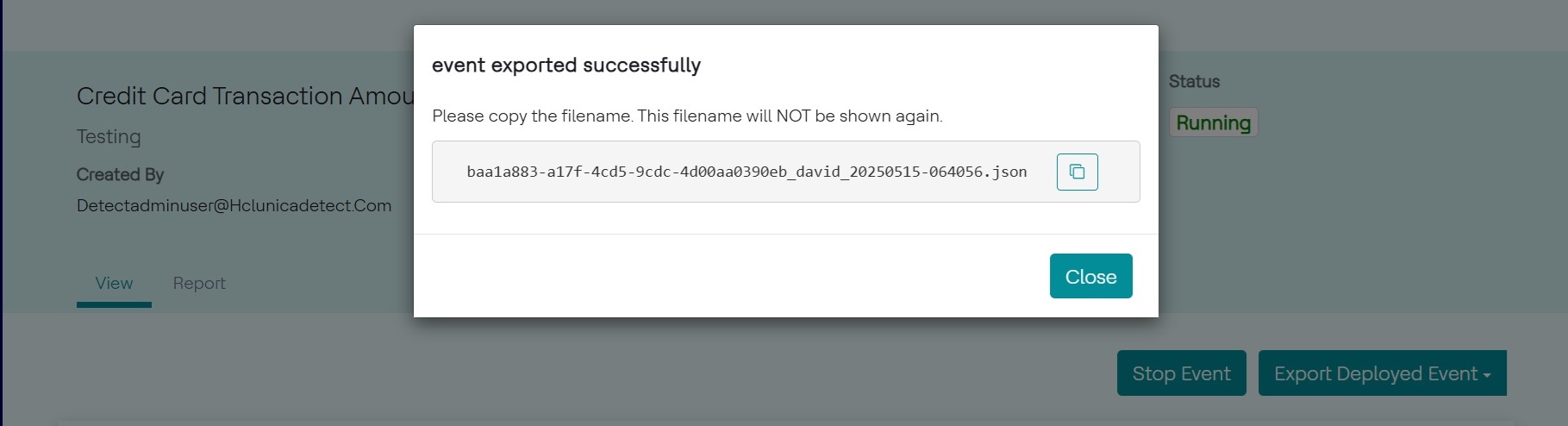
- VIA FILE: To export the existing event as file in the server
instance. Click OK in the confirmation popup, and copy the file name
for further usage. The exported event .json file will be stored in the
"<Installation_Location>/Instance_Home/export" server
location. A popup with file name is shown as below.
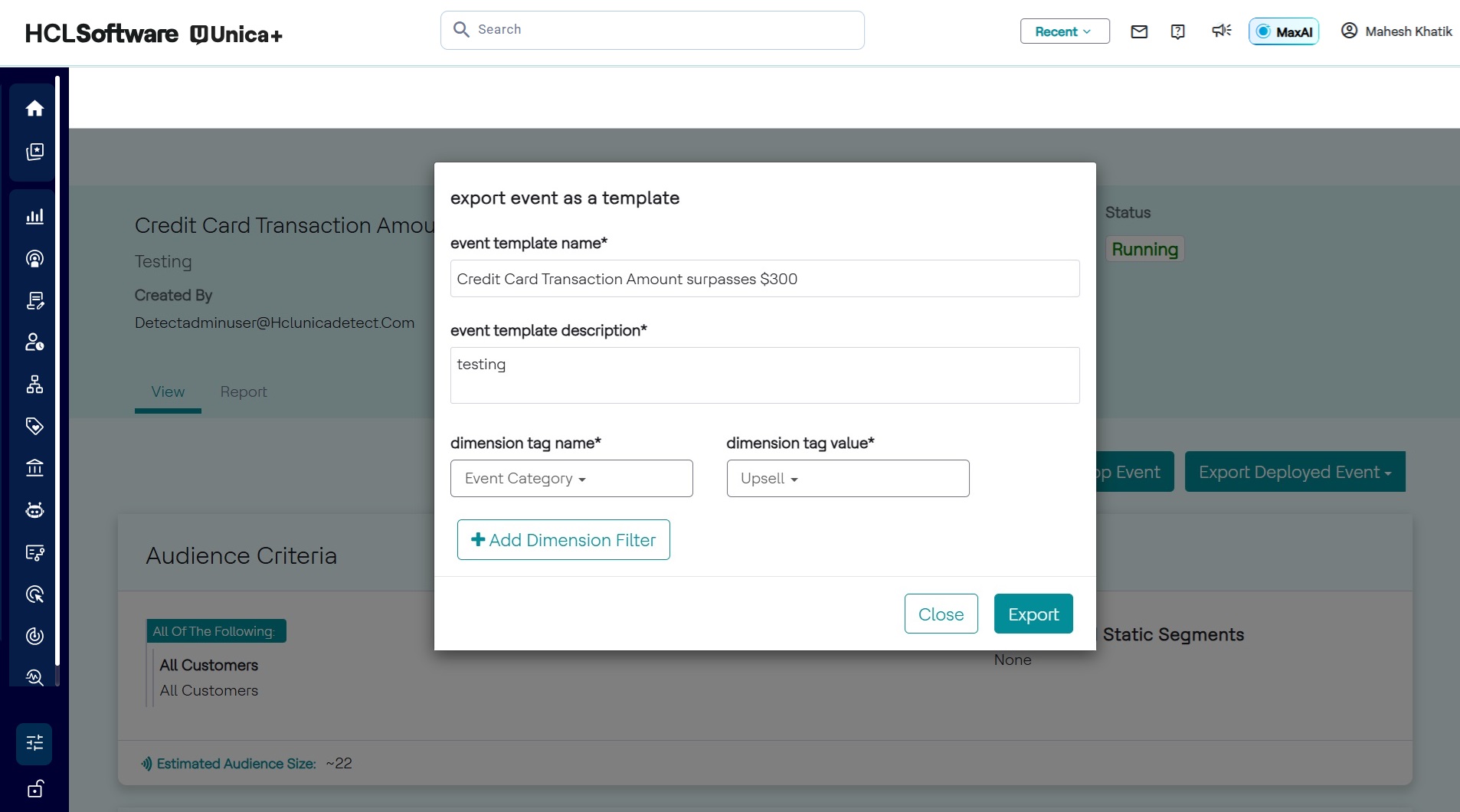
- VIA TEMPLATE: To export the existing event as a template. If this
option is selected, enter Template name and description. Also, make sure to
select the dimension tag and value as shown below.
- VIA FILE: To export the existing event as file in the server
instance. Click OK in the confirmation popup, and copy the file name
for further usage. The exported event .json file will be stored in the
"<Installation_Location>/Instance_Home/export" server
location. A popup with file name is shown as below.
- Click Export. As a result, the deployed event will be stored in the server instance and displays the file if the VIA FILE option is selected and will be listed as template if the VIA TEMPLATE option is selected.