
Open Tickets
This section describes how total open tickets in iAutomate are executed in either Auto or Manual mode.
To view Open tickets,
- Click Tickets on the main menu bar, and then click tab Open Tickets.
- The Open Tickets screen appears, displaying the
summary and status of all tickets. It also lists the
in-progress or failed tickets, either auto-executed or manually executed, in the following
tabs:
- Open Tickets: Lists of all the tickets that are unassigned.
- My Tickets: Lists only the tickets assigned to the current user, including in process or failed tickets.
- Assigned Tickets: Lists all the tickets that are assigned to the users.
- Released Tickets: Lists of all the tickets that are released.
Figure 1. Open Tickets 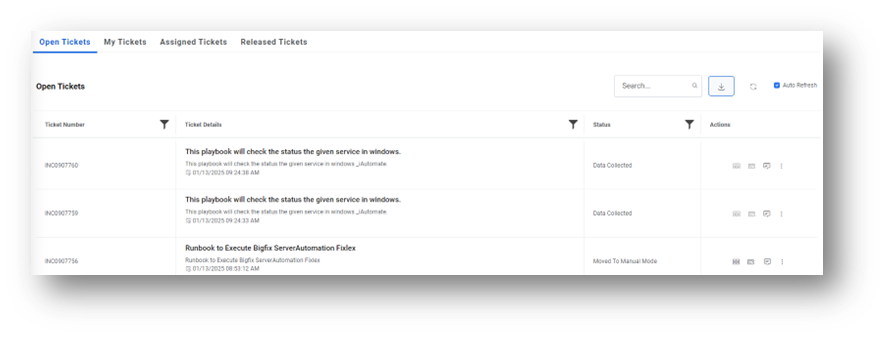
- Ticket Details: Provides information about a request, including the ticket description, summary, identification number, and creation date.
-
Action Details:
- Select Runbook: Show recommended runbook
- Release Ticket:
It enables the Release button in specific circumstances:
- If the execution criteria for a ticket, as detailed in the Runbook Execution, are not met, a Release button appears next to the ticket so the user can release the ticket from the iAutomate queue.
- For manual execution, the Release button is always active. Click Release to follow the steps as configured in the environment. See Runbook Execution for detailed information.
-
Chat With Us: It is an interactive chat option that enables users to see the
summarized display of the ticket, view the related tickets and related articles for the
ticket, generate knowledge article for that ticket and publish the same on ITSM.
Figure 2. Ticket details 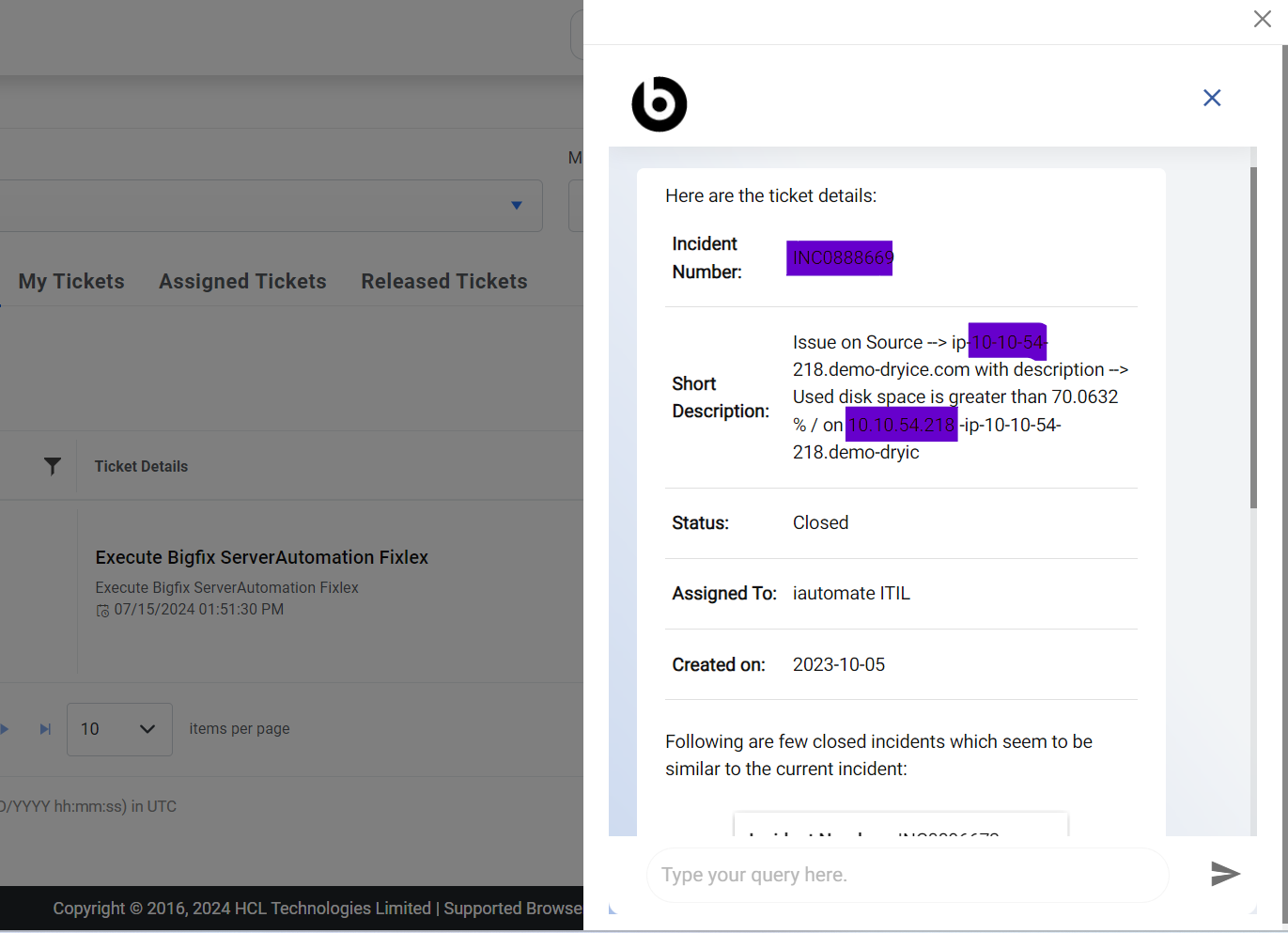
- View more Dropdown:
- Knowledge Guide: Show related guide
- Logs: Show Logs related to tickets
- Related Tickets: Show related runbooks
- Knowledge Graph: User can see the details of a particular Ticket and related Tickets corresponding to that Ticket.
Note:
The chat option is only enabled if the configured ITSM tool is
ServiceNow or KB generation is enabled under the Gen AI details menu.
Note:
This chatbot may collect personal information that you voluntarily
provide, such as your name, email address, or any other information you choose to
share.