
Configure Admin Details
Administrative roles provide controlled decentralization of administrative responsibilities and the functionality to add or manage more administrators or users, manage settings, and perform governance actions.
This section describes the steps involved to configure the Super Administrator which is required after the initial setup of iAutomate.
To configure Super Administrator details, perform the following steps:
- On the Configure Admin Details
page, type the new administrator’s Name,
Email and Password
.
Figure 1. Configure Admin Details 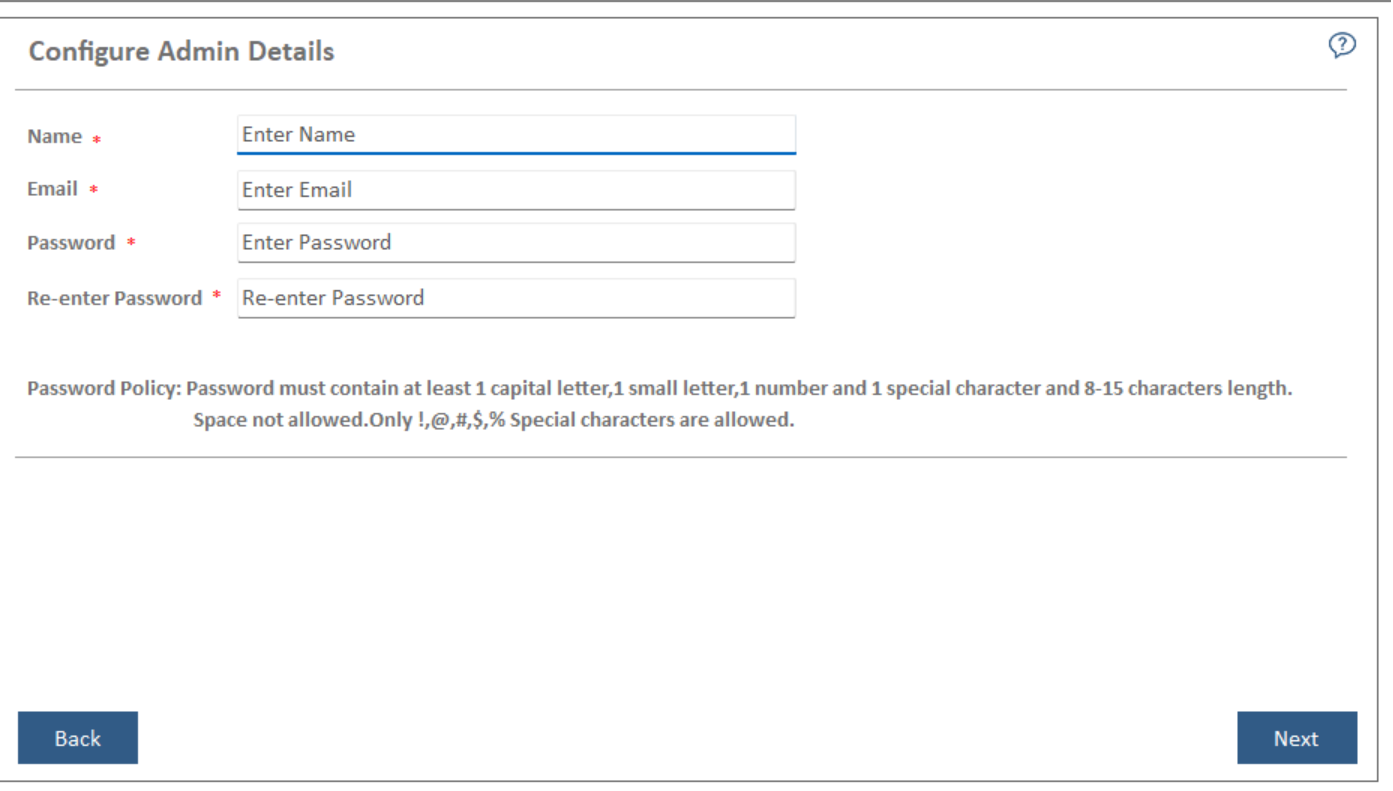 Note:If the database provided in the Database Setup already exists at the time of installation, then the Configure Admin Details page will remain unavailable.
 - Post installation, the administration console can be accessed by this Super Administrator account to configure iAutomate.
- Click Next to review the information provided on previous pages.
Note:
Click Reset to reset the admin credentials. Click
Back to navigate to the previous pages for making any changes. All fields marked with
an asterisk (*) are mandatory.