Fetching chat history by Agent Assist Tool
The Agentic AI Support agents retrieve chat history, understand conversation context, generate summaries, and assist in resolving user queries during live chat sessions.
This feature improves agent productivity by providing AI-powered assistance directly within the User Chat Panel.
The steps below explain how to fetch chat history using Agentic AI.
Before using the Agentic AI feature, ensure the following:
- Agent Setup is configured for the tenant.
Figure 1. Configure agent with agentassist tool 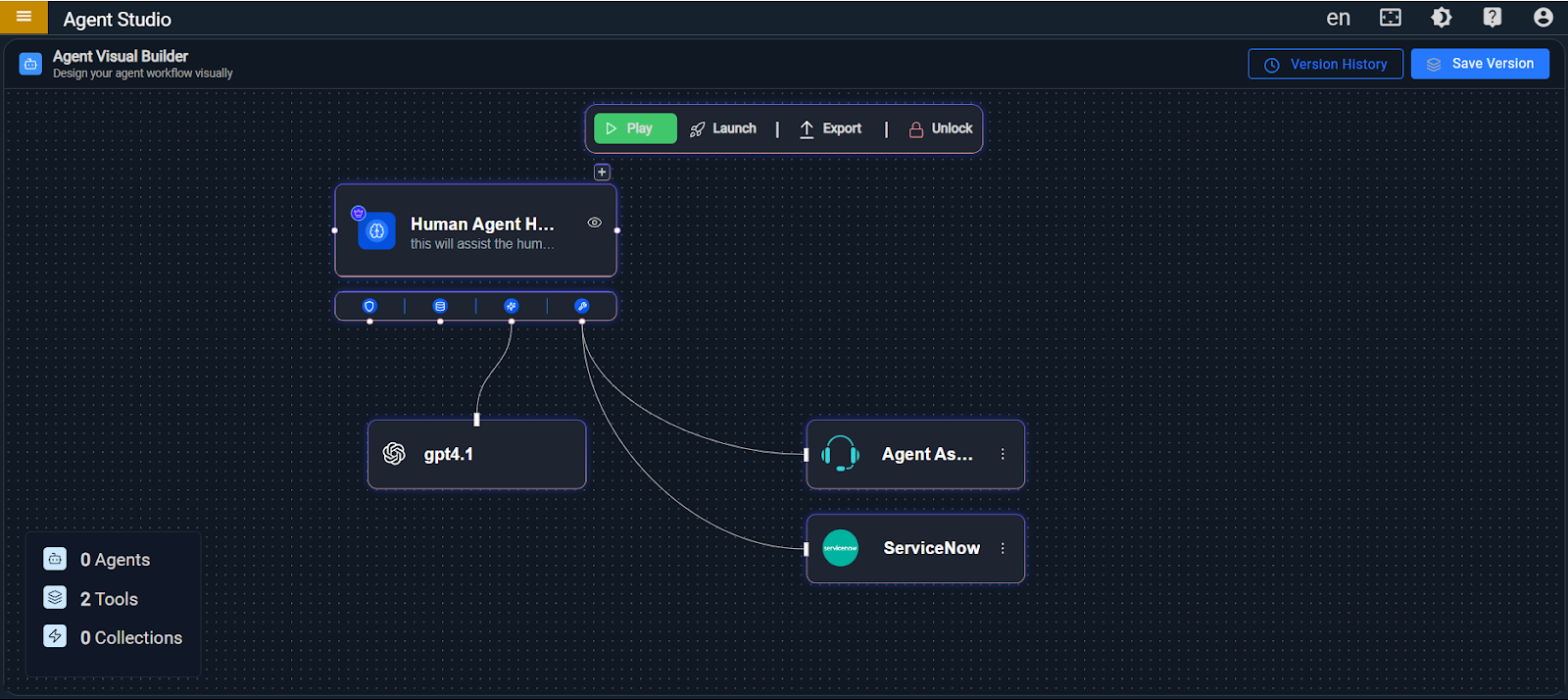
- Select the Agent Assist tool, choose the
aex_fetch_chat_detailsfunction, and save it.Figure 2. Select fetch chat details function 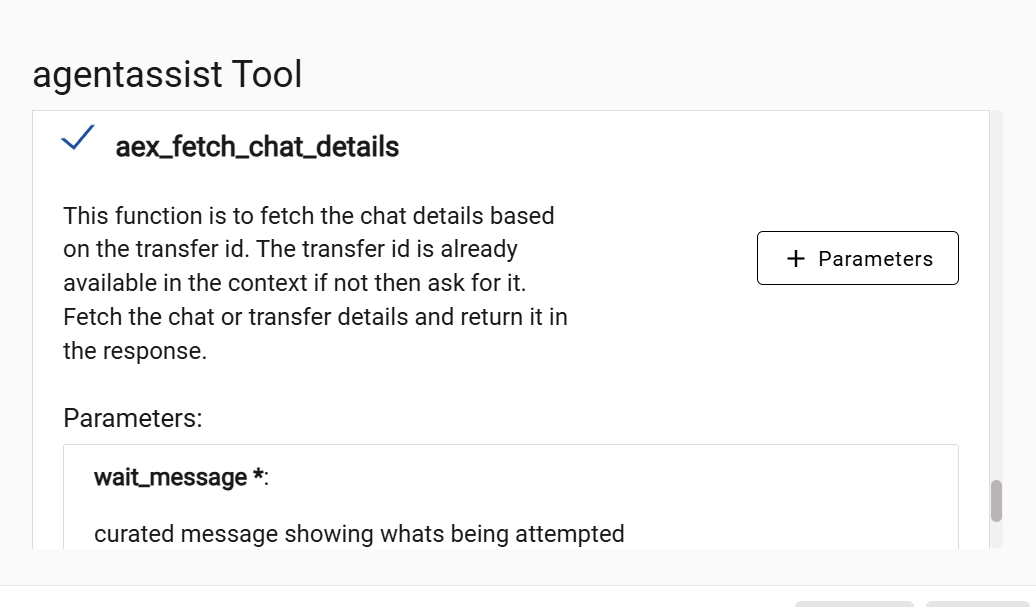
-
Open the agent assist Admin Console:
< https:/tenant-url/admin#/agentassist> -
Navigate to: Settings → Agent
-
Click the Edit icon.
-
Select an available agent (for example: Human Agent Helper).
-
Click the Save icon.

- Open the Agent Chat Console: <https://tenant-url/agents#/chat>
- Accept a chat from the queue.
- Start a conversation with the user.
- Locate the Agent Icon (Agentic AI Support) on the right side of the chat panel.
- Hover over the icon.
- Click the icon to access AI assistance.
Figure 4. Select agent from Chat console 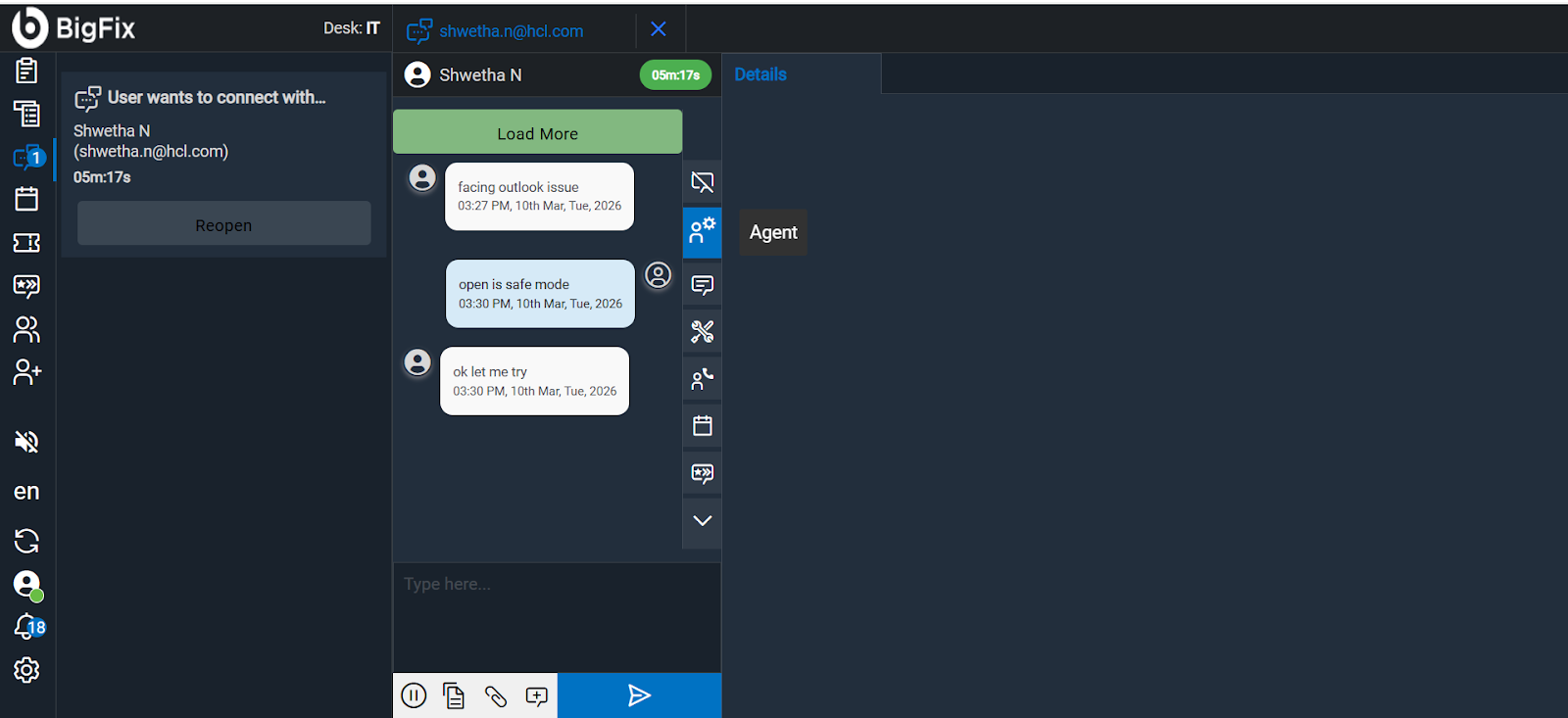
-
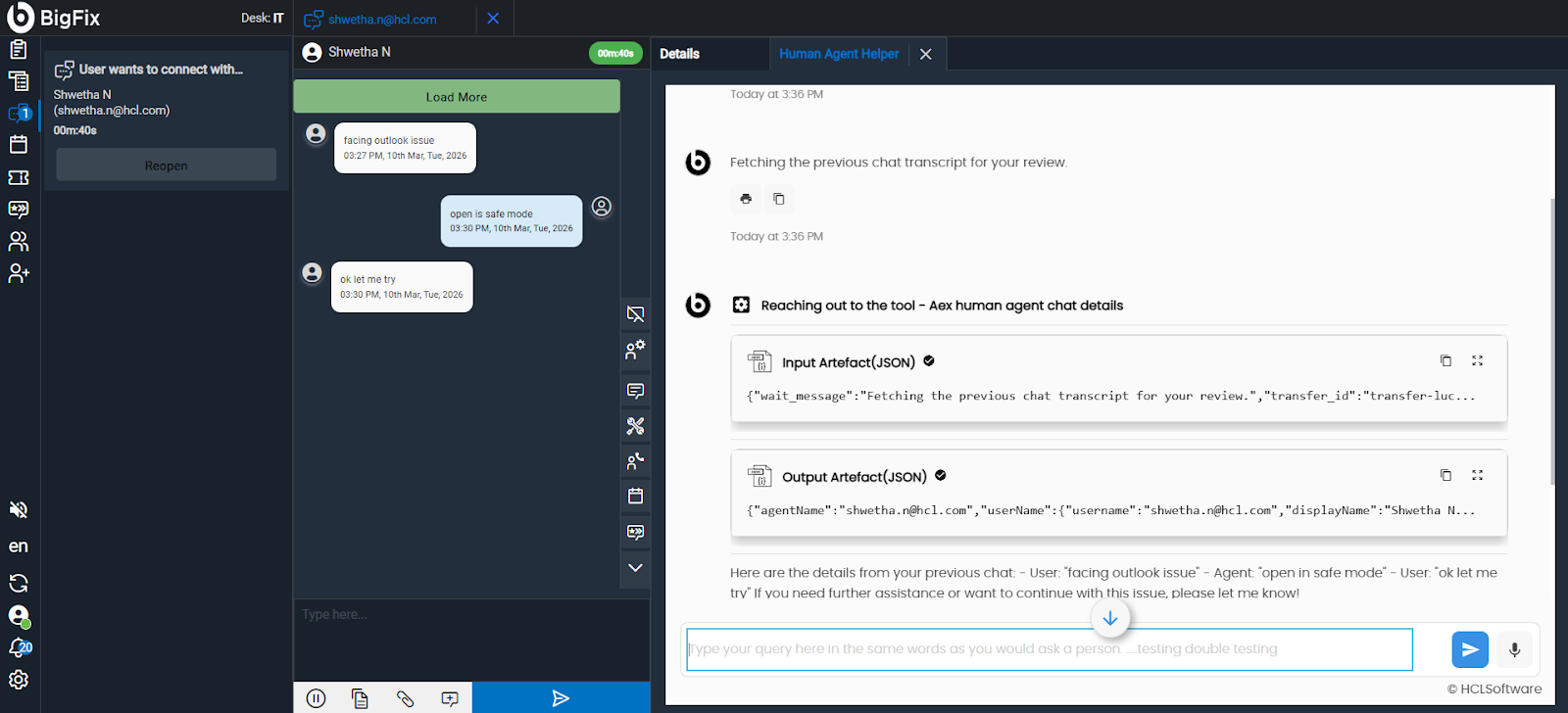
Agents can request previous conversation details during an active chat.
"Can you show me the previous chat details?"
Figure 5. Fetch Previous Chat Details 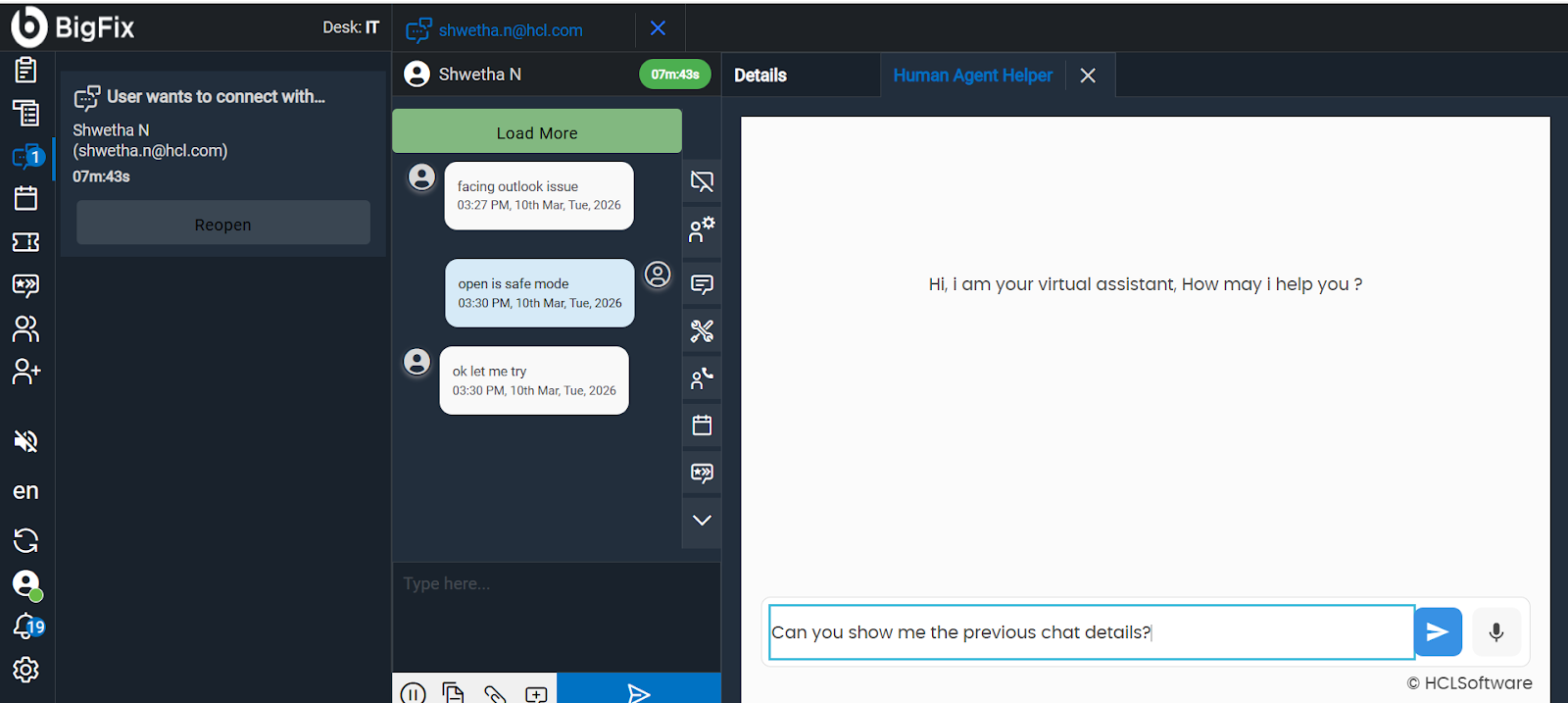
-
The AI will retrieve the previous conversation context.
Figure 6. Retrieve the previous conversation context