
Knowledge Management
The Knowledge Management module allows users to create, manage, and organize collections of knowledge articles that can be used by agents. Users can upload documents, manage collections, mark favorites, lock collections, and attach collections to agents.
Steps to Accessing Knowledge Management:
- Open the tenant url : https://tenant-url/admin#/
- Navigate to the Knowledge Management section from the main menu.
- The Knowledge Management dashboard will display collection cards and management
options.
Figure 1. Knowledge Management 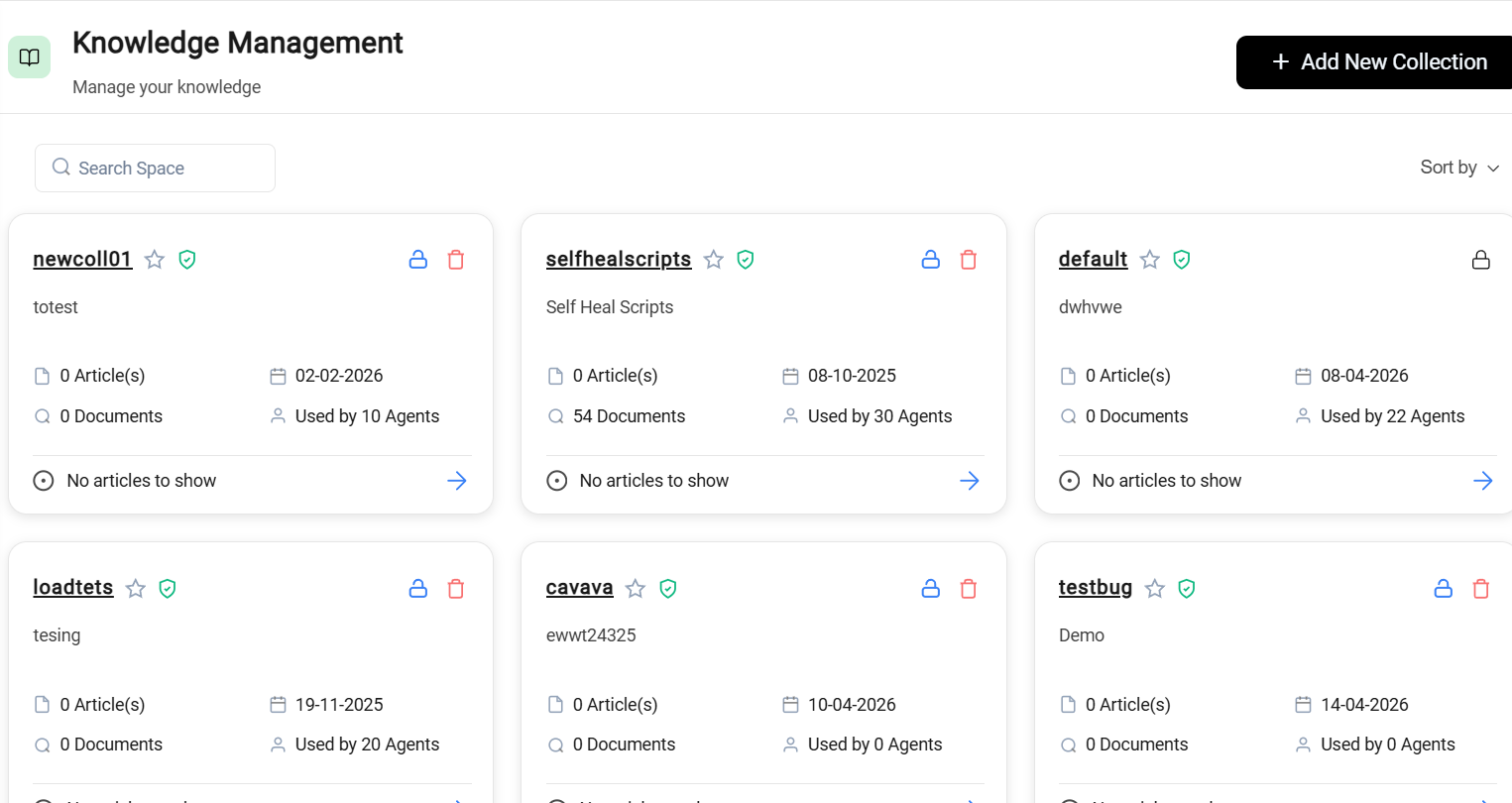
Knowledge Collection Interface
The Knowledge Collection page contains the following components:
- Add New Collection button – Used to create a new knowledge collection.
- Search bar – Used to search existing collections.
- Sort By drop-down – Used to sort collections based on user preference.
- Collection cards – Display details of each collection.
- Pagination – Used to navigate between pages of collections.