
Placing backorders
You can place a backorder for out-of-stock items from your store.
Procedure
- Open the store landing page.
-
Select the product category from your store. All the products in the selected
category are listed on the landing page.
You can see an Available for Backorder label on products that are out-of-stock but can still be backordered.
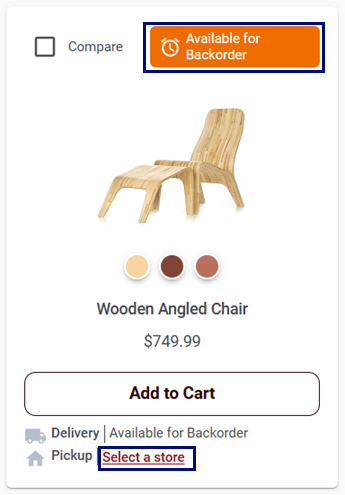
You can click on the Select a store to view the inventory at different locations.
Once you click on the Select a store the following pop-up appears: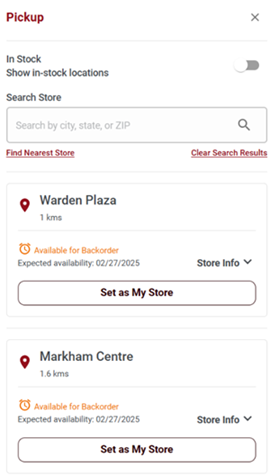
-
Click on the product image with the Available for
Backorder tag to view its product display page.
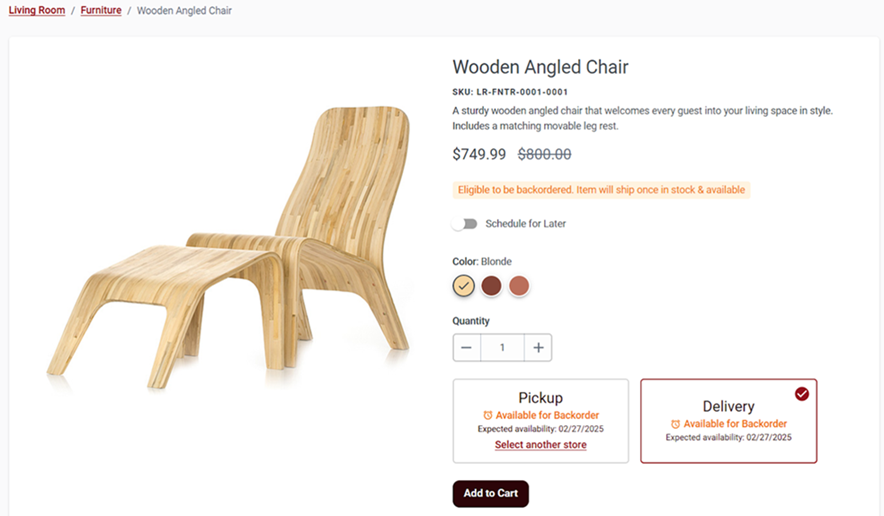
- Specify the quantity of the product.
-
Click on the buttons.
The Shopping Cart page opens. You can place backorders for out-of-stock items from the Shopping Cart page as well.
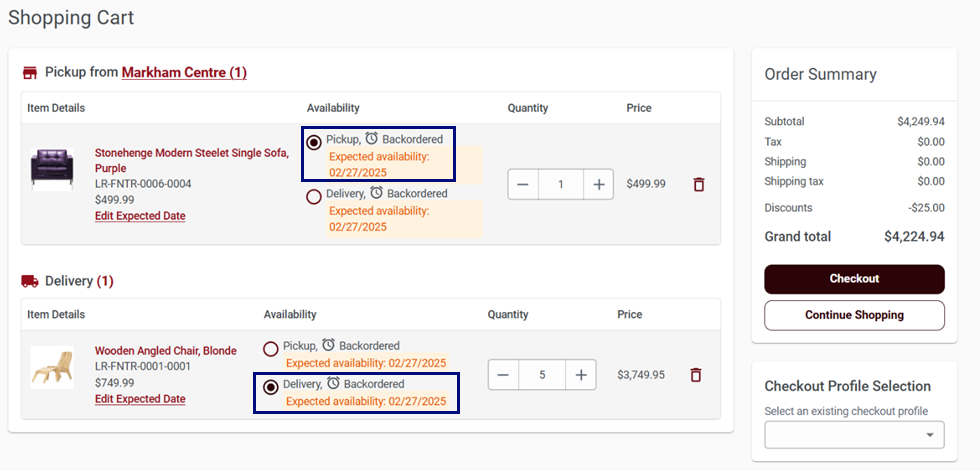
- Follow the checkout process and review the details to complete your order.